
cidmalpcmgbchaekhipfgkaopnhpdgke

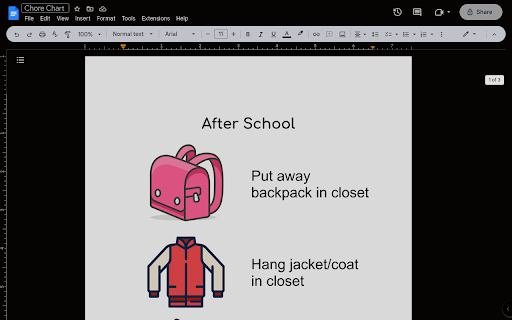
Just another Google Docs dark mode without all the bull shit Just another dark mode extension specifically for Google Docs. This does nothing except insert some CSS on docs.google.com pages. Fuck all those other extensions that record your personal data and track what you do. I don't care about that, I just wanted an extension that works.

DocsAfterDark
Beyond dark mode for Google Docs Relieve eye-strain from the default Google Docs experience with DocsAfterDark. Customize the look of your documents without modifying the original file. DocsAfterDark features a modern, sleek dark mode and a vibrant light mode. Try out the "midnight" dark mode variant for true-black backgrounds. Accent colors shared by both modes can be customized using the color slider in the settings popup. Customize the document background to a darker (or lighter) shade. Or, input your own custom CSS (background-color) color. Choose between the colorful, grayscale, and black invert modes to render document content in dark mode. The colorful invert mode preserves the essence of colors, but note that the colors will not be exact to the original document. Globally enable/disable the extension, change to dark/light mode, and access all of the above customizations in the settings popup, which can be opened by clicking on the extension’s icon in your browser’s toolbar. Temporarily enable/disable the extension for the current document using the toggle button in the bottom left corner of the page. The source code and release notes are available on GitHub at https://github.com/waymondrang/DocsAfterDark. If you enjoy using DocsAfterDark and would like to support its development, please consider donating on Buy Me a Coffee at https://www.buymeacoffee.com/waymondrang. Please note that this extension does not currently work for any other Google Workspace products (e.g. Sheets, Slides).

Google Calendar Dark Mode
Enhance Google Calendar with dark mode. Reduce eye strain with dark mode google calendar. Easy Google Calendar Dark Mode Transform your daily planning routine with Dark Mode, the ultimate extension for a more comfortable and visually appealing scheduling experience. The chrome extension for google calendar dark mode is very popular. Designed to reduce eye strain and improve usability, this extension is perfect for those who prefer a night theme for their online device. Many users prefer using dark mode google calendar for a comfortable viewing experience. 💠 Easy-to-Activate Theme: Activate theme effortlessly with just one click. Switch between light and night modes seamlessly. Enhanced visual comfort for prolonged use. It's easy to enable google calender dark mode with the right settings. 📆 Improved Usability: Sleek and modern interface. There is an option for dark mode for google calendar in the settings. People often ask, does google calendar have a dark mode? Yes. Customizable to fit your personal preferences. 🌐 Wide Compatibility: Works across various devices including desktops and laptops. Compatible with all major browsers. Ensures a consistent look and feel across platforms. 💡 Why Use this Extension? 🔹 Reduced Eye Strain: Themes are known to minimize eye strain, making it easier to focus on your tasks for longer periods. You can use google calendar dark mode desktop for your PC. 🔹 Better Battery Life: Especially useful for laptops, this mode can help extend battery life by reducing the amount of light emitted from your screen. 🔧 Easy Installation: 1️⃣ Visit the Chrome Web Store. Use the chrome extension for google cal dark mode. 2️⃣ Search for this mode. 3️⃣ Click on "Add to Chrome" to install the extension. 📲 User-Friendly Design: ➤ Simple and intuitive interface. ➤ Quick access to all features directly from your browser. ➤ No complicated setup required. 🚀 Enhanced Productivity: 1️⃣ Improved focus with a dark background. 2️⃣ Better contrast for viewing events and appointments. Consider switching to google calendar dark theme for a different look. 3️⃣ Customizable settings to suit your needs. If you need help on how to make google calendar dark, check the FAQs. 🌍 Global Appeal: ◆ Available for users worldwide. ◆ Supports multiple languages. ◆ Ideal for both personal and professional use. 🔒 Secure and Reliable: 🔹 Regular updates to ensure compatibility with the latest browser versions. 🔹 No data tracking or privacy concerns. 🔹 Dedicated support team to assist with any issues. 🎨 How to make google calendar dark mode: 1️⃣ Choose from various shades of themes. 2️⃣ Adjust brightness and contrast to your liking. 3️⃣ Personalize your style. 🔔 Notifications and Alerts: 🔸 Receive alerts in dark mode without switching themes. 🔸 Customize notification settings to avoid interruptions. 🔸 Stay on top of your schedule with minimal distractions. 📊 Detailed Analytics: ◆ Track your productivity with built-in analytics. ◆ Gain insights into your scheduling habits. ◆ Make informed decisions based on your data. 👥 Community and Support: 🔹 Join a growing community of users who prefer dark mode. 🔹 Access helpful tips and tricks from other users. 🔹 Receive prompt support from our dedicated team. 💼 Professional Use: 🔸 Perfect for office environments where dark mode is preferred. 🔸 Maintain a consistent look across all your professional tools. 🔸 Enhance your productivity with a more comfortable viewing experience. 📅 Get Started Today! Transform your scheduling experience with Dark Mode. Download now and enjoy a more comfortable, efficient, and aesthetically pleasing way to manage your time. 🛠️ FAQs: 🔹 How do I switch to dark mode? Simply install the extension and activate it with one click. 🔹 Will it affect my existing settings? No, it will only change the appearance to dark mode without altering your existing settings.

Google Docs Dark Mode 2025
Turns Google Docs dark without changing your file. Made in hours so my eyes stop bleeding from bright docs Google Docs Dark Mode is a simple yet effective browser extension that adds a dark theme to the Google Docs interface without changing the document itself or its content. Your text will remain white on white for everyone else, and you will see it in a dark, eye-friendly mode. The extension was created in a few hours with one goal in mind: to reduce eye strain when working with documents for long periods of time, especially at night. No more "blinding" white screens - just a clean, pleasant interface. Perfect for students, developers, writers, and anyone who works with Google Docs every day. Turn the dark theme on or off with one click. No ads, no data collection, no frills - just the dark mode you were missing.

Dark Mode (Chrome, Docs, & Sheets)
Toggle dark mode on Chrome, Google Docs, and Google Sheets with a single click Tired of staring at bright white screens? This lightweight extension instantly transforms any website into a comfortable dark theme with a single click. FEATURES: • One-click toggle from your browser toolbar • Works on all websites, including Google Docs and Google Sheets • Preserves images and photos in their original colors • Remembers your preference across all tabs and browser sessions • Sun/moon icon shows current mode at a glance • No account required, no data collected PERFECT FOR: • Late-night browsing and working • Reducing eye strain • OLED screens (save battery with true blacks) • Anyone who prefers dark interfaces Simply click the extension icon to toggle between light and dark mode. Your preference syncs across all open tabs instantly. Lightweight, fast, and privacy-friendly. No permissions beyond what's needed to apply the dark theme.
