
chcphpeifolppcfemopkgpbkenaoijpl
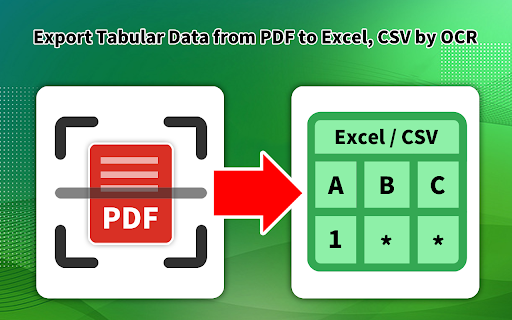
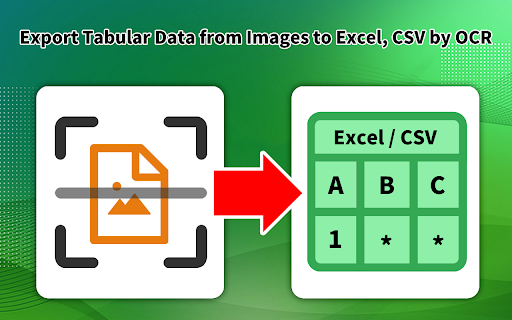
Table OCR (Optical Character Recognition) is a technology that utilizes machine learning and artificial intelligence algorithms to extract data from tables in various formats, such as scanned images or PDF documents. It allows for the automatic recognition and conversion of tabular data into structured formats like Excel spreadsheets, eliminating the need for manual data entry. Table OCR has become increasingly important for businesses, as it allows for faster and more accurate processing of data, reducing errors and increasing efficiency. It can be used in a variety of industries, including finance, healthcare, and retail, and is a valuable tool for any organization that deals with large amounts of data. Use Cases Invoice Automate accounts payable with invoice data capture Bank Statement Easily convert PDF bank statements from 100s of banks world wide into CSV/Excel. Accurately Convert PDF Bank Statements to CSV/Excel. Acord Convert certificate of insurance to actionable data Trailing 12 Months Commercial real estate analytics made easier and more accurate Rent Roll 50% less operational cost with automated rent roll processing Bill of Lading Onboard customers in real-time with quick and accurate logistic document processing Energy&Utility Error-free data extraction from Energy & Utility bills IRS Form 1040 Verify tax return details in real-time with intelligent OCR API By design, your data stays at all times on your Google account, never saved in our database. Your data aren’t shared with anyone, including the add-on owner. We complies with privacy laws (especially GDPR & California Privacy Act) to protect your data. All data you upload are automatically deleted every day.

Table Capture
Copies HTML tables to the clipboard or exports them to Microsoft Excel, CSV, Google Sheets, Office 365, etc. Table Capture gives you the ability to easily capture HTML tables for use in a spreadsheet, whether using Microsoft Excel, Office 365, Open Office, Google Sheets, etc. Features: • Copy tables to the clipboard with the proper row & column separators • Export to Google Sheets • Batch export tables to the clipboard, Excel & Google Sheets • Capture tables (or any repeating items on a website) • Exports of up to 250 rows Table Capture Pro features (requires annual subscription): • Download tables directly as an Excel spreadsheet or as a CSV file • Capture multi-page tables and tables that load as you scroll • Copy tables to the clipboard as Markdown • Screenshot tables (save as PNG images) • Export tables to Office 365 • Create "Recipes" for handling tables on specific websites • Export tables from PDF files (locally and from the web) Table Capture Cloud features (requires subscription): • Real-time sync to Google Sheets • Magic Columns: AI-based column parsing • Table Talk: Ask ChatGPT free-form questions about your data! • Ollama Integration: Use a local LLM for your advanced data processing needs Support & Testing: support@georgemike.com • Please test the extension on the tables provided here: https://www.georgemike.com/tables/test/

OCR Editor - Text from Image
Online OCR editor to extract the text from images, pdf and word files. OCR Editor, a powerful Chrome extension, utilizes advanced OCR technology to seamlessly convert text from images, scanned documents, tables, graphs, and screenshots into plain, editable text with ease. From students typing up papers, to business professionals working on documents, to anyone needing to convert scanned documents to text, this tool saves time and effort in 2025. Accurate Text Extraction: The OCR Editor guarantees precise recognition of text from images and scanned documents. Multi-format Support: It works seamlessly with JPEGs, PNGs, and PDFs, making text extraction from PDF and images as simple as a screenshot. Multi-language Support: Need to work in a language other than English? The OCR Editor detects and translates text in various languages. Preserves Formatting: It keeps the original formatting intact, ensuring smooth PDF to editable text conversions. User-Friendly Interface: The intuitive design makes it easy to work with this online OCR editor, requiring no extensive training. Time Saver: Say goodbye to tedious retyping—this OCR text converter digitizes text quickly and efficiently. Oh, how many times have you needed to copy text from a scanned document or image, only to struggle with retyping it? The OCR Editor makes this process seamless. It’s perfect for: Students and Teachers: Digitize notes, textbooks, and even diagrams in just a few clicks. Professionals and Businesses: Extract text from reports or presentations with ease. Doctors and Lawyers: Quickly convert scanned documents to text, including patient records or legal documents. Content Creators: Capture text from screenshots or convert image to text for your projects. Plus, the tool doubles as a screenshot to text tool and lets you effortlessly extract text from images or PDFs while preserving their formatting. It's a game-changer for anyone working with digital or scanned files regularly. Install the OCR Editor extension from the Chrome Web Store. Open any image, PDF, or screenshot with text you want to extract. Click the OCR Editor icon in your toolbar and select the area or file for text extraction. Copy and edit the extracted text instantly or save it to your clipboard for further use.

Powerful Table Capture
Copies HTML tables to the clipboard or exports them to Microsoft Excel, CSV Copies HTML tables to the clipboard or exports them to Microsoft Excel, CSV, Office 365, etc. Table Capture gives you the ability to easily capture HTML tables for use in a spreadsheet, whether using Microsoft Excel, Office 365, Open Office, etc. Features: • Copy tables to the clipboard with the proper row & column separators • Export to Google Sheets • Batch export tables to the clipboard, Excel • Capture tables (or any repeating items on a website) Table Capture Pro features: • Unlimited Exports • Export views with 1,000+ rows • Formatted CSV Exports • Formatted Excel Exports • Capture dynamic and multi-page tables • Copy tables as Markdown text • Priority Support from Dev • Invoice for your expense report

Bank Statement Converter - Convert From PDF to Excel & CSV
🔹Bulk Processing Our high-volume bank statement converter allow you to upload batches of statement PDFs at once. No need to convert line-by-line. Simply upload in bulk for major time savings. 🔹Flexible Export Options Easily export converted statements into Excel, CSV, or JSON formats. Toggle between customized outputs with one click. 🔹Supports 100+ major banks Our bank statement converter offers compatibility with over 100 major banks worldwide, and even supports multilingual statements. 🔹Data Security and Privacy We prioritize the security and privacy of your financial information. We adhere to stringent standards such as GDPR and CCPA privacy laws in managing your files. 🔹Accurate We're continually improving our algorithms. If a file doesn't convert to your expectations, email us and we'll fix it. By design, your data stays at all times on your Google account, never saved in our database. Your data aren’t shared with anyone, including the add-on owner. We complies with privacy laws (especially GDPR & California Privacy Act) to protect your data.
