
chamjagfifgbdoppicpnjfegnkoepjkj
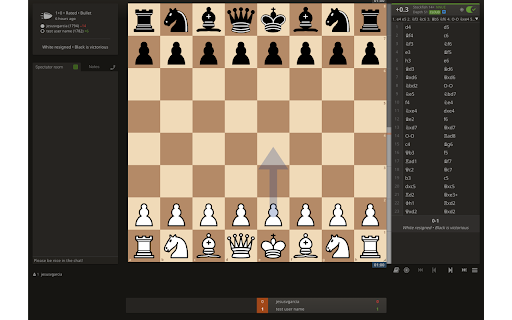
Improve your chess by remembering to reflect on the game. Never forget to analyze a chess game again.

Chess.com/Lichess Opponent Insights
Get insights about your opponent's openings, move times, and more on Chess.com and Lichess.org Transform your chess game on chess.com and lichess.org with our feature-packed extension delivering deep opponent insights! Replace that ad-sidebar with a sleek dashboard showcasing vital stats like win/loss records, move-time distributions, and detailed game outcomes—checkmate, resignation, or stalemate. Analyze past game openings to anticipate your opponent’s moves and leverage the note-taking feature to track their unique tendencies.

Chess Pro
A Chrome chess extension Suggesting the best move (on Lichess) and automatically moving the pieces How to run the extension: - Open the Extensions by clicking on the puzzle icon next to your profile avatar - Click on the pushpin icon next to ChessPro to pin the extension, a knight icon will show up on the taskbar - Click on the knight icon - Turn on the extension Features: - Customize analysis depth: Higher depths take longer to analyze but will result in better moves. We recommend using depth 9 or above. Note: Using depth too high risks your account getting closed. - Max wait time: Only applies to “Automove” mode. This allows you to set how long it takes for the extension to make the next move. - Winning chance: Get realtime evaluation of the match. Note: this is based on the assumption that the opponent makes perfect moves, so it's fine even if the evaluation fluctuates. - Automove: The extension automatically plays for you. - Voice suggestion: The extension will tell you which move to play using voice suggestion (Recommended on Lichess). - Auto play new game: The extension will automatically find a new game once the current one finishes. - Bongcloud: Joke opening. Notes: 1. The extension doesn’t highlight the positions when playing on lichess.org, is this an error? No, this is intentional. lichess.org can detect cheating if the extension draws on the screen, so we disabled this feature entirely. However, you can use the extension by turning on either the autoplay mode or voice suggestion mode. 2. If you have any suggestions or found any issues, please email us at speedrunlegend123@gmail.com.

Lichess Auto Analyzer
Our Chrome extension automate the clicking through multiple buttons to analyze your Lichess games. The process will be automated after finishing the games. You will get a popup summarizing the game results. After finishing the game the analytics start automatically. If you disable the Auto-Run and keep the extension running. that will make the analysis popup appear only when you click on "ANALYSIS BOARD" in Lichess. Please note, the analysis may take some time depending on Lichess's processing speed, but the extension ensures that you get a streamlined and efficient experience. - Automated Clicking: Streamlines the process by automatically clicking through multiple buttons to access and analyze your Lichess games. - Instant Analytics: Initiates game analysis automatically once a game is finished. - Game Summary Popup: Provides a summary of game results through a popup for quick review. - User-Friendly Interface.

Lichess Analytics Dashboard
An integrated Lichess dashboard showing your win stats and rank The Lichess Analytics Dashboard Extension is designed to enhance your Lichess experience by providing in-depth analytics directly on the homepage. Whether you’re a casual player or a dedicated chess enthusiast, this extension offers a comprehensive overview of your performance, enabling you to track your progress and make data-driven improvements. Performance Metrics: View detailed statistics, including win rates, average opponent rating, and performance over time. Best Wins: Identify your best performances against toughest rivals. User-Friendly Interface: Seamless integration with Lichess for an intuitive experience. Track Your Progress: Stay motivated by monitoring your rating trends and improvements. -- Why Use This Extension? The Lichess Analytics Dashboard Extension is perfect for players who want to view their stats at a glance. 1) Visit the Chrome Web Store. 2) Click “Add to Chrome.” 3) You may need to Refresh Lichess 4) Access your analytics directly from the Lichess homepage. If you have questions or need assistance, feel free to reach out. We value feedback and suggestions to make the extension even better! We plan to keep this in active development Thank you for choosing the Lichess Analytics Dashboard Extension. Let’s take your chess skills to the next level!
