
cgieemijomeaiaoojiobafbgkebdjccc
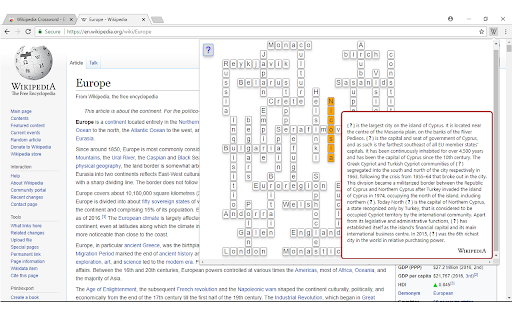

To activate the extension, open a Wikipedia™ article. The application finds words and phrases that link to other articles, as well as back-links to the current page, and creates random puzzles from them. To build and customize printable puzzles, click the editor button. Wikipedia™ is a trademark of the Wikimedia Foundation and is used with the permission of the Wikimedia Foundation. I am not endorsed by or affiliated with the Wikimedia Foundation.

Colorful Rubik's Cube
Colorful Rubik's Cube in your browser from tCubed! Play the most beautiful Rubik's Cube Chrome extension now! Very Quick launch into a popup without redirecting to a website. Rotate the cube, rows, and columns by clicking or draging! Can't solve it in one sitting? No worries! Automatic Save and Restore :) You will be sure to love the attractively colored Rubik's Cube and fun sounds :) Or, mute the effects if you prefer. One-click to show the computer solving the puzzle. Automatically tracks your total moves and solved puzzles. 3.0.0 - Architecture and small theme updates for better maintainability 2.0.0 - You spoke! We listened! The cube is now bigger and the controls have been simplified.

Cool Cursors for Chrome™
Fun cool cursors for Chrome™. Use a big collection of free cursors or upload your own. Try using the Chrome browser with cool free mouse cursors. This extension allows you to modify your cursor for Google Chrome. Our extension supports a wide range of topics such as and many more topics Create your own collection of mouse cursors from any images. Note: - Use pictures less or equal to 128x128 pixels; - Use transparent background in your images, such as .png. Please note we need "Read and change all your data on the websites you visit" permissions to allow the custom cursor to be shown on the webpage you are visiting. We do NOT collect/sell any of the websites data you are using. For this extension to work, it will only work on new tabs/pages you open after installation of the software. The webpages which you were on previously before the installation of our software would not show this custom cursor. This extension works on any web page except the Chrome Web Store, Google internal pages, and the Chrome home page, as Google’s policy prohibits the use of custom cursors on these pages.

Solitaire Collection & FreeCell Deal Finder
Look up Microsoft Freecell deals using this extension from Online Solitaire. As a bonus, we've included our Solitaire collection which lets you play Solitaire, Spider, and Freecell. Input a game number from 1 to 32.000 and you'll get the corresponding starting deal from the original Microsoft FreeCell game. So all you nostalgic FreeCell players can check up on a starting deal for your favorite Windows FreeCell game and play it in real life! Our game contains unlimited free gameplays, undo's, and hints. You can toggle sound, set autoplay, turn 3 cards or turn 1 card at a time, change the design, and much more under settings. We hope you'll enjoy our card game as much as the 20.000+ people who play over 100.000 games of Solitaire each day through our app.

Twitch Fullscreen Plus
Triggers fullscreen view of twitch stream with chat overlay Twitch Fullscreen Plus enhances your Twitch viewing experience by allowing you to watch streams in fullscreen mode with the chat overlay visible. - Instantly toggle fullscreen with chat on any Twitch stream - Customize chat appearance: background color, opacity, font size, and more - Hide Twitch elements you don’t want: leaderboard, community highlights, points, hype train - Drag, resize, and reposition the chat overlay anywhere on your screen - All settings are saved locally for a personalized experience - Privacy-friendly: no personal data or chat content is collected, only anonymous usage analytics to improve the extension Perfect for: - Viewers who want fullscreen immersion without missing chat - Streamers and moderators who need chat always visible - Anyone who wants a more customizable Twitch experience
