
cgachcnmmakjigdkjaphlfhelbibpopm


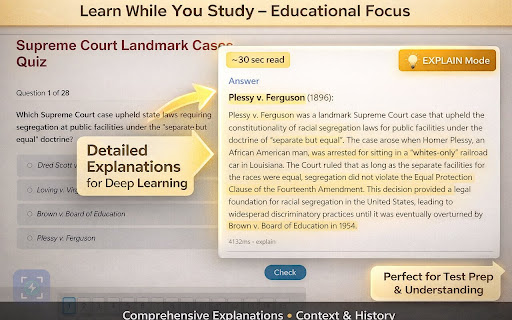

Instant quiz answers in ⚡ 6 POWERFUL AI MODES FOR EVERY STUDY NEED InstantIQ isn't just another quiz solver—it's your complete AI study assistant with 6 specialized modes to help you learn faster and smarter. 🎯 SIX AI MODES, ONE EXTENSION 1. SOLVE - Get instant answers to any question 2. EXPLAIN - Understand concepts with detailed breakdowns 3. TRANSLATE - Convert questions/answers to any language 4. CALCULATE - Solve math problems with step-by-step solutions 5. EXTRACT - Pull key information from dense text 6. REWRITE - Improve and paraphrase your answers - Answers in under 5 seconds - 100% accuracy with dual AI (GPT-4 Vision + Claude 3.5 Sonnet) - Intelligent caching for instant repeat answers - Works on ANY website - all major learning platforms and formats (web-based content, PDFs, documents, etc.) supported 1. Press Ctrl+Shift+Q (or Cmd+Shift+Q on Mac) 2. Select your question 3. Choose your AI mode 4. Get your answer 📚 PERFECT FOR EVERY STUDENT - College Students - Handle any subject, any platform, any format - Online Learners - Works with all major online course platforms - Test Prep - SAT, ACT, GRE, GMAT practice questions - Language Learners - Translate mode for foreign language help - Math Students - Calculate mode with full work shown - Question History - Review past questions with search - Usage Stats - Track your progress and patterns - Ghost Mode - Stealth interface option - Region or Full Screen - Flexible screenshot options - Clipboard Support - Paste images directly - Export History - Save your study sessions (JSON/CSV) 💰 AFFORDABLE PRICING WITH MORE FEATURES Unlike competitors charging $12-25/month for unlimited, we're 40-60% cheaper with more features: - Screenshots deleted immediately after processing - No data sold to third parties - Secure authentication with industry-standard encryption - GDPR compliant - Minimal data collection Dual AI Models: Only quiz solver using both GPT-4 Vision AND Claude 3.5 Sonnet for maximum accuracy. Compatible with all major learning management systems, online testing platforms, educational websites, and any site with quiz content. If you can see a question on your screen, InstantIQ can help. InstantIQ is designed as a learning tool to help you understand concepts. We encourage responsible use following your institution's academic policies. Built by students, for students. Study smarter with InstantIQ. 🚀

QuizAce
AI-powered quiz solver for Canvas, Moodle, Blackboard, Google Forms and more. Get instant answers with one shortcut. Solve any quiz in seconds with AI — just press one shortcut. QuizAce detects questions directly on your screen and gives you accurate, AI-generated answers instantly. No copy-pasting, no tab switching. Works with Canvas, Blackboard, Google Forms, Brightspace, and most other learning platforms. How it works: 1. Open any quiz in your browser 2. Press Cmd+Shift+X (Mac) or Ctrl+Shift+X (Windows) 3. See AI answers appear next to each question 4. Double-click to auto-fill any answer Why students love QuizAce: - Handles multiple choice, matching, fill-in-the-blank, and open-ended questions - Reads images and LaTeX formulas - Works inside iframes and embedded quizzes - Add any custom LMS domain in settings - Fast, private, and secure Free to start. Upgrade at quizace.ai for unlimited access.

GetAnswers - AI Test Helper
Gets answers for MCQs by querying multiple AI models. Tired of second-guessing your answers on online quizzes? GetAnswers - AI Test Helper is your ultimate companion for online tests and e-learning, providing instant, consensus-based answers from multiple leading AI models directly on any webpage. Our powerful extension reads the text of any multiple-choice quiz and leverages a sophisticated backend system to deliver the most accurate and reliable answers, helping you learn faster and verify your knowledge with confidence. Multi-Model AI Analysis: We don't rely on just one AI. GetAnswers queries multiple models (including GPT-4.1, Mistral, and Llama-4) to ensure the highest possible accuracy. Consensus-Based Answers: The "Majority" vote shows you the most likely correct answer, giving you a high degree of confidence. Our UI even highlights the confidence level for each question! One-Click Auto-Fill: Save precious time during timed tests! The "Apply Answers to Page" button automatically selects the correct radio buttons on the webpage for you. Works Everywhere: Designed to be a universal tool for any educational platform, e-learning site, or online article containing multiple-choice questions. Bypasses Copy/Paste Restrictions: Many test sites disable copy and paste. Our extension reads content directly from the page, working seamlessly even when these restrictions are in place. Navigate to a webpage with a quiz. Open the sidebar by clicking the extension icon or pressing Alt+S. Review the AI-generated answers and confidence scores. Click "Apply Answers to Page" to fill out the form instantly. Stop guessing and start learning with confidence. Install GetAnswers - AI Test Helper today!

Answerly - Visual AI Assistant
AI assistant that analyzes your screen to find and solve questions. 🚀 Answerly AI - Your Intelligent Learning Assistant Transform any screen into instant, AI-powered answers! Answerly AI is the revolutionary Chrome extension that turns your browser into a powerful learning companion, capable of analyzing any webpage, image, or screen content to provide intelligent, contextual answers in seconds. 🎯 What Makes Answerly AI Extraordinary? Instant Screen Analysis: Simply capture any screen content with a single click or keyboard shortcut (Ctrl+Shift+C), and watch as our advanced AI analyzes everything from complex mathematical equations to programming code, academic texts, and visual diagrams. 🧠 Smart Context Understanding: Our AI doesn't just read text—it understands context, relationships, and meaning. Whether you're studying calculus, debugging code, analyzing scientific diagrams, or learning languages, Answerly AI provides accurate, relevant answers tailored to your specific needs. ⚡ Lightning-Fast Performance: Get answers in under 3 seconds with our optimized AI processing pipeline. No more waiting, no more frustration—just instant insights when you need them most. 📸 Advanced Screen Capture Technology High-Resolution Analysis: Captures and analyzes screenshots up to 10MB with crystal-clear precision Smart Content Detection: Automatically identifies text, images, diagrams, charts, and interactive elements Secure Processing: All captures are processed securely with enterprise-grade encryption 🎓 Intelligent Answer Generation Multi-Format Responses: Get answers in code blocks, explanations, step-by-step solutions, or detailed breakdowns Confidence Scoring: See exactly how confident our AI is with each answer (displayed as a percentage) Contextual Explanations: Not just answers—understand the "why" behind every solution ⌨️ Powerful Keyboard Shortcuts Ctrl+Shift+S: Open Answerly AI instantly Ctrl+Shift+C: Capture and analyze screen content Ctrl+Shift+A: Get instant answers Enter: Quick answer generation when typing instructions 🆓 Free Plan - Perfect for Students 5 captures per day (resets every 24 hours) Access to core AI analysis features Basic confidence scoring Standard response times 👑 Pro Plan - For Power Users Unlimited captures per month Priority processing for faster responses Advanced analysis capabilities Detailed explanations and tutor mode Premium support 🎯 Perfect For Every Learning Scenario 📚 Academic Excellence: Solve complex math problems, analyze scientific diagrams, understand historical documents, and get help with literature analysis. 💻 Programming & Development: Debug code, understand algorithms, analyze error messages, and get explanations for complex programming concepts. 🔬 STEM Education: Break down physics problems, chemistry equations, biology diagrams, and engineering concepts with visual analysis. 🌍 Language Learning: Translate text, understand grammar, analyze sentence structures, and get cultural context for foreign languages. 📊 Business & Finance: Analyze charts, understand financial data, interpret graphs, and get insights on business concepts. How It Works - Simple as 1-2-3 📸 Capture: Click "Analyze Screen" or use Ctrl+Shift+C to capture any content ✍️ Customize: Add specific instructions for targeted analysis (optional) 🎯 Get Answers: Click "Get Answer" or use Ctrl+Shift+A for instant AI-powered insights 🛡️ Built for Privacy & Performance No Data Storage: Captures are processed in real-time and not permanently stored Secure Connections: All communications use HTTPS encryption Minimal Permissions: Only requests essential permissions for core functionality Offline Capability: Works even when Firebase services are temporarily unavailable 🌟 Why Students & Professionals Choose Answerly AI ✅ Instant Problem Solving: No more getting stuck on difficult questions ✅ 24/7 Availability: Your AI tutor is always ready to help ✅ Multi-Subject Support: From math to programming to languages ✅ Visual Learning: Understand complex diagrams and visual content ✅ Time Saving: Get answers in seconds, not hours of research ✅ Confidence Building: Understand not just what, but why 🚀 Get Started Today Transform your learning experience with Answerly AI. Whether you're a student tackling complex assignments, a professional solving technical problems, or a lifelong learner exploring new subjects, Answerly AI is your intelligent companion for instant, accurate answers. Download now and experience the future of AI-powered learning! Answerly AI - Where every screen becomes a learning opportunity.

Shighra: Instant AI Box (Appears > Assists > Vanish)
Free and Super fast AI overlay that keeps your flow going. It Arrives when you need it. Vanishes when you don’t. Meet Shighra, your on-demand AI overlay — it appears instantly over any website, helps you with whatever you’re doing, and vanishes with a click or Escape. No tab switching, no clutter, no waiting. ⚡ What it does ● Summon anywhere: Press your shortcut and Shighra pops up instantly on any webpage. ● Ask anything: Type your prompt, get AI-powered responses right in context. ● Stay in flow: It never hijacks your screen — minimal, centered, and non-blocking. ● Vanish fast: Dismiss it instantly when you’re done — it leaves no trace. ✨ What Makes It Stand Out 🚫 No API keys - just install and go. 💨 Speed - Blazingly fast responses. 🐣 Lightweight - no bloat, no memory hogging. 👻 Shadow - always available, wherever you work. 🆓 Free - No Signup, No Cards, Plug n Play. 💡 Why it’s different While most AI tools force you into new tabs, side panels, or keep a floating bubble on every page, Shighra appears right where you are — only when you need it. It’s temporary, minimal, and disappears the moment you’re done. 🚀 Perfect for Developers, writers, researchers, or anyone who wants instant AI assistance without breaking flow — even while using other AI tools like ChatGPT, Gemini, or Claude. Use Shighra as your secondary brain, hovering over whatever AI or site you’re working in. Need to rephrase, summarize, or cross-check something? Just summon, ask, and dismiss — all without losing your place. 🔒 Privacy Shighra doesn’t track your browsing. It simply appears when you call it... and disappears when you don’t. 🧑🤝🧑 Are you using chatgpt, gemini, claude or meta like AI already? Shighra isn’t replacement for ChatGPT, Claude, or your code-writing bots. It’s your sidekick for quick, simple asks... the kind of stuff you don’t want to burn your AI quota on or wait for a ‘thinking…’ spinner. Fast, no fluff, no deep dives, just instant answers so you can get back to whatever you were doing. Spot a glitch? Have an idea? Or just wanna say hi? Your ideas keep this alive — send ’em my way. I would add it in next version.
