
cfoiaodkhcodcpcjeoghoaddgepnbkdn


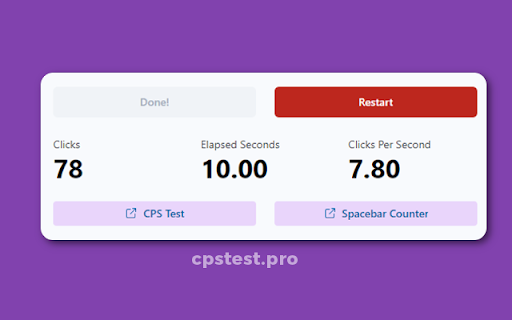
Take the CPS test and find out how fast can you click. CPS (clicks per second) is an important metric for gamers and the CPS Test Pro helps them measure, practice and improve their clicks per second speed for free. It is simple and easy-to-use extension that works with Google Chrome and Microsoft Edge browsers. 1. Install the CPS Test Pro extension on your browser. 2. Click on the icon in your browser toolbar to open the CPS Test popup. 3. To start the test, click on the purple button labelled 'Click to Start'. 4. You have 10 seconds to keep clicking as fast as you can. 5. You can see your CPS speed in real-time while you are clicking. 6. After 10 seconds, your final CPS score and total number of clicks are displayed. 7. Use the red 'Restart' button to take the CPS Test again. * Completely Free * No Ads / Promotion * Unlimited Restart Option * Compatible with Chrome & Edge browser

make money 2
a fun game where you make money This is a simple yet fun game where you press the button in the middle to make money. It is the sequel to the game "Make Money" (originally made by Economical Studios), with more and improved features. I hope you have fun playing this game. Tutorial Make Money Tutorial Make money is a fun game where you click buttons to earn money. Purchase new upgrades in the store and then equip them in load out. Possible Upgrades Here are all the possible upgrades you can purchase. Hotkeys Once you buy the hotkeys upgrade, h + shift to go to home, l + shift to go to LoadOut, d + shift to go to debug, s + shift to go to store, t + shift to go to tutorial, c + shift to go to casino, b + shift to go to club

CPS Test
A simple Clicks Per Second (CPS) test for Chrome Looking for a fun and interactive way to test your clicks per second skills? Look no further than our Google Chrome extension – the simple CPS test game. With this extension, you can challenge yourself and your friends to see who has the quickest clicks. Our game is designed to be fast-paced and intuitive, making it easy for anyone to jump right in and start playing. The user-friendly interface makes it a breeze to track your progress, and you can even set personal records to beat. Whether you're a seasoned pro or a beginner, the simple CPS test game is the perfect way to put your clicking skills to the test. So, what are you waiting for? Download the extension now and see how many clicks you can get per second!

CPS Test with Clicks Tracking
Test your Clicks Per Second in 8 different modes now! Also, get to know how fast you can click with a detailed click-tracking-map. CPS test stands for Click-Per-Second test. It can be a 1/3/5/10/15/30/60/100-second simple test. You need to click as many times as possible before time's up. Feel free to try as many times as you want. Make sure to get your best score (CPS - Click Per Second). According to our big data, the average CPS is 6.63, and the world record was said to 14.1 according to Google. People may get a bit higher score on mobile/tablet than desktop. Can you beat this? Fixed bugs and rebuilt with Manifest V3 Fixed the dark-theme icon. Test your CPS on the fly in the popup now!

cps test and cps tester
Check your clicks per second with the CPS test tool and set your world record. CPS (clicks per second) is a tool where you can measure your clicks per second and set your record with the most clicks per second. In today's world, we are surrounded by technology, and many people like to play different kinds of games. CPS Test is a very popular tool, and it is very useful for gaming. You can practice for a click per second, and when you are professional at it, you can easily beat your opponent in gaming. Many people use the spacebar counter in this tool. The space bar counter tool is also very useful for gaming. You can try out space bar clicker and CPS test tools and improve your gaming speed.
