
cfgjehpalgepkcfekgjgmklehchiidgi
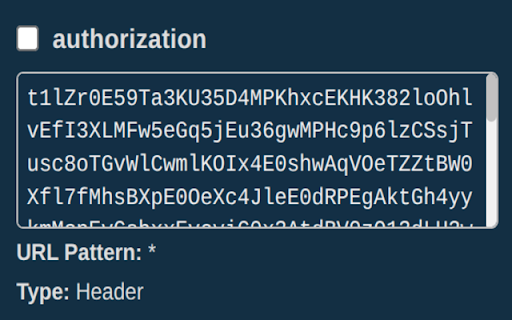

A chrome extension for overriding external http request headers and query parameters A chrome extension for overriding/adding external http (AJAX) request headers and query parameters. The extension allows the user to manage request headers/query params that will be injected into requests made when viewing a website in chrome, where each override contains the following properties: * Header/Query Param: Header key. * Header/Query Param Value: Value associated with the header key. * AJAX Request URL sub-string: The header name: value will only be applied to XHR/Fetch requests where the external request URL contains the provided substring. The headers are managed in the chrome extension popup (a simple react app), and saved to chrome local storage and are applied to upstream page requests using the chrome declarativeNetRequest request dynamic rules updateDynamicRules function. This is a free extension, and will always be free :) Source code for this extension can be found here: https://github.com/paulb896/request-header-override-chrome-extension.

URL Params Editor Pro Max+
URL Params Editor Pro Max Plus is the browser extension to view/edit/copy decoded URL parameters. The single purpose browser extension to view/edit/copy decoded URL parameters. 1. Install extension. 2. Pin extension in the toolbar for easy access. 3. Visit any site with search query parameters. 4. Click the extension icon in the toolbar to view the decoded URL parameters. 5. Edit: Add/Update/Remove. 6. Copy: individual param value | all params as JSON | encoded/decoded URL. 7. Open: the updated URL in the current tab | in a new tab. 8. No information is collected or transferred. If it is useful and you like it, please rate.

Add Query String To URL
This easy and lightweight extension can be used to add a query string to the any url. Tired of adding query string to the url? This easy and lightweight extension helps you to add a query string to any url. All you need is to turn on the toggle.

Query params
Provides a user interface to read/write URL query parameters for the currently active tab. Provides a user interface to read/write URL search/query parameters for the currently active tab.

Bookmark It — Personal & Team Bookmarks
Save, share, and find bookmarks in one click. Personal collections and shared team workspaces, with fast import and instant search. Bookmarks are a necessary evil. Lost in folders. Buried in browsers. Impossible to share. Almost no one bookmarks the way they actually want to — and almost no one can collaborate on bookmarks with their team, family, or friends. It's the only bookmarking app that combines real ease of use, real organization power, and real collaboration in a single place — for yourself, your team, and everyone in between. 🚀 Get started in seconds ● One-click import from your existing Chrome bookmarks bar ● One-click import from your browser history ● No spreadsheets, no copy-paste, no re-saving ● Free plan with no credit card. Ever. 👤 Personal + 👥 Team workspaces ● Keep a private collection just for you ● Spin up a shared workspace for your team, family, or side project ● Invite anyone in seconds — everyone sees the latest version, every time ● No more "send me that link again" in Slack, Messages, or email 🔍 Find anything in one click ● Recently Viewed history puts the page you're looking for one click away ● Instant search across every bookmark in every workspace ● Collections, tags, and notes that scale from 10 bookmarks to 10,000 📌 Bookmark from anywhere ● Browser extension — save the active tab with one click ● Menubar app — save and search without leaving what you're doing ● Web app — organize and manage from any device ● Title, URL, and page details pre-filled so saving really is one click 💬 Built for collaboration ● Share entire collections, not just single links ● Add notes and context so teammates understand why a bookmark matters ● Organize together — for work projects, family hubs, reading lists, travel planning, recipe collections, anything 🪄 More than a bookmark manager ● Boosted productivity — spend less time searching, more time doing ● Onboarding made easy — new teammates get the full knowledge hub on day one ● Cross-platform — your bookmarks follow you across browsers and devices ● Upstream from the browser into a dedicated app you'll actually open Stop losing links in chat threads. Stop emailing yourself URLs. Stop maintaining bookmarks five different places. Bookmark It is the home for every link that matters — personal, professional, and everything in between. 🔒 Privacy first ● We will never sell or share your data ● Imports are optional and read-only — we never modify your native browser bookmarks ● Page content is never sent to our servers
