
cedckdcmlfabmjkangihdbimghccobhp
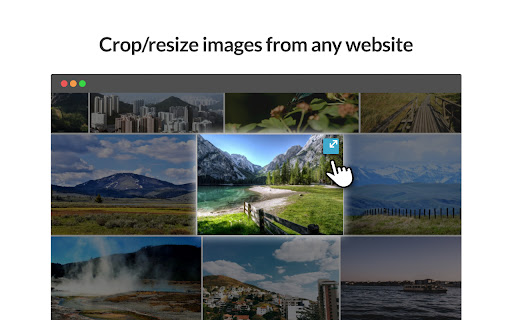
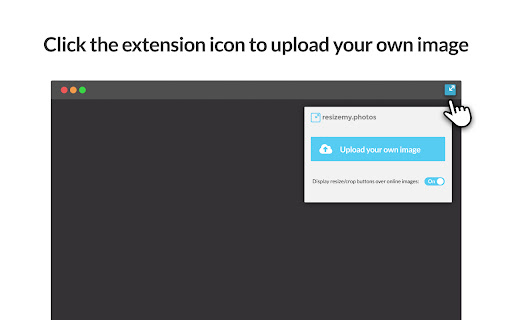


Resize or crop any photo or image from any website or upload your own image Upload any image or use photos from websites to easily crop and resize to any dimensions. * Resize or crop any photo from the web. * Upload your own photo to resize or crop. * Auto crop according to social network and other preset sizes. * Custom define your own crop size. * Free crop mode allows you to select cropping area on photo and keep image pixel resolution. * Slider resize allows you to resize the image by percentage. * Download your image as JPG or PNG. ***** We take your privacy very seriously, so we do not store or upload any information of the images you use. ***** *** Use of Permissions *** We use the following Permissions to provide you with the needed features required: activeTab - Access to current active tab and enable the crop icon on images for faster access to crop function contextMenus - Access to add menu option to crop using right click storage - Access to storage to save and sync extention status (for showing or hiding the icon on images) *** So what data do we collect and how do we use it? *** We collect the following data using Google Analytics: install, update and uninstall actions and the version files uploaded types (jpeg / png / etc`...) cropper changes sizes (300x300, 250x200, etc`...) files downloaded sizes (300x300, 250x200, etc`...)

Image Resizer
Resize or crop any image from any website or upload and resize your own image Want to resize images quickly before you download the images off the Internet? You can do so today when you install our online image resizer software. 1) Our software allows you to find the exact size and dimensions of any image on the webpage. 2) If you need to resize this image, you can do so by clicking on our extension icon. 3) Once you have finished resizing the image, you can download the image with the new height & width dimensions and use it for your needs. This software is very useful if you need to find images on the Internet and resize them for your own presentations/brochures. You can crop the image and just choose the specific area of the image you need. Try this free image resizer software today. This is a simple image resizer software.

Shot Crop - Screen Capture & Editor
Capture parts of a page or entire sites and then edit and share your image! Shot Crop is a light weight screenshot tool, allowing you to screen capture parts of you page or entire sites and then edit and share your image! # v 1.3.3 - 2025/12/23 * Updated to manifest v3 * Fixed zoom dropdown * Fixed shape adding feature * Fixes issue where downloads and copies were sometimes blank * Improved download flow * Misc cleanup and bug fixes * Added Share to Imgur, Twitter, Facebook, Pinterest and Reddit Sharing support. * Added Adjustable Crop Resizer when selecting cropped image. * Improved and optimised javascript. * Fixed bug where jpeg format wasn't being saved properly. * Misc Fixes.

ZapBG
*Remove Backgrounds With The ZapBG Button* ZapBG is your go to solution for background removal when it comes to your images. We specialize in technology that cuts design time and costs when it comes to your images. Whether you're an entrepreneur, small business owner, growth hacker, designer or just looking to be creative, ZapBG has what it takes to deliver background removal demands with ease. Let your creativity and imagination flow with ZapBG and make background removal fun. Get Ready For The ZapBG 2.O Experience - Background Removal Credits - Storage Options - Credit Rollover - Auto Remove Using Advance AI - Sharing Capabilities - Easy Manual Remover - Desktop and Mobile Access - Customer Support - 30 Day Money Back Guarantee - Lifetime Locked in Pricing

Enhanced Image Viewer
Features: ✓ Position images in center or top left corner ✓ Set custom background color ✓ Zoom, rotate, pan and scroll images with improved controls ✓ Flip images horizontally and vertically ✓ Pixelate images for viewing pixel art and lossless formats ✓ Hide scrollbars ✓ View images in the current tab ✓ Works with local files and incognito mode ✓ Enhances images on Reddit • No more headers and footers on images opened directly • Works with single images and image galleries in an overlay ✓ Enhances images on image hosting sites • Skips the continue button • Shows the image full-screen automatically Feel free to leave any feedback you might have on the support page or contact us by email.
