
cdpiopekjeonfjeocbfebemgocjciepp
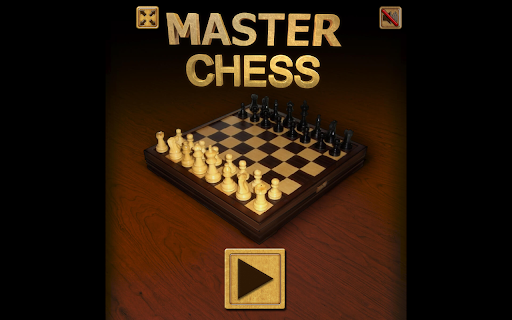
Master Chess: Chrome extension game Master Chess is a HTML5 Board Game Enjoy this stylish version of the classic Chess Game. Two Game’s Mode: Play against the pc Challenge a friend playing locally

Pool 8 Ball Billiards - HTML5 Game
Pool 8 Ball is a fun sports game where we try to get all the balls into the holes by making hits from the balls on the table. Pool 8 Ball is a fun sports game where we try to get all the balls into the holes by making hits from the balls on the table. There is a pool table in the game. We hit the balls on this table. Own the balls according to the ball that goes into the hole. We are trying to carefully put all the balls that belong to us into the holes. Meanwhile, the opponents are trying to insert their balls, so we must be careful when hitting them. We shoot all the balls in the holes quickly by making detailed shots. In this way, we can meet new opponents by winning the matches. Fun Billiards has emerged as a sports game that has prepared us who love the game of billiards, as well as challenging us. To swipe Install this extension to play the Pool 8 Ball Billiards game or offline with no additional downloads and no ads. You can contact us at support@724fun.com and share your thoughts and problems After clicking the add the game to chrome button, you can find the game in the extensions section. If you wish, you can visit 724fun.com. If you wish, you can play again and if you want to remove it, you can remove it from the extensions section.

Master Chess Game - Challenge AI and Master Chess Tactics!
"Play chess anytime with Master Chess—free, ad-free, and offline!" Enjoy the timeless strategy game of chess with *Master Chess*, a feature-packed browser extension that lets you play offline or online for free! 🎮 Whether you're a casual player or an aspiring grandmaster, this game offers intuitive controls, smart AI opponents, and helpful learning tools to sharpen your skills. Key Features: - Free Offline Play: No internet? No problem! Install the browser extension once, and play classic chess anytime without Wi-Fi. - Adaptive AI Opponents: Challenge 10 difficulty levels, from "Beginner" 😊 to "Grandmaster" 🧠. The AI learns from your moves for a dynamic experience. - Interactive Tutorials: Master openings, tactics, and endgames with step-by-step guides and puzzles. ♟️ - 3D & 2D Board Options: Customize your game with realistic 3D graphics 🏰 or minimalistic 2D views. - Progress Tracking: Analyze your moves with built-in tools like move hints, undo/redo, and game history. - Daily Challenges: Test your strategy with timed puzzles and climb global leaderboards. Why Players Love It: - Zero Ads: Enjoy uninterrupted gameplay with no pop-ups or distractions. - Save & Resume Games: Pick up where you left off—perfect for quick sessions. ⏱️ - Beginner-Friendly: Learn chess rules instantly with visual guides and instant feedback. - Cross-Platform Syncing: Play on multiple devices seamlessly (no account required). Free Forever, No Hidden Costs! Master Chess prioritizes accessibility—no subscriptions, no paywalls. Simply add the extension to your browser and start playing. Perfect for commutes, travel, or relaxing at home. Boost Your Chess IQ Today! Whether you’re honing tactics or unwinding with a quick match, Master Chess delivers smooth gameplay, stunning visuals, and endless replayability. Click "Install" to claim your free chess adventure! 🏆 We provide a "Play More Games" button in the extension and open our official website when you first install it, where you can experience more free games.

Ajedrez
Puedes jugar al Ajedrez hecho en Scratch. Al abrir la extensión se te mostrará un juego creado en Scratch llamado "♛ Ajedrez ♚". Para comenzar a jugar, haz clic en medio de la pantalla. - Instrucciones: Al comenzar a jugar, te aparecerá un tablero en el centro con las piezas listas, las reglas son las mismas que las del Ajedrez normal. Para mover una pieza, haz clic en ella y arrástrala hasta la posición que desees (siempre que esté en los posibles movimientos que te marca al agarrarla). En el lado izquierdo se pueden observar 4 botones diferentes: Exportar partida, Importar partida, Avanzar y Retroceder. En el lado derecho solamente hay uno: Editar partida. A continuación se explicará el funcionamiento de cada uno de estos botones. - Botón Exportar partida: La función de este botón es proporcionarte un código con los datos de la partida, el cual podrás guardar para, en otro momento, insertar en el cuadro de texto que le sale al presionar el botón de “Importar partida”, y poder recuperar su partida tal y como la dejó. Al darle a este botón, abajo, le saldrá un cuadro con el código que ha de copiar, y encima de él, las instrucciones de cómo copiarlo. Una vez copiado, haz clic en cualquier parte de la pantalla para dejar de mostrarlo. - Botón Importar partida: Al presionar este botón le aparecerá un cuadro de texto que te indicará que insertes el código que exportó de su partida para cargarla. - Botón Avanzar: Al presionar este botón podrá avanzar al siguiente movimiento que ha hecho (si es que antes le has dado al botón de “Retroceder”, ya que si no, no hay más movimientos para avanzar). - Botón Retroceder: Al clicar este botón podrá retroceder a su anterior movimiento. - Botón Editar partida: La función de este botón es poder editar la partida a tu gusto: puedes añadir y eliminar las piezas que quieras y cambiar el turno de a quién le toca mover, también puedes eliminar a un rey o a los dos (si los dos bandos se quedan sin rey, no se puede ganar la partida), o añadir a todos los que quieras (siempre que quepan en el tablero). Al presionar este botón te aparecerán 2 paneles laterales, el de la izquierda te muestra todas las piezas blancas disponibles para añadir al tablero (Peón, Torre, Caballo, Alfil, Dama y Rey) y el de la derecha todas las negras. Para añadir una pieza, arrástrala hasta la posición que desees y suéltala. Para eliminarla, llévala hasta un borde y déjala. Si quieres cambiar el turno haz clic en el icono del rey que aparece arriba a la izquierda, el color en el que se muestra es el color al que le toca mover. Para volver a la partida vuelve a presionar el botón de “Editar partida” Este es el enlace al proyecto original de Scratch: https://scratch.mit.edu/projects/1009844940/

Chess.com Keyboard
This browser extension allows you to make moves on Chess.com using your keyboard Make moves with keyboard on Chess.com website! This way of moving pieces may enhance your board vision skills; it can also be used to improve chess.com interface accessibility. Two formats are supported now: algebraic (Nf3, 0-0) and UCI (e2e4 or e7e8q) ☕ If you like the extension you can buy a coffee for the author here: https://buymeacoff.ee/everyonesdesign 6.6.0 - Reworked movement parsing engine - using custom logic instead of RegExps now. Just as fast and more flexible for future improvements! 6.5.0 - New daily chess commands: "confirm" and "cancel" - Only relevant commands for the view are shown now - Internal optimisations - Dependencies are updated 6.4.0 - Update component chessboard selectors (adapts the extension to new Chess.com's changes) - Update dependencies 6.3.1 - Clean up input after moves with component board - Dependencies updates 6.2.0 - Improve conflicts resolution between pawns and bishops 6.1.1 - Fix area highlighting for component chessboard 6.0.0 - Allow lower-case algebraic moves (thanks @sehe for the contributions) - Migrate the extension to manifest v3 - Rewrite moves parsing core (parsers can return more than 1 move). This change allows to handle moves more intelligently in difficult cases 5.5.2 - Fix puzzle solution check when promotion is the last move 5.5.0 - Persist "blindfold" mode state between page reloads - Prevent submitting promotion moves without promotion piece type (fixes some issues with promotion) - Clean up unused pieces of code - Update dependencies 5.4.0 - Fix the extension for newer version of chess.com (canvas board) - Fix the functionality when the board is flipped - Automatically submit move in daily chess - Fix issues with highlights not cleaning up sometimes - Fix move clearing on Esc press 5.3.1 - Fix the functionality for some users (due to new canvas element usage on chess.com) - Allow players to make a move in analysis mode 5.3.0 - UCI support - Fix arrows and squares drawing on Play (BETA) page 5.2.0 - Fix an issue with initialization when Chess.com locale isn't supported - Dependencies updated - Minor refactoring 5.1.0 - Trying to fix "live" chess for some users 5.0.0 - Migrate to TypeScript - Add technical possibility to localize interface - Add Russian translation - Support yet another type of beta Chess.com chessboard ('chess-board' component) - Fixed some rendering issues (fix positioning of ambiguous moves highlighting) on Live board - Update some package dependencies to make sure the app doesn't have vulnerabilities 4.0.0 (and you thought Christmas was over 🎅) - Fix promotion on Vue.js chessboards (e.g. live chess or analysis board) - Allow making move for your opponent when you're analyzing games - Remove GA (to comply with Firefox add-on store) 3.1.0 - Fix Ctrl-peeking for Blindfold mode - Optimize beta chessboard arrows re-rendering 3.0.0 - Support for beta chessboard 2.0.0 (big release 🎉) - Blindfold mode for fun and for learning! - Commands support (draw and resign) - Init on lessons pages - Fix init for live app in some cases 1.5.1 - Fix width issue on layout with sidebar 1.5.0 - Prevent castling for your opponents 😜 - Fix promotion syntax in live chess 1.4.0 - Squares highlighting set by right mouse clicks are preserved - Fix bug with extension preventing pieces dragging - Ignore "C" shortcut if any modifier key is pressed (e.g. for copying) - Optimize arrows and squares painting method - A11y: create label for the input - A11y: add aria-hidden attribute to chessboard element 1.3.0 - Support algebraic notation for promotions (e.g. d8=N) - Enable extension on analysis boards 1.2.0 - Fixed a bug "it is possible to make moves for the opponent" (Yes, you could do it! Now it's over, rules are rules 🤓) - Clear input on valid move submit only - Clear ambiguous moves even if the move was made by mouse - Update app styles to make the field more stylish and readable - Fix a bug with notification falling behind the menu - Redraw arrows not only on field change, but also after opponent makes his move 1.1.0 - Highlight pieces on ambiguous moves - Focus on start of the extension - Create a way to focus the field from keyboard - Enable extension on Tactics chessboard 0.0.3 - Updating manifest to fix the icon - Fix plugin appearance on live app page - Clear input on Escape key
