
cdnimgollfgcehacjeaahljajlgdldie


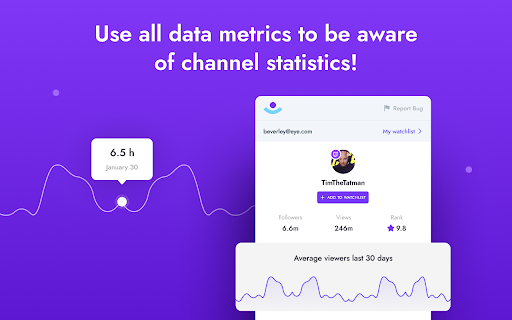

Chrome extension for YouTube that allows you to work with tags, observe competitors and other What does it take to make content that outshines the rest? Why does one video become super popular in a couple of hours, while another sadly gets virtually zero attention on YouTube or TikTok? You can lift the veil of mystery by installing the Viewgin Eye Chrome extension. This extension is an indispensable tool for YouTube, TikTok, and Twitch creators. With our extension, it will be easier for you to understand how recommended videos are selected and how content gets views. You can view the stats of not only your own videos, but also your competitor's videos. You will be able to see their stats even if you aren't subscribed to them. If you are a regular user, but are interested inYouTube, TikTok, and Twitch algorithms, then you can also install the extension and track the metrics you are interested in. Install the extension and see how convenient it is. The platform has an intuitive interface with day and night modes available. Get access to the most important SEO data for YouTube, Tiktok, and Twitch!

Ad Blocker: Stands AdBlocker
Stands AdBlocker – it's a free ad blocker for YouTube, Twitch, Pop-Ups, Video Ads, and websites. Block ads everywhere with Stands! Stands is the best free adblocker for Chrome that eliminates ads on YouTube, Twitch, pop-ups, video ads, and banners. Download the top-rated adblock Chrome extension and enjoy faster, interruption-free browsing today! 🚀 Why Choose Stands adblocker for Chrome? ✅ Block ads – pop-ups, video ads, banners, and auto-playing videos disappear from every site you visit. ✅ Watch YouTube and Twitch without interruption – no pre-roll, mid-roll, or live stream ads ever again. Skip ads automatically with our built-in ad skipper. ✅ Faster page loading – blocking ads reduces data usage and makes sites load up to 50% faster. ✅ Protection from malicious ads – Stands blocks dangerous ads carrying viruses, malware, and phishing attempts that could harm your device. ✅ Auto-hide cookie banners – say goodbye to annoying pop-ups asking you to accept cookies on every site. ✅ Customize your blocking preferences – you decide which sites can show ads to support your favorites, and which can't. 🎯 What does Stands AdBlocker block? 🎥 YouTube ads – removes all video ads instantly 🎮 Twitch ads – watch streams without interruptions 🍪 Cookie banners – automatic blocking of cookie notification pop-ups 📱 Social media ads – block ads on Facebook, Instagram, Twitter, and LinkedIn 🌍 Pop-ups – a true website blocker for pop-ups across every site 📥 How to remove ads? Install in 3 steps: 1. Download Stands from the Chrome Web Store 2. Install with one click 3. Done! Your Google Chrome ad blocker activates automatically – block ads for free from the very first second Also available for Microsoft Edge, and Opera. ⭐ Why is Stands the best adblocker for Chrome? Stands starts blocking the moment it's installed, letting you browse free from annoying interruptions. As a trusted adblock Chrome extension, it stands out for stability, effectiveness, and fast performance: 🔹 Lightweight – won't slow down your browser 🔹 Regular updates – always up-to-date protection against new ad formats 🔹 All-in-one protection – one extension instead of multiple add-ons 🔹 No hidden costs – completely free, forever Stands delivers superior performance compared to alternatives like Adblock Plus, AdGuard, and uBlock Origin. ❓ Frequently Asked Questions What is the best adblocker for Chrome? Stands AdBlocker is the superior choice when considering top add blockers like Adblock Plus, AdGuard, AdBlocker Ultimate, uBlock Origin, and the Pie Adblock extension. Stands effectively blocks ads and speeds up page loading times. How to enable ad blocking? To enable Stands, simply install it from your browser’s extension store. Once installed, access the settings through your browser’s menu to customize your preferences. Can I choose which ads to block? Absolutely! You can customize your settings and add exceptions for specific sites you want to support. 🔐 Your Privacy What personal information do we collect on our users, and how do we collect it? We will collect information about the websites visited by our users, search engine results pages, click stream data, and information about the content that you viewed in order to ensure the ad-blocking, and anti-malware protection are all working properly. We also provide Browsing Data to third parties for their own use, such as for market analytics purposes. All Browsing Data is filtered to remove any personal data before it is processed and provided to third parties. For detailed policies on privacy and user terms, please refer to the Privacy Policy and End User License Agreement available on the website. PRIVACY POLICY: https://www.standsapp.org/privacy-policy/ END USER LICENSE AGREEMENT: https://www.standsapp.org/end-user-license-agreement/ These documents ensure transparency and trust by choosing Stands, demonstrating our commitment to efficiency and protecting your online privacy. 📧 Support For additional support or feedback, users are encouraged to visit the Support Center or contact via email at support@standsapp.org. Get started with Stands and join millions of users worldwide!

Anticipation for YouTube and Twitch
Hides YouTube & Twitch video lengths, progress bar, & times of related videos to prevent spoilers - very useful for sports videos Anticipation hides the video time and progress bar on Youtube and Twitch VODs, along with the times of related videos on the page, so the user does not know how much time is left in a video. Anticipation is useful when watching sports, esports, or other types of competitions when the amount of time left might give away the result of the sport, match, or competition. Examples of sports and esports where Anticipation is useful: Tennis, Boxing, League of Legends, Super Smash Brothers, Counter-Strike, Mortal Kombat, Street Fighter, DOTA The screenshots shown show Anticipation being used with LoL, CS:GO, and Super Smash Bros videos.

StreamShot: Screenshot for Youtube, Twitch, TikTok & Instagram
Capture screenshots instantly from YouTube, Twitch, TikTok, Douyin & Instagram videos, Shorts, Reels & live streams. Store, edit, and share your favorite moments. KEY FEATURES • One-click screenshot capture from any video/stream • Cloud storage - save and access your screenshots anywhere • AI-powered editing - remove backgrounds, erase objects, or add new ones • Google Drive integration (Pro) - save or copy screenshots to Drive • Download in high quality HOW IT WORKS: - The extension works immediately without setup - Visit any YouTube, Twitch, TikTok, or Instagram video - Click the floating screenshot button on the video player • Free: Unlimited local screenshots + 3 AI credits, 100MB cloud storage • Pro: Same as free, with 50GB cloud storage + Google Drive • AI Studio: Same as Pro, with 1,000 AI credits/month for advanced editing Feb 17, 2026: v0.1.1 - Save Preferences ⚡ SAVE PREFERENCES • StreamShot remembers how you like to save, no more repeated choices added withthe previous update. • Check "Remember my choice" in the save popup to skip it on future captures • Works with all destinations: Local, Cloud, and Google Drive (Pro) • To reset and bring back the popup: click the StreamShot icon in your Chrome extension bar and click Reset 🆕 PLATFORM EXPANSION (4 platforms now supported!) • NEW: TikTok & Douyin (抖音) support - capture from videos, feed and live streams • NEW: Instagram support - Reels, Posts and live streams • Enhanced YouTube support, adding Shorts optimized with native-looking button • Smart floating button positioning across all platforms ☁️ CLOUD STORAGE • 100MB free cloud storage for all users • Access your screenshots from any device • 50GB for Pro users, 100GB for AI Studio • Automatic metadata and organization 🤖 AI-POWERED EDITING (free credits included to test!) • Background removal - clean, professional screenshots • Object eraser - remove unwanted elements • Add new elements with AI • 1,000 AI credits/month with AI Studio plan 🎨 ENHANCED UI • Modern, intuitive interface • Improved performance and reliability • Seamless integration with all platforms And we have a website ! - March 01, 2023: Performance optimization and migration to Google latest requirements (v3) - June 07, 2022: Fixed the issue with Youtube Studio Dashboard thanks to users' feedback - February 24, 2021: Twitch vods / recorded videos are now supported.

Adblock for YouTube & Chrome - All Block
All Block is a browser extension that blocks ads from showing up on websites you visit. If you're looking for a uBlock Origin alternative that will keep working after Chrome transition to Manifest v3, look no more! All Block is fully compatible with Chrome's latest update. It'll guard you from pesky ads on the internet like an iron dome. On the websites, on YouTube, everywhere! 🛑 Powerful Adblocking - Remove advertisements from websites, giving you a cleaner and more enjoyable browsing experience. 🎬 YouTube Ad Blocker - Skip pre-roll, mid-roll, and banner ads on YouTube for uninterrupted video watching. 🔒 Enhance Privacy - Stop trackers from collecting data about your online activities, keeping your browsing habits more private. 🛡️ Improve Security - Protect against malicious ads and websites that could harm your device or steal personal information. 👌 Easy to Use - Designed for simplicity, it works right out of the box with no setup required. ⚡ Faster Loading Speeds - Pages load quicker without the extra data from ads, so you can browse more efficiently. 🪶 Lightweight - Designed to be resource-efficient so it doesn’t slow down your browser. 📊 Blocking Statistics - See how many ads and trackers have been blocked today, this week, and this year — right in the extension popup. 📄 Whitelist - Support your favorite sites by allowing ads on them through a simple whitelist feature. This extension is compatible with Manifest V3 (MV3) and strictly adheres to all Web Store Policies and Terms of Service.
