
cdakjkjokbffepkpjfkhblkgieopjhme
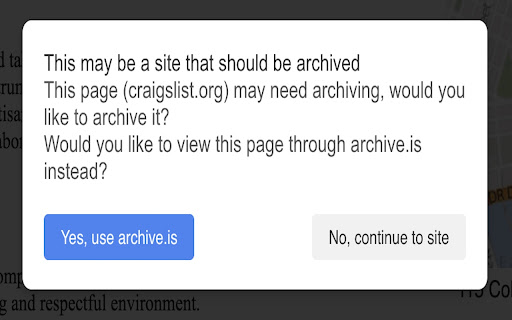
For pages that are very transient in nature, this extension will redirect you to an archived version of the page. Web Archive Reader helps you access archived versions of web pages through archive.is when you encounter content that may be: - Temporarily unavailable due to server issues - No longer available at the original URL - Difficult to access due to regional restrictions - Rendered poorly on your device This extension adds an option to view a cached/archived version of the current page when you click the extension icon, helping you maintain access to information for research, fact-checking, and reference purposes. How it works: 1. Browse the web normally 2. When you encounter a page you'd like to see an archived version of, click the extension icon 3. The extension will offer you options including viewing an archived version if available The extension respects your privacy and doesn't collect any personal data. Note: This tool is designed to help access legitimately archived content. Please respect copyright laws and consider supporting content creators through subscriptions when possible.

Reddit Wayback Redirector
Automatically redirects you to wayback machine if subreddit is private. **THIS EXTENSION ONLY REDIRECTS COMMENT PAGES. SUBREDDIT HOMEPAGES ARE IGNORED** This extension checks if the opened subreddit is set to private, if so then automatically redirects you to the latest available wayback machine snapshot.

Archive.today automator
This extension serves as a helper for archive.today users. It sanitizes the URL (stripping it of the '?' character, if existing, and everything that follows it) and then sends it to archive.today in a way which requests the most recent archived version of the URL. For example, clicking the extension's button when at https://somesite.com/home?kj345d will automatically redirect Chrome to https://archive.is/newest/https://somesite.com/home. This lets you effortlessy view the most recent archived version, and at the same time solves the problem of archive.today mistakenly thinking that your URL does not exist in their archive merely because it includes the '?' character (archive.today seems to treat each URL as unique even if the only differentiator is '?' and some subsequent characters). To use this extension, browse to the desired web page and simply click on the extension's icon. It will automatically sanitize the current URL and transfer you to archive.is, where you can view the most recent archived version of the web page, or request that the page be archived if it has not been archived yet. This extension is NOT affiliated with archive.today and is offered by me, just a fellow user of archive.today, as a tool to more easily utilize archive.today. The extension's icon is courtesy of flaticon.com. Attribution: https://www.flaticon.com/free-icons/document "Document icons created by Freepik - Flaticon"

Archive.today Quick Access
Quick access to archive.today with URL parameter trimming for specific sites Archive.today Quick Access provides a simple way to view archived versions of web pages through archive.today. Perfect for accessing news articles and preserving web content. # Key Features: - Right-click any webpage or link to open in archive.today - No tracking, no analytics, completely privacy-focused - Lightweight and fast - Open source - instead of installing this extension, you can install from the source on GitHub yourself. # Privacy Focus: This extension does not collect any data, requires minimal permissions, and has no analytics or tracking. The source code is open and available for review. # How to Use: - Right-click on any webpage or link - Select "Open in Archive.today" from the context menu - The archived version will open in a new tab

Wayback Machine URL Search
Search the Internet Achieve Wayback Machine for a URL or hyperlink Wayback Machine URL Search lets you quickly find archived versions of URLs via the Internet Archive's Wayback Machine. Right-click any link or selected URL, choose "Wayback Machine URL Search," and instantly explore the web page's history in a new tab.
