
cbgcgnjmdhjclcmmhopnfnglbcdcdkbe
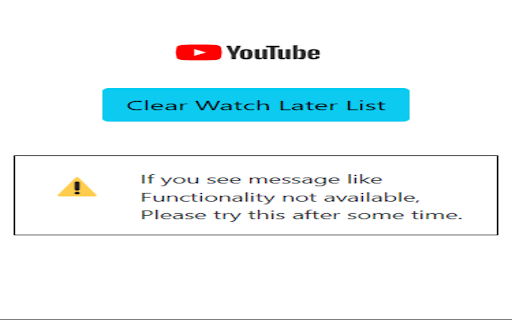
A tool for removing watch later videos from youtube Are you tired of your YouTube "Watch Later" list piling up with videos you never seem to get around to watching? Introducing the YouTube Watch Later Video Remover, your ultimate solution to decluttering and organizing your YouTube playlists effortlessly. 1. Batch Removal: Easily select and remove multiple videos from your "Watch Later" list in a single click. No more manual one-by-one deletions. 2. User-Friendly Interface: The intuitive and user-friendly interface ensures that you can navigate and use the tool without any hassle, even if you're not tech-savvy. 3. Save Time: This tool helps you regain control of your YouTube playlist quickly, saving you valuable time that can be spent watching the content you genuinely care about. 4. No Downloads Needed: The YouTube Watch Later Video Remover is a web-based tool, meaning you won't have to download or install any software. Note:- You've to open your watch later tab in order to remove watch later videos Ready to reclaim your YouTube "Watch Later" list? Try the YouTube Watch Later Video Remover today and start enjoying a cleaner, more organized YouTube experience. Say goodbye to video clutter and hello to a more enjoyable viewing experience!

Adblock for Youtube™
✓ Permissions: like common ad-blocking extensions we do need default permissions on every website to remove ads or popups for example on embedded videos and Youtube itself. ⓘ About Adblock for Youtube™ is a content filtering and ad blocking browser extension which blocks all ads on Youtube™. It allows users to prevent page elements, such as advertisements, from being displayed. Banner, Ad-Clips or even preroll ads you usually see before the actual video on Youtube are blocked by this extension. Features: + blocks ads, banner and popups + blocking of ads on external sites which loads Youtube.com + prevent preroll ads from loading on Youtube.com + you can also remove annotations from videos and musics (see options page). + loads videos and YouTube.com website faster. The technology is simply based on adblocking filterlists which blocks external ad urls on Youtube. We do not change anything on the website itself. Adblock for Youtube boosts the performance to load websites (without ads and tracking) It is free to download and use!

Youtube Undo
Undo your last missclick on a youtube video This extension fixes the infuriating problem of accidentally skipping places in a YouTube video. A simple undo button is added to the YouTube player, pressing it will jump you to the last time you skipped.

YT Watch Later Assist
Bulk Add and Delete YouTube Watch Later and Liked videos automatically Add a playlist to your Watch Later in one click. Remove all your Water Later videos in one click. Remove all your Liked videos in one click How it works: ➡ Add Playlist to Watch Later ♦ When you will open a playlist listing page you will see a button "Add this playlist to watch later" above the video lists. Just click on that. ♦ If you are watching the playlist, you will see "Add this playlist to watch later button" above the playlist box. Just click on that. ♦ When you are in playlist page or watch, click on YT Watch Later Assist icon and click on "Add this playlist to watch" button ➡ Remove all Watch Later videos ♦ When you will open Watch Later page you will see a button "Remove all videos" above the video lists. Just click on that. ♦ OR click on YT Watch Later Assist icon and click on Remove all Watch Later videos button. ➡ Remove all Liked videos ♦ When you will open Liked videos page you will see a button "Remove all videos" above the video lists. Just click on that. ♦ OR click on YT Watch Later Assist icon and click on Remove all Liked videos button. For any issue, report to us via email. Thank you!

ShortsBlocker - Remove Shorts from YouTube
SHORTSBLOCKER CHROME EXTENSION ===================================== This extension removes all Shorts videos from the YouTube homepage, tabs, search, explore, and subscriptions. Good news! The free version of ShortsBlocker continues to work exactly as before. All core Shorts blocking functionality remains completely free for personal use. Free Features: * Blocks Shorts across YouTube * Lightweight, fast, and easy to use * No account required Premium Features: * Advanced customization settings * Daily Shorts limit (control how many Shorts you can watch per day) * Scheduled blocking (block Shorts on selected days and times) * Channel whitelist (allow Shorts only from selected channels) * Blocked Shorts statistics (today, weekly, total) with time-saved tracking * More premium features coming soon Please Note: The free version works great for most users and will continue to be maintained and updated. Only purchase premium if you need advanced customization. * Unauthorized commercial or institutional use violates our Terms of Service. * Personal, non-commercial users are welcome to continue using ShortsBlocker for free. ===================================== UPDATE 3.6.1 ===================================== * YouTube is changing the way Shorts are displayed, which broke the extension. * Fixed various bugs and stability issues. 👉 Please report any bugs you encounter so I can address them quickly. Love the extension? Give us a rating! ===================================== FAQ ===================================== 1. What information do you collect? * We do not collect any personal data from free users. Premium users require basic account information for authentication purposes only. 2. Do I need the premium version? * Most users are completely satisfied with the free version. Only upgrade if you need the advanced customization options. * Businesses, schools, or universities: License required. ===================================== CHROME PERMISSION JUSTIFICATION ===================================== 1. Single purpose: The extension runs on YouTube.com and adds additional features. 2. Host Permission: Used to access information and run content scripts on the YouTube website. 3. Storage Justification: Used to access and store extension settings that users can toggle manually using the popup interface.
