
caioanlhimlldcopjfjmjfdcaoleoake
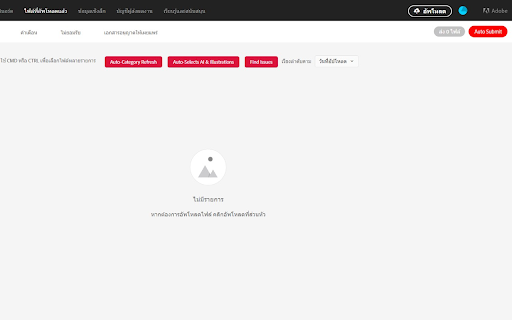
Auto-Refresh Category: The system automatically updates the category list, ensuring that the latest categories are available without manual intervention. Auto-Selects AI & Illustrations: Upon refreshing, the system auto-selects the "AI" and "Illustrations" categories, so users don’t need to select them manually. Auto-Check Checkbox: Once the desired categories are selected, the system automatically ticks the relevant checkboxes as specified. Auto-Selects Cat Image: If there is an option for an image related to a cat, the system will automatically select this image. Auto-Fill Description: If there is a pre-defined description, the system will automatically input this into the description field. Auto Submit: After completing all necessary steps, the system will automatically press the "Submit" button.

Mixzer AI Generator
Generate metadata for images using Gemini, Claude, and GPT APIs Mixzer AI Generator is a Google Chrome extension designed to streamline the creation of prompts and metadata for images using advanced language models like Gemini, Claude, and GPT APIs. This tool is perfect for content creators, marketers, and designers looking to quickly generate creative prompts or image metadata tailored to their needs, enhancing workflows in applications such as MidJourney, Canva, and other visual creation platforms. Prompt Generation: Using AI models from Gemini, Claude, and GPT, the extension allows users to generate unique, high-quality prompts for images, helping users kickstart the design process. Metadata Creation: The extension generates detailed metadata, such as titles, tags, and descriptions, optimizing images for SEO and ensuring they’re easily discoverable.

Canva Automate
Effortlessly remove backgrounds in Canva with one click. Canva Automation Tool: Background Remover is your… Effortlessly remove backgrounds in Canva with one click. Canva Automation Tool: Background Remover is your ultimate productivity companion designed to streamline and enhance your experience on Canva. Whether you are a designer, marketer, or anyone who frequently uses Canva, this extension will save you time and effort by automating the tedious task of background removal. With a simple and intuitive interface, you can initiate complex sequences of actions with just a single click. Automate Background Removal: Automatically click through all elements and remove backgrounds from images without manual intervention. Seamless Integration: Easily integrates into your Canva workflow. Just install the extension, and you’re ready to automate. Customizable Automation: Start the automation process by clicking the "Run Automate" button, conveniently positioned at the center bottom of your screen.

DELIR - AutoDelete In Review
Extension to automatically delete assets stuck or still in 'In Review' status on Adobe Stock. Delir is a simple tool designed to automatically remove assets stuck in the "In Review" status on Adobe Stock. Save valuable time by automating the deletion of multiple files, rather than manually clicking through each asset. Key Features : - Bulk Deletion: Automatically identifies and deletes assets in "In Review" status. - Time-Saving: Speeds up the process by removing the need for manual deletion. - Easy to Use: User-friendly interface for quick setup and operation. - Increased Productivity: Focus on other tasks while the tool handles stock asset management. How to Use 1. Install DELIR: Add the DELIR extension to your Chrome browser. 2. Go to Adobe Stock 'In Review' Page: Open your Adobe Stock account and navigate to the "In Review" section. 3. Open DELIR: Click on the DELIR icon in your browser toolbar to open the extension. 4. Adjust Settings (Optional): Customize the settings if necessary (e.g., select media types to delete). 5. Select Media Type to Delete: Choose the specific asset type you want to remove (e.g., Photos, Illustrations). 6. Click 'Start Removing': Watch as DELIR automatically removes the selected files in bulk! Who is this for? Stock photographers, illustrators, and designers who frequently upload to Adobe Stock and need a faster, automated way to manage assets stuck in the "In Review" status. Frequently Asked Questions (FAQ): 1. Is DELIR free for use? Yes, DELIR is available for free! It is intended for educational and testing purposes. Please note that future versions or features may differ. 3. Will DELIR be updated regularly? DELIR will be updated periodically to improve functionality and address user feedback. Updates will depend on the ongoing development needs and user input. 4. How can I contact support or provide feedback? If you have any issues or suggestions, please contact us via the email or support link on the extension page. We appreciate your feedback!

AI Unlocked: Remover
remove images metadata banned words on title and keywords by AI Unlocked AI Unlocked: Remover Bulk Search and Remove Banned Word from Image on Stock Site.
