
bpmopijcmphgdbfbhigdfdoicdkidpgh
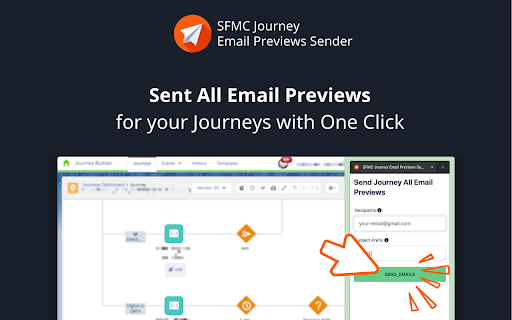


Send previews for all emails in your journey. Say goodbye to select each email individually in Journey Builder. With a single click, you can send all emails previews within your journey, saving you valuable time and effort. Say goodbye to the tedious task of sending email previews one by one in Journey Builder. Enhance your Salesforce Marketing Cloud (SFMC) experience with our free Chrome extension, "SFMC Journey Email Previews Sender" ## Key Highlights: - Effortless Email Sending: send ALLL emails in your journey at once. - Security First: We prioritize your data security. Only you can access your data, ensuring your data remains private and confidential. - Active Development: We are actively implementing improvements. Report any issues or suggest new features on the extension page. ## How to Use: 1. Navigate to your Salesforce Marketing Cloud Journey Builder page. 2. Ensure you have an entry data extension created with at least one row for preview purposes. 3. Click the extension icon (a red airplane) to open the sidebar. 4. Fill in the recipients and prefix, then click "SEND EMAILS." 5. The extension grabs all email activities and sends you the rendered email previews using native SFMC features. 6. Check send histories and logs in the log panel for insights. Q: What if sending fails sometimes? A: Due to internet and SFMC response speed, occasional failures may occur. Simply try again. If issues persist, please report them to us. Q: Is this plugin safe? A: Rest assured, our plugin neither collects nor stores any data from your SFMC account, not even login cookies, data extensions, or journey names. The only data stored is the recipient and email prefix you provide for sending previews. Your data security is our priority.

SFMC Email & Template QuickSave
Download Marketing Cloud emails and templates instantly.

PPC SideClick
A second screen for the Amazon Advertising which helps you to rapidly supercharge your campaign management. NOTE: This extension is an add-on to the service "PPCProphet", if you do not have an account with PPCProphet it WILL NOT WORK. It is NOT a stand-alone extension. PPC SideCLick is a "second screen" tool to help you supercharge your Amazon Advertising campaign management. You can perform hours of Amazon Advertising optimisation and analysis in just a few minutes. The way it works is simple: When you're in the Amazon Advertising Console, the extension keeps an eye out for two pieces of information: the account you're working with, and the campaign name you're viewing. Then on a second screen, either on your same computer or even a totally different machine, PPC SideClick (powered by PPCProphet) gives you a wealth of options and analysis about that account (or campaign). You can at the account or campaign level - view all of the keyword performance - view all the search term performance - see your top performing keywords, targets, - see your conversion rate, budget performance and more. If you've added your Weekly Checklists / or Standard Operating Procedures, this would allow you to perform bulk operations in just one -click. (This is the part where you save hours of time every single week) For example: Say every week you want to Negative Exact every Search Term with 20 clicks and no conversions. Rather than using bulk files or having to click into every campaign on Amazon to analyse and find those search terms, you can use PPC SideClick. 1. Visit the Account 2. Choose your SOP "Neg Exact 20 clicks, 0 conversions" 3. Click "Negative Exact" Done. This would negative exact any search term across the entire account.

SFMC Companion
This Extension is designed to support navigation and discovery in Marketing Cloud by creating connections between objects. Salesforce Marketing Cloud Companion Tool. ** In Active Development - Please report any bugs via the Options -> Feedback/Bugs form ** This tool allows you to quickly navigate through your Marketing Cloud objects (such as Automations, Queries, Data Extensions and more) to find where they are saved, what activities are using them, and what other objects they interact with. For example: By clicking on a Data Extension - you can see what Queries target that Data Extension, and what Queries reference that Data Extensions in their code! By clicking on a Query - you can see a list of all the Data Extensions referenced in the Query, and the details of the target data extension; as well as all of the Automations that are using that Query! By clicking on an Automation - you can see all of the activities exactly as you would in Automation Studio, and you can navigate to each of those activities to see their details. At any time, you can click on the Blue Link box to be taken directly to that activity in Marketing Cloud! The built-in Search function allows you to search every object by name so you can quickly find what you are looking for. Object reporting gives users the ability to export detailed inventories of objects in their Marketing Cloud instance. This extension is limited by the Marketing Cloud user's roles and permissions. Users will only be able to load and navigate objects that they have permission to access in Marketing Cloud. ** Extension is in Alpha Release Stage and is provided "as-is", with no warranty or guarantee ** ** This extension not an official product of Salesforce, and is not representative, endorsed or supported by Salesforce in any way **

SFMC Automation Viewer
This extension lets you view the details of your automation without pausing it or opening each activity
