
bpkhbhciholeamoagapipngcoflhkpjk
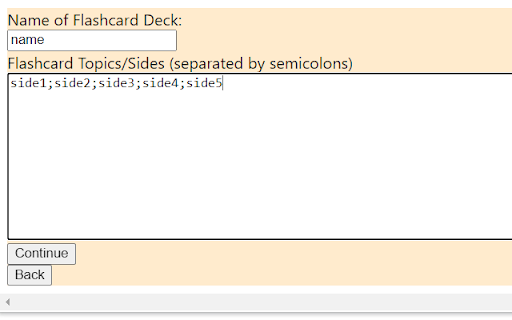


Flashcard app with multiple sides, so you can check what you need, when you need. A flashcard app that brings a whole new functionality: testing more than one side! Sometimes two sides just isn't enough. If you're studying a language, for example, you might want three sides, to study a word, its meaning, as well as some examples of how it can be used. Multi-flashcards brings that functionality, with an easy way to create new flashcard decks of however many sides you choose, followed by the functionality to customize your testing, allowing you to select how many sides you'd like to study and the order the sides appear in. This way, you'll be able to fully control the way you study, and only ever have to record the information once.

Studylib New Tab - Startpage with flashcards
Replace new tab page with a personal dashboard featuring flashcards learning. New Tab page that gives you an ability to learn something new during your working day with spaced repetition technique (the most powerful technique in existence for improving your brain's ability to recall what you study). You can learn languages, math, chemistry, computer science and everything you want. Join our users and get inspired to create the life you want to live. • Flashcards reviewing • New inspirational photo each day • Pop-Up translator • Links and search • Customize the dashboard by showing/hiding widgets This extension shows you a stream of flashcards each time a new tab is opened. That way, every time you open a new tab you review 2-3-5 cards before doing something else, mixing these tiny chunks of flashcards reviewing through the day, which should also improve memory-retention as interleaving comes into play. It is a part of the Studylib.net project. So you can review your sets of flashcards not only with this extension but using a website with your PC or mobile device.

Quizlet Getter - Get Quizlet Flashcards
Extension for getting flashcards from Quizlet Key Features: 🔄 Quick Export: Extract flashcard sets with just a click. 📄 Multiple Formats: Save flashcards as plain text, JSON or other format for maximum compatibility. 🔍 Customizable Delimiter: Select specific delimiter between the definition and question. ⚡ Fast and Secure: Works seamlessly without compromising your Quizlet account. Streamline your learning experience by making your flashcards more portable and accessible. Whether you're prepping for exams or creating personalized study material, this extension has you covered! Download now and supercharge your study sessions!

FlashTabs
FlashTabs is a digital flashcard app in your new tab screen. Create decks, add some cards, then learn every time you open a new tab. FlashTabs is a simple Chrome Extension that makes learning easy. No longer do you have to load up a flashcard application to process through your deck, now you can create a deck and process through it as part of your daily workflow, every time you open a new tab screen. Feature List: -> Create multiple decks of flashcards -> Have multiple decks active at the same time -> View your flashcards in your new tab screen -> FlashTabs uses a spaced repetition algorithm, only showing you cards at the optimal times to increase knowledge retention. -> Import and Export your decks to share with others -> Upload an image to the front and back of your cards -> With FlashTabs Pro, choose different colours for your Decks

Translate Flashcards
Flashcards for Google Translate™ If you love Google Translate™ but wish there were a good way to practice your saved phrases, then this is the extension for you. With the Translate Flashcards extension, you can turn your phrasebook into interactive flashcards with the click of a button. ⭑ Spaced Repetition System: Automatically schedules reviews based on mastery level to enhance memory retention. ⭑ Filter, Sort, and Limit: Advanced mode to select the phrases you want to study, in the order you like. ⭑ Reverse Order: Easily switch the source and translation languages for one or more phrases. ⭑ Custom Tags: With tags you can organize your phrasebook, create study sets, and customize your learning approach. ⭑ Keyboard Navigation: Easily move through the flashcards with intuitive keyboard shortcuts. ⭑ Shuffle Mode: Practice phrases in a random sequence or in the order you initially saved them. ⭑ Audio Support: Toggle audio on and off as you like. With the audio feature enabled, phrases will be automatically pronounced when displayed, assisting you in honing your listening and pronunciation skills. Elevate your language skills! Install Translate Flashcards today and start practicing your saved phrases the fun, interactive way. Google Translate™ is a trademark of Google Inc. This extension is independent and is not affiliated with, authorized, maintained, sponsored or endorsed by Google Inc.
