
bojlanjcfkfhlnjjdjadkcngddpfloha
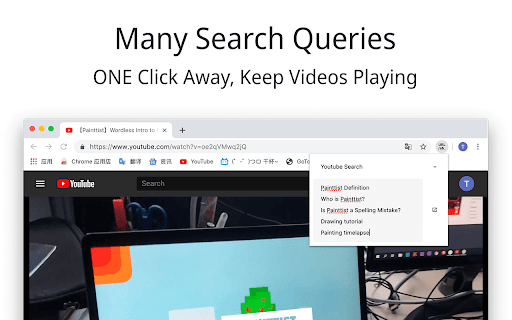
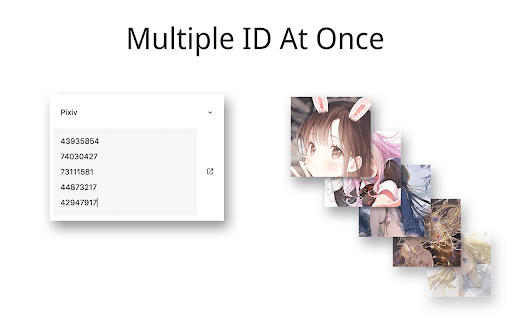
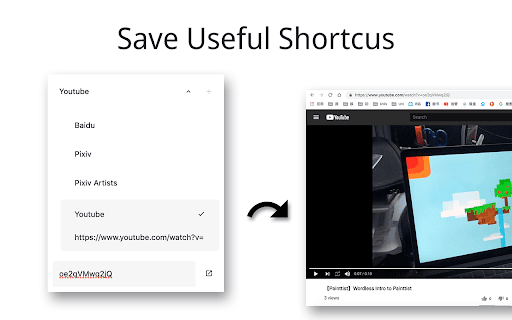
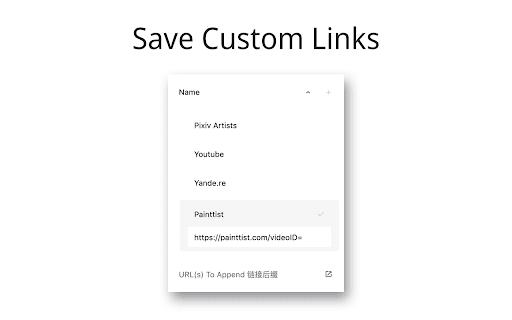
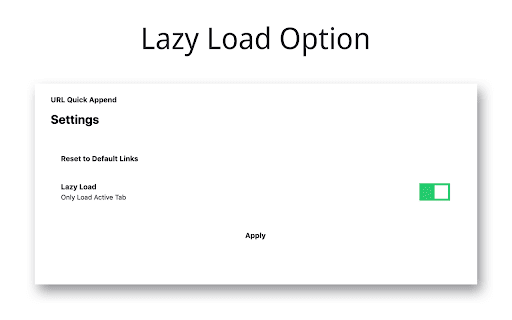
This extension lets you quickly search multiple items or access URLs with appendixes without unnecessary tab changes. For example, Google search multiple queries, quickly access Pixiv image links with ID, Baidu drive download URL, etc. Support all sites that uses URL queries to load content. The plugin has some defaults but you can delete them and add new ones. You have total control. The settings are synced between devices with Google syncing enabled. This way you can save all sorts of URL queries, only once, and never forget. This light-weight extension, also comes with a minimalistic UI, and a lazy load function. Version Notes: Version 1.5 Fixed reset to defaults on Chrome update bug. Supports Chrome Extension Manifest v3 Version 1.4.3 Added many keyboard shortcuts. (e.g. 「Tab+G」 to quickly switch to 「Google Search」 because it starts with a 「G」) Version 1.4 Added URL Quick Clean, Added Quick Info Boxes Version 1.3.1 Added More Default Search Queries including Youtube and Google Version 1.3 Removed "tabs" permission because it was not needed Version 1.2 Fixed Layout Issues for Windows

Pixiv Fullsize
Pixiv Fullsize is a browser extension that allows you to view fullsize images on Pixiv. Introducing Pixiv Full Height Image Viewer - a Chrome extension designed to revolutionize the way you browse and enjoy artwork on Pixiv. Say goodbye to the limited grid view and embrace the full potential of your favorite artists' creations with our easy-to-use extension. 1. Full Height Image Display: Tired of not being able to see the entire artwork in Pixiv's grid view? Our extension automatically adjusts the grid to display images at their full height, letting you appreciate the complete composition and details of each piece without any hassle. 2. Lightweight and Efficient: We've optimized Pixiv Full Height Image Viewer to be fast and efficient, ensuring that it doesn't slow down your browser or negatively impact your browsing experience. 3. Easy to Install and Use: Pixiv Full Height Image Viewer is simple to install and requires no configuration. Just add the extension to your Chrome browser, and you're ready to enjoy a superior Pixiv browsing experience. Discover a new world of artistic inspiration with Pixiv Full Height

Pixiv Search
Direct search from Pixiv ID, or search Pixiv by keywords. Usage: 1. Click the extension icon and input Pixiv artwork id or keyword and hit Enter key or the Search button. 2. Highlight the artwork id or keyword, right click and click Pixiv Search's option on your context-menu to search. Notice: If extension language is not displaying properly after switching Chrome language, please reinstall the extension to fix it. Version Log: 1.4 - Match Manifest V3 API spec & popup style update 1.3 - Update Pixiv search url & Refactor code 1.2 - Bug fixed. 1.1 - Added English and Japanese

YPixiv
Art downloader, which sorts and downloads art from Pixiv: images, ugoiras, mangas and artists whole. Updates: --0.52 (2026.03.29) Fixed an error during connection errors while downloading files. (Unfinished Chrome files can't be deleted automatically. Browser's security policy? In any case, it's not critical.) --0.51 (2024.06.14) Manifest migrated to V3; fixed bug with #[number] in url. --0.50 (2021.08.28) Fixed bug with creating ".webm"; library "whammy" changed to "webm writer js"; added debug mode; code refactoring. --0.49 (2021.06.16) Fixed bug with chars 65532-65535. --0.48 (2020.09.10) Fixed bug with permission "*://*/*" (removed). --0.47 (2020.09.07) Updated for new Chrome changes. Added permissions "webRequest" ,"webRequestBlocking", "*://*/*"; added a mechanism to bypass the error, when GET returns without "Access-Control-Allow-Origin". --0.46 (2020.03.11) Bugfix: permission "declarativeContent" returned. --0.45 (2020.03.06) Updated for new Pixiv changes. Some updates of pixiv-site appears at different rates in different regions, the difference can be up to a few weeks sometimes. Sorry for the delay. --0.44 (2020.01.17) Bugfix. --0.43 (2020.01.11) Updated for new Pixiv changes. --0.42 (2019.09.26) Updated for new Pixiv changes. --0.41 (2019.07.01) Bugfix. --0.40 (2019.05.17) Bugfix. --0.39 (2019.05.11) Now you can load from more than one tab at a once. --0.38 (2019.04.07) Updated "danger symbols" list. --0.37 (2019.02.10) Maximum webm's cluster length changed to 200 ms. --0.36 (2019.02.10) Fixed bug with name of art with element "Submissions based on this work". --0.35 (2019.02.04) Updated "danger symbols" list. --0.34 (2019.01.26) "~" added to "danger symbols", fixed bug with art in "private" and "My pixiv only". --0.33 (2019.01.26) Fixed bug with webm last frame. --0.32 (2019.01.24) Little optimization (downloader + webm). --0.31 (2019.01.23) Inner code-design changes + history clear option. --0.30 (2019.01.22) Added ugoira .gif and .webm convectors, optimized subfolder textbox, small local chanches. Do not forget to press "Reset" button and set options again if you are already YPixiv-user. --0.29 (2019.01.20) The design changed a bit. --0.28 (2019.01.19) Fixed bugs with ugoira-zip size and art names. --0.27 (2018.09.21) Updated for new Pixiv changes. --0.26 (2018.09.20) Fixed descriptions. --0.25 (2018.09.13) The download type "all at once" has been changed to the "queue", one thread, this removes the risk of skipping files when you are using internet actively. Added new numbering mode: "extra nulls", example - in the parameter's description. --0.24 (2018.09.12) Fix names again. --0.23 (2018.09.11) Fix art's and autor's names. --0.22 (2018.08.02) Added new "Thanks" option. --0.21 (2018.06.24) Fixed bugs with album size and autor id. --0.20 (2018.06.15) Updated for new Pixiv changes. --0.19 (2018.04) Fixed mistake with master1200, now it's real 1200, not 600. --0.18 (2018.04) Removed some bugs with download end message. --0.17 (2018.04) Added message of download end and image size option.

pixiv image extension
Avoid 403 and display the image.
