
bnpjledobdcjaahppbiiooamdlclgfen
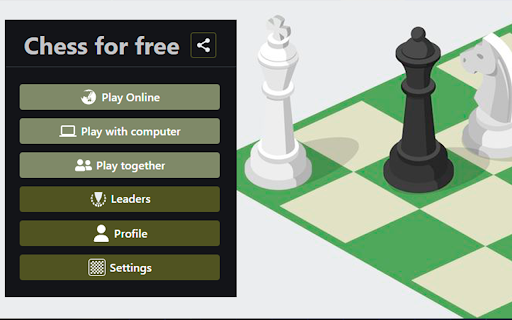

Best chess free online game. Play chess with friends or play chess vs pc. Chess app 2 player. Leaderboard with real players. 🌟 Explore Chess Free Online ✅ Dive into the world of online chess free, where you can play chess online for free against both friends and AI. ✅ Whether you're a beginner or a seasoned player, this extension offers endless opportunities to sharpen your skills. ✅ Engage in thrilling chess game online free play anytime, directly from your browser. 🖥️ Playing with a Computer 🔹 Enjoy a powerful engine with 18 difficulty levels from Beginner to World Champion. 🔹 See possible moves when selecting a piece and get interactive tips during the game. 🔹 Cancel moves to correct mistakes and analyze games to improve your skills. 🔹 Replay from any point and select handicaps to balance the challenge. 🔍 Challenge Yourself with Computer Opponents 🎯 Enjoy the robust AI challenges that chess free online provides when you play online against computer. 🎯 Tailor your game to match your skill level and learn new strategies as you go. 🎯 With free against computer mode, practice anytime without needing an opponent. 👥 Multiplayer Fun ➤ Engage in 2 player chess or team up in chess with friends free online through free chess game online. ➤ Experience seamless gameplay and connect with players across the globe. ➤ The perfect platform for those who love social interactions while honing their chess skills. 👥 Playing Together on the Same Screen - Choose from various time control modes, including bullet, blitz, and rapid games. - Enjoy a dynamic and engaging chess experience suitable for all players. - Compete against real live players and save your rating to track progress. - Analyze your games post-match to identify mistakes and enhance your skills. 🏆 For All Ages and Skills 🔹 Chesskids and adults alike will find value in chess unblocked intuitive design and educational resources. 🔹 From beginners to advanced players, everyone can enjoy lichess free online chess features tailored to help improve their game. 🔹 It’s more than just a game; it’s a way to learn, compete, and grow. 💡 Advanced Features for Enthusiasts • Explore sophisticated strategies with the enhanced AI of computer chess available on Chess Free City. • Use tools like analysis boards to review every move and learn from mistakes. • Perfect for those looking to dive deeper into the complexities of advanced chess tactics. - Remember that each feature of our game extension is designed to provide a comprehensive, enjoyable experience whether you're playing casually or competing seriously. 📱 Seamless Integration and Accessibility ✅ Chess free online is not just a chess board online; it's a comprehensive chess-app that brings the classic game into the modern age. ✅ Accessible as an on line platform, it allows you to play seamlessly on any device with internet access. ✅ With its user-friendly interface, getting started is quick and hassle-free. 🌍 Play Globally or Locally 🎯 Engage in chess online with friends or connect with new players from around the world through chess against computer. 🎯 This platform makes it easy to start a game online 2 player mode, fostering competitive and friendly matches. 🎯 Whether you’re looking to challenge a friend next door or a foe across seas. 🔓 Unblocked Access Anywhere ➤ Enjoy the freedom of playing wherever you are with chess online unblocked features of chess vs computer. ➤ Schools, libraries, and workplaces can now become arenas for honing your chess skills without restrictions. ➤ This feature ensures that anyone can continue their journey in mastering chess tactics anytime. 💡 How to Play Chess for Beginners: Step-by-Step Guide ➤ Start with the basics: learn how each piece moves and practice with puzzles. 💡 What is Chess and Why is it Popular? ➤ Chess is a strategic board game between two players, known for enhancing cognitive skills. 💡 How to Learn Chess Effectively as a Beginner ➤ Utilize online tutorials, play against computers or friends, and study famous games for improvement. 💡 Best Ways on How to Play Chess for Kids ➤ Use simplified chess sets and engaging storytelling methods to explain the rules and strategies. 💡 Is There a Free Online Chess Game Available? ➤ Yes, numerous websites offer free chess games; popular ones include Lichess and Chess.com. 💡 Is Playing Chess Good for Your Brain Health? ➤ Absolutely! It enhances problem-solving skills, improves memory, and increases creativity. Our extension also has a special widget button for opening "chess game"

Gun Fest Arcade Game
In this arcade game, collect ammo using math operations as you progress on the road. Do you like gun games! Complete challenging levels and join the fun in this extreme shooter game. Sniper, Deagle, and four different weapons are in the gun fest game. Gun Fest players must increase their weapon count by going through the correct math operations on the parkour with their chosen weapons. You must eliminate the bank robbers in front of you on the track with your armed army that you have grown from mathematical operations and make high scores. With the combos you make at the end of the levels, you can get better scores and be the star of the gun fest game. How To Play You can move your army of weapons left and right on the track with the mouse. You should choose the correct ones from the mathematical operations, such as addition, subtraction, etc., that appear in front of you. The more correct processes you go through, your armed army will be more enormous. Finally, you can enjoy these game for free (and more requests will be added)! Gun Fest Arcade Game extension does not contain any hidden ads. Help and Contact Contact with us at info@gamebol.com and share your thoughts and problems.

Lichess enhancement
New styles of pieces and boards for Lichess NEW AMOGUS PIECES ! With this extension you will be able to play chess on Lichess with more than 35 styles for chess pieces and more than 20 styles for boards. The extension works on the whole site whether you watch a game or play a game. The extension also works for variants.

Chess.com Keyboard
This browser extension allows you to make moves on Chess.com using your keyboard Make moves with keyboard on Chess.com website! This way of moving pieces may enhance your board vision skills; it can also be used to improve chess.com interface accessibility. Two formats are supported now: algebraic (Nf3, 0-0) and UCI (e2e4 or e7e8q) ☕ If you like the extension you can buy a coffee for the author here: https://buymeacoff.ee/everyonesdesign 6.6.0 - Reworked movement parsing engine - using custom logic instead of RegExps now. Just as fast and more flexible for future improvements! 6.5.0 - New daily chess commands: "confirm" and "cancel" - Only relevant commands for the view are shown now - Internal optimisations - Dependencies are updated 6.4.0 - Update component chessboard selectors (adapts the extension to new Chess.com's changes) - Update dependencies 6.3.1 - Clean up input after moves with component board - Dependencies updates 6.2.0 - Improve conflicts resolution between pawns and bishops 6.1.1 - Fix area highlighting for component chessboard 6.0.0 - Allow lower-case algebraic moves (thanks @sehe for the contributions) - Migrate the extension to manifest v3 - Rewrite moves parsing core (parsers can return more than 1 move). This change allows to handle moves more intelligently in difficult cases 5.5.2 - Fix puzzle solution check when promotion is the last move 5.5.0 - Persist "blindfold" mode state between page reloads - Prevent submitting promotion moves without promotion piece type (fixes some issues with promotion) - Clean up unused pieces of code - Update dependencies 5.4.0 - Fix the extension for newer version of chess.com (canvas board) - Fix the functionality when the board is flipped - Automatically submit move in daily chess - Fix issues with highlights not cleaning up sometimes - Fix move clearing on Esc press 5.3.1 - Fix the functionality for some users (due to new canvas element usage on chess.com) - Allow players to make a move in analysis mode 5.3.0 - UCI support - Fix arrows and squares drawing on Play (BETA) page 5.2.0 - Fix an issue with initialization when Chess.com locale isn't supported - Dependencies updated - Minor refactoring 5.1.0 - Trying to fix "live" chess for some users 5.0.0 - Migrate to TypeScript - Add technical possibility to localize interface - Add Russian translation - Support yet another type of beta Chess.com chessboard ('chess-board' component) - Fixed some rendering issues (fix positioning of ambiguous moves highlighting) on Live board - Update some package dependencies to make sure the app doesn't have vulnerabilities 4.0.0 (and you thought Christmas was over 🎅) - Fix promotion on Vue.js chessboards (e.g. live chess or analysis board) - Allow making move for your opponent when you're analyzing games - Remove GA (to comply with Firefox add-on store) 3.1.0 - Fix Ctrl-peeking for Blindfold mode - Optimize beta chessboard arrows re-rendering 3.0.0 - Support for beta chessboard 2.0.0 (big release 🎉) - Blindfold mode for fun and for learning! - Commands support (draw and resign) - Init on lessons pages - Fix init for live app in some cases 1.5.1 - Fix width issue on layout with sidebar 1.5.0 - Prevent castling for your opponents 😜 - Fix promotion syntax in live chess 1.4.0 - Squares highlighting set by right mouse clicks are preserved - Fix bug with extension preventing pieces dragging - Ignore "C" shortcut if any modifier key is pressed (e.g. for copying) - Optimize arrows and squares painting method - A11y: create label for the input - A11y: add aria-hidden attribute to chessboard element 1.3.0 - Support algebraic notation for promotions (e.g. d8=N) - Enable extension on analysis boards 1.2.0 - Fixed a bug "it is possible to make moves for the opponent" (Yes, you could do it! Now it's over, rules are rules 🤓) - Clear input on valid move submit only - Clear ambiguous moves even if the move was made by mouse - Update app styles to make the field more stylish and readable - Fix a bug with notification falling behind the menu - Redraw arrows not only on field change, but also after opponent makes his move 1.1.0 - Highlight pieces on ambiguous moves - Focus on start of the extension - Create a way to focus the field from keyboard - Enable extension on Tactics chessboard 0.0.3 - Updating manifest to fix the icon - Fix plugin appearance on live app page - Clear input on Escape key

Strike Football Sports Game
Make great freekick over the barrage and score goals in this soccer game. Among football games, freekick soccer is very common. You have to shoot and score goals while the Football player builds a barrage. Thus, players can display their skills to stand out in the football challenge. When you freekick, you must spin the ball and shoot your shot. It would help if you made good moves while shooting free kicks against your tough opponents in Football tournament mode. You must be the best soccer star by collecting points when the tournament is over. You have to put up a good fight against tough soccer champs. Soccer games contain many features while playing. In particular, the football player offers different elements to the users among the games played. There are three different football game modes in the game. Each soccer game mod has a different effect on other users or devices. Among these modes, there is also the freekick game mode. You should take your place among these soccer champs. You can shoot and train without limits in this football challenge 1vs1 mode. While the football game tournaments are held, the levels are skipped quickly in the free-kick sections. Another feature is the change pos feature. The soccer player can adjust the shooting position and score better goals with this feature. By adjusting all these, free-kick football can be played at different levels, such as manageable, challenging, and medium levels. The game flows quickly and allows you to spend time in a more fun soccer game. How To Play It is played with mouse. Help and Contact Contact with us at info@gamebol.com and share your thoughts and problems.
