
bmdgagkmkpkdknbkfaabnafnaemokmlh
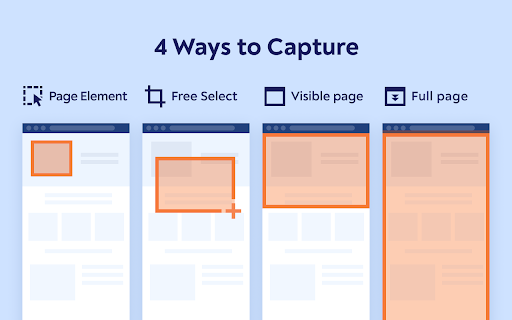

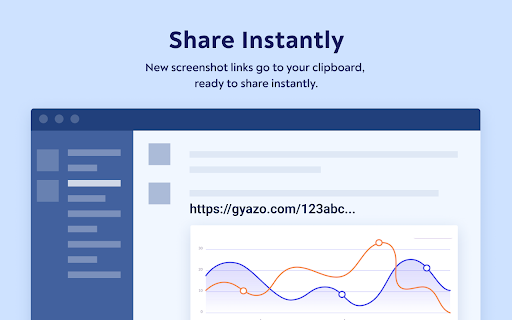
Gyazo Teams gives you the power to capture and share image links faster than ever. With the official Gyazo Teams Extension you can instantly clip images from any website to share with your team, partners, and customers. Whether you want to share or simply save images wherever you do work, Gyazo Teams is perfect. To use the extension, just right click on the image you want, hover 'Capture', then click "This image" and the image will automatically be uploaded to yourteam.gyazo.com with a unique URL. This link is copied to your clipboard automatically so it can be pasted instantly. When you want to go back you can visit the history page to see all the past images you have collected. Whenever you capture an image the original address and title of the page the image came from are saved as a comment. This allows you to see exactly where an image or screenshot came from, and click once to return to the source location. Use it for: Sharing data from a dashboard Adding images to presentations Giving design feedback Providing support Creating documentation Start collecting and sharing what you see instantly! *Note: A Gyazo Teams account is required to use this extension -- learn more at gyazo.com/teams and start sharing more with your team faster. For individuals you can use the Gyazo extension and also get more done with gyazo.com/pro

PromptSync
Ask ChatGPT, Bard AI, and Bing Chat with one single prompt! Unlock the power of four dynamic chat platforms with a single prompt! Introducing PromptSync, your all-in-one solution for chatting with ChatGPT, Bard AI, and Bing Chat, through a convenient Chrome extension. Multi-Platform Chat Engage in conversations effortlessly with ChatGPT, Bard AI, and Bing Chat from a single prompt. Get diverse perspectives and responses to your queries. Customizable Experience Tailor your chat experience to your liking! Enable or disable individual chat platforms according to your preferences through the settings menu. Efficient Workflow Streamline your workflow by accessing multiple chat services without switching tabs. Save time and stay productive as you harness the combined intelligence of four powerful chat systems.

Congree Web Interface
Write according to your company's Style Guide This extension helps you to integrate your company's Congree Authoring Server into specific websites. Research Meets Practice Content optimization solutions based on scientific insight and long-standing industry experience Higher text quality with less effort Apart from the reuse of sentences and consistent use of terminology, Congree offers a comprehensive Language Check that covers 98 percent of the English and German languages. The Congree Authoring Server is scalable and thus supports the editorial work in small, medium-sized, and large enterprises. Rule-Based Language Check Apart from the spelling, grammar, and terminology, the rule-based Language Check also checks the style. Predefined rule sets cover most application cases; additional company-specific rules can be added as needed. Authoring Memory The Authoring Memory serves as a sentence repository, which shows all text segments that are similar to your text and that were written and approved in the past. You can apply these text segments with a click. New sentences are included in the Authoring Memory after they are checked and approved. Congree Data Grooming can help to maintain and improve the quality of your Authoring Memory. Terminology Component The connection of third-party terminology software enables access to a wide range of information on terminology hits. The terminology component in Congree delivers definitions and usage information on specialized terms – including preferred terms, admitted terms, and deprecated terms.

brocrobes
Browser plugin for https://transcrob.es Brocrobes is the Chrome-compatible web extension for interacting with the open source foreign language content enrichment system of Transcrobes (https://transcrob.es). It allows you to take any webpage and enrich it with personalised, hypertext-based comprehension aids. It requires an existing account on a Transcrobes server. Free accounts are available at https://am.transcrob.es NEW! Now with personalised language learning support for watching many of your favourite movies on Netflix or Youku (in Mainland China)!

Tolon Browser Extension
Find webpage discussions on the web. (e.g. Hacker News, Reddit) Tolon (토론) is a browser extension that helps you find discussions around the pages you're looking at on the web. It works by searching available sources for URL submissions. While viewing a webpage, opening the extension will search available sources for URL submissions (discussion threads) and present a list of results. Tolon is mostly JavaScript plus a little CSS. There are no trackers. No data is sent (aside from the page URL query) or shared. All of the code is available on GitHub.
