
blipmdconlkpinefehnmjammfjpmpbjk
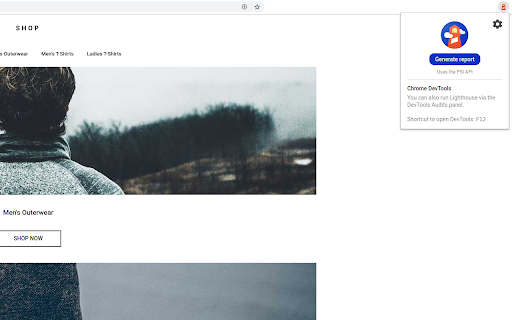

Lighthouse is an open-source, automated tool for improving the performance, quality, and correctness of your web apps. Lighthouse is an open-source, automated tool for improving the performance, quality, and correctness of your web apps. When auditing a page, Lighthouse runs a barrage of tests against the page, and then generates a report on how well the page did. From here you can use the failing tests as indicators on what you can do to improve your app. * View and share reports online: https://googlechrome.github.io/lighthouse/viewer/ * Github source and details: https://github.com/GoogleChrome/lighthouse

SEO Minion
SEO Minion helps you in your daily SEO tasks such as On-Page SEO analysis, Broken Link Checking, SERP Preview and more The tool helps you with the following tasks - (1) Analyze On-Page SEO - analyze the HTML of any webpage and view useful information that will help you optimize the On-Page SEO as well as alert you to any issues. (2) Highlight All Links - quickly see all the links (internal & external) for any webpage (3) Check Broken Links - check every link on a webpage and get a report of any links with issues (5) SERP Preview - preview your website on a real Google search result and update this in real time (6) Google search location simulator - view non-personalized google search results for one keyword on two different location/language combination. (8) HTML v/s DOM - analyze the differences between the HTML source code and the rendered DOM to check if your JS library is causing any SEO related issue (9) Analyze Structured Data - analyze the structured data on the webpage We add features based on user feedback. If you'd like us to add any new features, please email us at akash@seominion.com. You can view the change-log for every version update at https://seominion.com/news

META SEO inspector
Meta SEO Inspector helps web developers and curious users explore what’s hidden behind any web page. Instantly check a site’s HTML… Meta SEO Inspector helps web developers and curious users explore what’s hidden behind any web page. Instantly check a site’s HTML for SEO issues, verify metadata, and ensure compliance with Google’s Webmaster Guidelines. Features 🌟 NEW! – Can be opened on an always-open sidebar. ⭐ One-click insights – Instantly view all metadata and structured data (including full JSON-LD). ⭐ Smart alerts – Get notified when tags are missing, too short, or too long. ⭐ Actionable advice – Learn what’s wrong and how to fix it to improve your Core Web Vitals and search visibility. ⭐ Analyze competitors – Compare your site’s structure and content with others. ⭐ Easy exporting – Copy meta values, print reports, or export data in seconds. ⭐ Multilingual interface – Available in many languages. ⭐ Free and regularly updated – Continuously improved with community feedback. Perfect for developers, marketers, or anyone curious about what makes a web page tick.

View Rendered Source
View source is dead. See how the browser renders a page, not just what the server sends. A lightweight Chrome Extension that shows you how the browser has constructed (rendered) a page's original HTML into a functioning DOM, including modifications made by JavaScript. An essential tool for web developers using JavaScript frameworks like Angular, ReactJS and Vue.js, and for SEOs to understand how search engines see your pages, especially considering Google's dynamic serving workaround. Differences between raw and rendered versions are highlighted line-by-line showing how JavaScript has modified a page at render time. * Raw: The source code sent from the server to the browser before the DOM is rendered. The same as you'll see with traditional 'View Source' in the browser (after minor formatting tweaks) * Rendered: The rendered page after the source has been interpreted into a DOM, including any modifications made by Javascript * Difference: The difference between the rendered source and the raw source. Differences occur when JavaScript has modified the DOM. Adaptive website? If you serve different source code to mobile devices, emulate this easily with a mobile user-agent checkbox. Dynamic serving for Google? (More info: https://developers.google.com/search/docs/guides/dynamic-rendering) Using Google's dynamic rendering workaround designed for Javascript-heavy sites? Just request the raw source as Googlebot and ensure perfect technical SEO. Works with GatsbyJS and Prerender. DM the developer: https://twitter.com/ItsHogg

axe DevTools - Web Accessibility Testing
Accessibility Checker for Developers, Testers, and Designers in Chrome ★Digital accessibility testing right in your browser: The Axe DevTools Extension is an automated accessibility testing tool that helps you find and fix accessibility issues early in web development right in your Chrome browser. It helps ensure your team gets fast, accurate, actionable results so you can save time on costly reworks, and create digital experiences that are compliant and work for everyone. ★Leverage the global standard in automated web accessibility testing: The free version of the Axe DevTools Extension gives you the tools to conduct page-by-page, automated accessibility testing—all run on Axe-core, the global standard in automated web accessibility testing. With the free browser extension, teams get a useful introduction to accessibility and a quick, automated way to catch defects, all while benefiting from the same reliable and consistent results trusted by industry leaders around the world. ★Find and fix even more accessibility issues with AI and automated testing: Upgrade to the pro version of the Axe DevTools Extension to move faster, smarter, and further streamline workflows with AI-enhanced features, intelligent guided testing, component-level checks, the ability to test entire user flows, central administration, deduplicated results, Jira integration, and more. Dev teams can use this pro version of the browser extension to fix a majority of issues before production by combining traditional test automation with AI, reducing remediation costs and saving time. It’s great for teams who want to check specific pages, groups of pages, or workflows for accessibility issues. To learn more about the Axe DevTools Extension visit https://www.deque.com/axe/devtools/extension Use of this extension is governed by this license agreement https://www.deque.com/terms-of-use/axe-ext/ and the privacy policy linked under the developer information Data collection information can be found here: https://docs.deque.com/devtools-server/4.0.0/en/data-collection#axe-devtools-browser-extension-free Upgrading to the Axe DevTools Extension pro plan gives you more control over what data is collected.
