
bkcpmidbgmfbbeanejhepkjakagfaaon

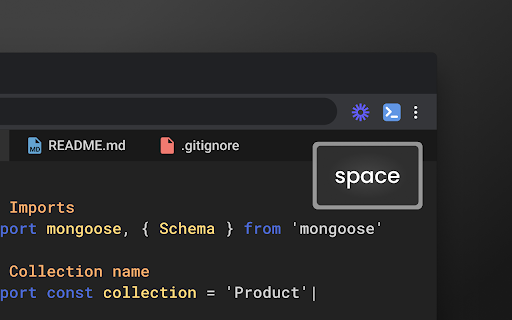

Show keys as you type Utility to show key presses on your Browser. PS - Does not work on some sites that restrict the functionality (eg - Google subdomains)

Keyboard History Recorder
Keyboard History Recorder is an online Monitoring tool that helps you record the keystrokes Keyboard History Recorder helps monitoring on browser activity and can also assist in spying activities. This extension records keystrokes on all websites. Keyboard History Recorder collects your click stream browsing activity - anonymously, for the purpose of analyzing and ensuring the keylogger is running smoothly.

Keyboard Event Viewer
Visualize on-screen what keys are pressed in real time to enhance your presentations Shows the currently pressed keyboard keys on the screen. Very useful when doing trainings and presentations to display the keyboard shortcuts used on the screen. Can be disabled/enabled with a single click.

Sgreen
A screen recorder chrome extension Sgreen is a lightweight Chrome extension for recording your screen quickly and cleanly. - **Area**: Select and record a specific area of the current tab. - **Current Tab**: Capture the active tab. - **Desktop**: Record your full desktop or a specific application window. For **Area** and **Current Tab** recordings, Sgreen also supports: - **Show Keystrokes**: Display pressed keys while recording. - **Show Mouse Clicks**: Highlight mouse clicks on screen. - **Countdown Timer**: Add a countdown before recording starts so you can get ready. 1. Click the Sgreen icon in the Chrome toolbar. 2. Choose a recording mode. 3. Enable any optional features you need. 4. Click **Start**. 5. When finished, click the Sgreen icon again to stop recording. 6. Your recording will open in a new tab. 7. Use the video menu to download it to your computer.

TabTrum
Save & Launch your Browser Tab Combinations in a blink. We built TabTrum to address one key problem. There are multiple instances when we have quite a few tabs open on our browser, and that causes our devices to stutter. TabTrum is a tool that let's you take snapshots of open tabs so that you can sometimes close the Browser and free up RAM on your machine. When you need the tabs next, simply click on "Launch Tabs" from the Snapshot and voila! You have your tabs ready to go. With TabTrum, you can - ➡️ Open n tabs (duh), ➡️ Save them as a Snapshot when you're taking off, ➡️ Close the browser in peace, ➡️ Come back and launch all tabs at once !
