
bjeankebiaanlljplaebkiekeimiphha

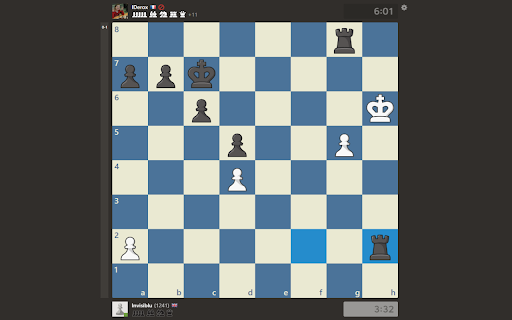
Extra settings for chess.com. Currently supported settings: - Hide your own rating in live games - Keyboard shortcut: 'y' - Hide the opponents rating in live games - Keyboard shortcut: 'o' - Enable auto start of new games - Keyboard shortcut: 'a'

Tools for Autodarts
Tools for Autodarts enhances the gaming experience on autodarts.io Enhance your gaming experience on autodarts.io with quality-of-life features, customization options, and advanced functionality. Match Customization - Color Customization for darts and scores - Streaming Mode with green screen support - Virtual Board Surround - Darts Zoom with configurable positions - Hide Menu & Automatic Fullscreen - Adjustable UI Elements Audio & Visual Effects - Professional Caller: Voice announcements for scores and checkouts in multiple languages - Sound FX: Ambient sound effects for game events - Custom Animations: Display GIFs for special events (180s, bulls, busts) - Sound & Animation Upload: Add your own custom effects Utility Features - Settings Import/Export - Clipboard Support for sharing configurations Note: Tools for Autodarts is developed by the community and is not an integral part of the official Autodarts platform.

Chesscom Enhancer – New Advanced Features & Improvements for Chess.com
A free and open source extension that adds must-have features and improvements to Chess.com matches - Play Sessions: Set a session goal by number of games or minutes, then get auto-queued until you reach it. - Lifetime Score: Always see your lifetime score against your current opponent. - Hide Ratings: Hide player ratings in your games. - Louder Low-Time Warning - Visual Time Warning: Adds a glowing border around the board that changes color depending on whether you’re up or down on time. - Lichess Review Button: Open your completed Chess.com games directly in the Lichess game reviewer. - Picture-in-Picture Mode: Pop the board into a small always-on-top window so you can play while multitasking. - Anonymize Opponent: Hide your opponent’s identity completely, with the option to reveal it in one click. - ...And more, including additional quality-of-life tools for a cleaner and more focused playing experience. Chesscom Enhancer is completely free and open source.. Check it out here: https://codeberg.org/TheUllernProject/chesscom-enhancer-extension

Chess Eval Extension
Chess Eval Extension provides instant, real-time position evaluation for your chess.com games using the powerful Stockfish chess engine. Features: - Real-time position evaluation displayed directly on the board - Powered by Stockfish WASM engine for accurate analysis - Lightweight and fast - runs entirely in your browser - Works seamlessly with chess.com's interface - No data collection or external servers required Perfect for players who want to: - Analyze positions during post-game review - Study opening variations - Understand positional advantages - Learn from engine suggestions The extension automatically detects chess positions on chess.com and provides continuous evaluation as the position changes. All analysis happens locally in your browser - your games and data remain private. Note: This tool is for learning and analysis. Please respect fair play guidelines when using during live games.

Custom Chess Pieces
Customize your chess pieces and more on chess.com and lichess.org This extension allows you to upload your own images to use instead of the standard pieces and set some colors (like premoves) on lichess.org and chess.com. You can also import and export profiles, this way you can share your setup effortlessly. To use the extension simply click on the icon after downloading it. You can share or get profiles on our discord server: https://discord.gg/DbMUU4y3bA You can check out our other extensions on https://www.softwarebyjules.com/
