
bimmbgomanhpkfodmiomjgfakleojpia


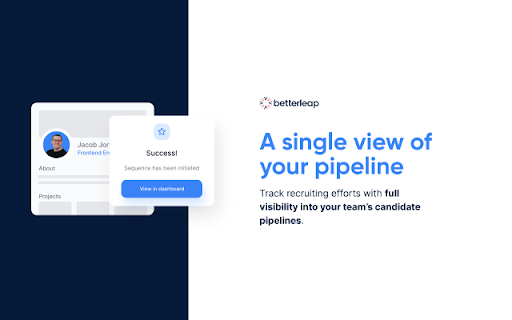

Find any candidate's email address and email them quickly on Betterleap. Betterleap's Chrome extension helps find anyone's personal email address and makes it easy for you to add them into a Betterleap email sequence to quickly get in touch with them. Recruiting teams use Betterleap's Chrome extension to: - Add candidates to Betterleap from LinkedIn and LinkedIn Recruiter - Find email addresses for candidates - Send email sequences and automate follow-ups - Sync candidate data with your ATS - Get candidate insights Betterleap integrates with Gmail, Outlook and can sync with popular ATSs like Lever, Greenhouse, Ashby, Recruiterflow and more. Betterleap's customers are tech savvy recruiting teams from tech startups, boutique recruiting firms, and talent partners at VC firms who want to 10x their productivity. If you've discovered our Chrome extension without talking to our team first, please sign up at https://app.betterleap.com/signup to learn more and schedule a demo. By installing the extension, you agree to Betterleap’s Terms of Service (https://betterleap.com/terms).

Email Finder by Skrapp.io
Find anyone’s email instantly. Search, verify, and export leads in one click. Skrapp.io email finder extension for Chrome finds verified business email addresses from any company website or LinkedIn profile. ● LinkedIn Email Finder Extension Extract verified business emails directly from LinkedIn profiles and Sales Navigator results. Find contacts one by one or export hundreds to CSV, or sync directly to your CRM. Visit any company website and uncover employees with verified, deliverable email addresses and job titles. Pay only for valid emails. Built-in verification helps keep your cold email lists bounce-free. Know who you want to reach? Enter a name and company to instantly find their verified email with real-time validation, so you never reach outdated contacts. Skrapp.io email extractor lets you scale your outreach by running bulk searches across domains, LinkedIn, and Sales Navigator, then push leads directly to HubSpot, Salesforce, Pipedrive, Outreach, or Zoho. BUILT FOR EVERY GO-TO-MARKET TEAM ✔ Sales reps & SDRs build targeted prospect lists faster ✔ Recruiters source candidate contact details from LinkedIn with one click ✔ Marketers power their link-building, influencer, and partner outreach with accurate contact data ✔ Founders reach decision-makers without a data team No credit card required. Start free and get 50 email credits every month, automatically refreshed. Upgrade, downgrade, or cancel anytime. Transparent pricing built for individuals, teams, and enterprises. Paid plans start at $29/month (billed annually). Credits are used only when Skrapp successfully finds and verifies an email address. Skrapp.io is fully GDPR-compliant and operates under a published Data Processing Agreement (DPA) available at skrapp.io/dpa. All data collected is limited to publicly available professional information, such as name, job title, company, and business email. Users can request data deletion at any time via support@skrapp.io. Skrapp finds emails with a 92% success rate and verifies them with 97% accuracy. Trusted by 1M+ professionals, including teams at Adobe, IBM, SAP, Oracle, and Microsoft. Sign up and see why sales professionals worldwide trust Skrapp.io to build accurate prospecting and email lists 👉 Join Skrapp.io

Email Finder - GetProspect
LinkedIn Email Finder – Look up emails for free. Find email address in seconds – free email finder. Search emails on website. Extract emails with GetProspect. Our plugin is the fast and easy-to-use LinkedIn email finder tool that helps to get accurate business email addresses in seconds. ✔ Email Finder It is the best solution to find email addresses of your connections for free or any people from LinkedIn search. With GetProspect Chrome extension you can easily find anyone’s email address and generate LinkedIn leads by clicking just one button in users’ profiles. - Easily search for email addresses of your 1st, 2nd and 3rd+ Linkedin connections; - Find business email addresses of any person from the basic LinkedIn or Sales Navigator search based on your specific search filters; - Save leads with emails in bulk from Sales Navigator lead lists or LinkedIn group members; - Get all the obtained email addresses verified for FREE. ✔ Bulk email finder Save hundreds or thousands of contacts at once with our batch email finder by clicking «Select all» → «Save prospects» in LinkedIn search, LinkedIn group members, or LinkedIn events attendees. Add the number of pages you want to save leads from. Our bulk email tool will automatically find and add their verified emails to your list. ✔ Email finder by name and by domain You can generate LinkedIn leads from basic search or with Sales Navigator. You just fill in your search criteria on LinkedIn, then extract hundreds of potential clients into a spreadsheet. You not only get an email address – but also other data from LinkedIn: - first and last name - position - location - summary - company name - industry - company website and address - LinkedIn profile URL ✔ Find email address by name with GetProspect email extractor extension This is how to search email by name in 2 minutes. To look up email addresses by name you enter the first and last names of the person of interest in a LinkedIn search. Go to their profile and click «Get email». The email and other information about the prospect will be saved to your GetProspect account. ✔ CRM contact management software All your saved leads from LinkedIn you will find in GetProspect contact management software. The web-based CRM allows you to: - group your leads in relevant folders; - segment your prospects with dynamic lists; - create custom filters; - cooperate with team members; - export your lists in the necessary format; - integrate GetProspect with Gmail or other sales tools. ✔ Our email finder is ideal for: - Sales teams - Founders and owners - Freelancers - Consultants - Project managers - Digital marketers - Email marketers - Growth marketers - Recruiters - Outbound marketers ✔ Main advantages GetProspect email extractor: - FREE monthly credits - Online human support - Email verification at no additional cost - Compatible with free LinkedIn, Sales Navigator and Recruiter - Pricing beginning with 49$/month - Exporting LinkedIn leads with the data in .csv or .xlsx - Saving numerous LinkedIn pages at once - Integrations with other services ✔ How to use the email address finder plugin? Step 1. Install the GetProspect email extractor Chrome extension. Step 2. Go to any LinkedIn profile and click on the «Get email» button. You will see the GetProspect banner indicating that the email is found and saved. Step 3. Or make a search on basic LinkedIn or Sales Navigator, click «Select all» → «Save prospects» and get multiple pages of leads with emails. ✔ FAQ 1. Can I use GetProspect email finder extension for free? Yes, email extractor plugin is free, but you can use it only in the Google Chrome browser for now. 2. How to find email addresses on LinkedIn? To find email with the GetProspect extension, open any LinkedIn profile and tap on the «Get email» button. The email will be automatically saved. If you want to save many emails, open the list of LinkedIn profiles in LinkedIn search, LinkedIn group, or LinkedIn events and click «Select all» → «Save prospects.» 3. Can I find email address owner with GetProspect? You can find email addresses owners in your GetProspect account with the enrichment feature. Go to the «Enrich» page, choose «Email lookup section», and enter the email of interest. 4. How can I use email extractor software for business? You can use the GetProspect extension to find emails of potential clients to reach them without reputation risks to your email account. 5. Can I extract emails from websites by GetProspect? Yes. Go to the tab with the website and click on the GetProspect icon among your extensions. You will see the panel and field to enter the name you want to find the email for. 6. Which payment methods can I use for GetProspect subscription? You can pay for the GetProspect subscription through the Fondy payment gate or BlueSnap payment gate. By default, our system offers to pay through Fondy. In case you are unable to pay by this method, try to use BlueSnap. 7. How to cancel my email finder subscription? Go to the Settings icon in your GetPropsect account. Choose the Price and billing section. In the Subscription tab, find your plan and click Cancel subscription. For any further questions about email finder, feel free to contact us support@getprospect.com

GetEmail.io gets the email of anyone on Earth
GetEmail.io is the easiest way to find email addresses from anywhere on the web, with just one click. GetEmail.io is the easiest way to find email addresses for anyone across the web. With GetEmail.io, you’ll find the professional email address of anyone, whatever their company or position, in just one click. We have one of the highest success rates in finding emails with the lowest possible bounce rate. How? We're two top-tier French engineers who have applied advanced big data and machine learning algorithms to find the right email, every time. As a Dun & Bradstreet company, we're now teamed up with the global leader in commercial data and analytics. Our pricing is free for reasonable use, with additional paid options for more intensive use. Test and use GetEmail.io for free to see it for yourself. When it gives you an email, we’re confident it will be the right one!

Email Finder by Snov.io
Find email addresses on any website. Our Email Finder lets you collect leads and grow sales on the go. This is an easy to use email finder with an inbuilt email verifier, email drip campaigns and a lot of free tools. With Snov.io Email Finder for Chrome you can find your prospective leads’ emails, put them into mailing lists to get replies and nurture leads automatically. ✓ Spare countless hours by saving email addresses and prospects from most popular professional networks, google search or any website you need using Snov.io. ✓ Check email addresses instantly, without being charged for invalid emails; the email verification feature will make your bulk email lists bounce free. ✓ Send email drip campaigns from the application panel with a handy yet powerful drag-and-drop editor. Add an email account and design triggered email sequences to follow up your prospects, save templates, and send emails to lists of found contacts from the web application. ✓ We also provide you with a boolean-string search queries generator for Google, LinkedIn, Github, Facebook, and others. Snov.io is a great email finder for many types of professionals. It makes things just easier for many people: - Recruiters can extend their sourcing resources - Sales managers can do better prospecting finding more email addresses and sending triggered email sequences. - Marketers can find and research bloggers, journalists, websites owners and contact them in a few clicks. ✓ Besides email addresses we provide you with other structured information, enhancing your data so you can target specific positions within companies. ✓ Surfing websites and searching email addresses is easy with Snov.io plugin. Visit any website, open our plugin and see email addresses along with extra information like names or positions (if available). ✓ Does not interfere with other email addresses lookup chrome extensions including most popular clearbit, hunter.io, rocketreach, scrapp and works alongside with them. Before using our Email Finder be sure to read and agree to Snov.io's Privacy Policy https://snov.io/privacy-policy.html Email Finder permissions 1."tabs" - is using the chrome.tabs API (getting bookmark links, creating new tabs with our link, reloading open pages of app.snov.io) 2."http://*/" - access to all sites to get page content (alternative to all_urls) 3."https://*/" - access to all sites to get page content (alternative to all_urls) 4."cookies" - session recovery via cookies from app.snov.io 5."notifications" - to show push notifications (completion of background tasks) 6."webRequest" - for automated information collection from web pages without direct opening of the pages by the user 7."contextMenus" - to create a new item 'Background tasks' in the context menu of the extension Join Snov.io right now for a free plan and get 50 credits every month! https://app.snov.io/register There are huge efforts behind Snov.io. We hope you will enjoy the app and would like to encourage you to express your thoughts and let us know about any issues via the website chat window or on help@snov.io. 💜 https://snov.io Hope to see you onboard!
