
bidkgdnjcjlclnponfgjjiepfdoaljgg
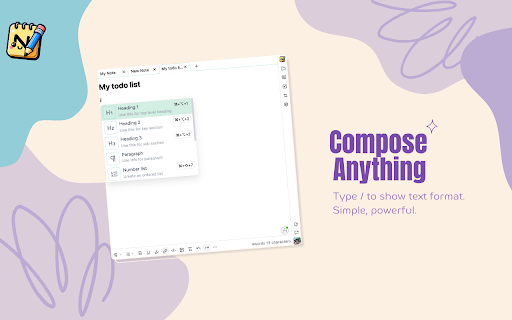
Take note with Noteddy! Take note with Noteddy! • Capture anything, anywhere: Jot down ideas, quotes, or to-dos with ease. • Seamless sync: Access your notes anytime, anywhere, even offline. • Personal with themes and setting • Multimedia support: Add photos, sketches, and attachments for richer notes. ️ • Secure and private: Keep your thoughts safe with robust security measures. • Easy to use: Intuitive interface for a smooth learning curve. • Share your notes with friends and family. • Always improving: Get the latest features and performance optimizations. • Made by the community: We listen to your feedback to make Noteddy even better. Download Noteddy today and take your note-taking ✅

Napkin Notes • Side panel notes
Your quickest canvas for thought. Capture ideas and notes in seconds from the side panel! Capture fleeting ideas and notes in seconds with Napkin notes. Press Alt + X to open the side panel and jot down key details in the text field 💡 Pro tip: Use dividers and markdown such as section headers to keep your thoughts nice and organised! v2 Update - October 2024 🚀 ✨ Fresh new design with more customisability 🎨 More markdown options including section header, highlight, and colour text red 🖼 Image support! 🗣 Added link to provide feedback and feature requests 🐜 Bug fixes - significantly increased notes capacity What's next? You decide 👀 Use the feedback button in the extension to let me know which of the follow features would be most valuable for you! • Create bullet point list • Multiple notes instead of a single large note • Customise shortcut to open the side panel (FYI you can use chrome://extensions/shortcuts for now) • Customise background and font colours • Something else? Get in touch :) I'm always keen to hear your thoughts and ideas - use the feedback button in the app to get in touch :)

Online Notepad
Use Online Notepad to write and save your notes, edit any text in an online text editor, making rapid notes and memos easily. ✅ Looking for a hassle-free way to save, share, and edit notes anytime? Try our online notepad to keep all your text accessible across different devices. Whether you need a quick fix for sudden ideas or a robust notepad setup, everything is just a click away. Use it as an online writing notepad for your essays. 1) Quickly start writing in your note pad write your notes online 2) Organize info in a memo online notepad format 3) Switch between simple text and advanced coding views ✨ Thanks to its cloud-based design, this online notepad editor keeps your work safe, letting you access it wherever you go. Simply open a browser, log in, and get started. For hands-on note-making, try a handwriting notepad style, or opt for a microsoft notepad mode if you prefer a familiar layout. ✏️ Top Features You’ll Love: 1️⃣ Real-time collaboration via online notepad share 2️⃣ Flexible text formatting in a text editor 3️⃣ Secure backups to avoid losing important data 4️⃣ Organized folder structure for easy tracking 5️⃣ Versatile editing modes for different needs ⚙️ If you’re juggling multiple tasks, having a notepad online editor is a game-changer. From meeting notes to daily schedules, you can store everything in your notebook online. When you need a quick reference, load up your note in seconds. For more formal reports or group tasks, a shareable notepad ensures everyone stays on the same page. - Sign up or open your notepad online as a guest - Create a new doc for your online writing notepad - Save and sync your text automatically - Check note for final changes 🛠️ Trying to refine your writing? Use our edit pad feature to polish sentences, correct errors, and format headings. If you crave advanced coding capabilities, switch to online notepad++ and tackle HTML, CSS, or JavaScript. It’s a convenient approach for developers and writers alike, with a built-in text editor to handle everything from short memos to full projects. ➤ Bold, italic, and underline for emphasis ➤ Syntax highlighting in notepad++ online ➤ Handy shortcuts to edit the text quickly 🌐 For day-to-day tasks, a note pad approach is perfect. Jot down errands, keep track of appointments, or write reminders. If your needs grow, turn to an online notebook with sections for different topics, or rely on notepad write your notes to keep things neatly organized. With online notes always at your fingertips, productivity becomes second nature. ▸ Use google notepad online for a familiar workspace ▸ Share your notepad online editor link for group edits ▸ Merge notes from multiple sources into one notes website ▸ Switch easily between devices ▸ Explore advanced features now ✨ Planning bigger collaborations? An online notepad share function lets colleagues or classmates contribute to the same document without confusion. Whether you’re working on a joint assignment, coding with a teammate on notepad++, or brainstorming for a project in an online notepad', these real-time edits transform the way ideas take shape. • Live editing to avoid file versions chaos • Instant feedback for improved efficiency • Centralized storage for all your texts • Keep everyone in sync easily ❓ Can I use this online notepad on multiple devices? 💡 Absolutely. Log in from any browser, and your data remains synced, allowing you to resume work where you left off. ❓ Is there a handwriting notepad online mode? 💡 Yes. You can switch to a handwriting interface for doodles or freehand sketches, then go back to text mode any time. ❓ How do I share my online shareable notepad with someone else? 💡 Use the share button or generate a custom link. Recipients can edit or view based on your permissions. ❓ Can I migrate from microsoft notepad online to this text editor? 💡 Of course. Simply select the editor style you prefer, and your content transitions smoothly without data loss. ❓ Do you support coding in notepad++ online? 💡 Yes. This feature provides syntax highlighting, line numbering, and other developer-friendly tools. 🎉 Boost Your Efficiency: 🔹 Keep an open note online for quick ideas for more flexible tasks 🔹 Convert typed text to PDFs with a single click for easy document sharing 🔹 Try a notebook online layout for lengthy outlines to boost group collaboration ✅ Ready to upgrade your note-taking routine? Embrace our feature-packed online notepad for secure storage, intuitive editing, and effortless teamwork. Whether you’re gathering rapid notes or handling professional tasks, this versatile notepad online environment keeps everything organized in one place.

OneDayNote
Introduction: OneDayNote is a Chrome browser extension that allows you to easily write and save notes while browsing web pages. It helps you capture important information or ideas without affecting your browser's new tab, providing efficient note management through a side panel. Note Writing: Write and save notes anytime using the side panel. Local Storage: Your notes are securely stored in the browser's local storage, ensuring they are preserved even when you close the page. Site Panel: Manage notes efficiently through an in-page side panel and access them whenever needed. No Impact on New Tabs: Utilize notes conveniently without affecting your browser's new tab by using the side panel. Easy Toggle Function: Toggle the side panel when needed to view or edit your notes effortlessly. How to Use: Visit a web page. Click the extension icon to open the side panel. Write and save notes in the side panel. Open the side panel as needed to review or edit your notes. managing notes on web pages conveniently. Supported Browsers: Optimized for Chrome browser. Install now and start your convenient web page note-taking experience!

dailyNote - take daily notes in side panel
Take daily notes in side panel with live-preview markdown note editor. dailyNote sync notes with local files, GDrive, OneDrive,Box 📢 daily notes in side panel with markdown live preview and local disk realtime sync. 📌 Why you should consider this: ✪ live preview markdown ✪ Calender-wise Daily notes ✪ Organize notes by tags (zettelkasten method) ✪ No signup required ✪ Fuzzy search ✪ Take screenshot and insert into notes ✪ Append contents in today's note by right click menu. ✪ Dark mode and custom themes. ✪ Persistent text highlighter ✪ Realtime Sync with desktop local file manager. ✪ Export notes in three format: markdown,html and pdf ✪ Sync with cloud drive: GDrive, oneDrive, Dropbox,box,notion. ✪ Cloud & Cross-devices realtime sync. ✪ All notes and media files saved locally ✪ No tracking & no Ads. ✪ Lightweight 65kb only ✪ Pure & clean code that powers fastest performance. ✪ No third-party library used for privacy,security and performance. ✪ Negligible memory consumption (consume 400% less memory than new tab). ✅ Markdown live preview You don't need to open separate panel to preview your markdown. dailyNote provides a real live preview like wysiwyg editor you can update existing markdown's mark to change formatted text. ✅ Create Calender wise daily notes you can organize notes by tags ✅ Insert selected text,images,screenshot in today's note without opening sidepanel You can insert selected text,images by right click menu. You can take screenshot and bookmark page by right click on extension's icon. No need to open panel to append contents. ✅ Time has come to forget ctrl+c and ctrl+v Drag and drop any web content e.g images,selected text. dailyNote doesn't convert text into image like others do. dailyNote format into markdown so that you can easily modify them selected text will auto-copied to dailyNote when you press ctrl+c on any webpage keyboard shortcuts (work only when copy listener on) Ctrl+Z ⇒ undo Ctrl+Y ⇒ redo Alt+H ⇒ highlight Ctrl + Shift + H ⇒ remove highlight Shift + Space ⇒ extend selection 🖥️ Take screenshot Click on screenshot icon for capture and save screenshot Use Keyboard shortcut (Alt + S) 🖍️ Highlight text When you clip selected text, selected text will highlighted automatically Click on Save Highlight button on right bottom corner to save highlight. For remove highlight, Select again highlighted text and press Ctrl + Shift + H. For disable highlight, Go to options page ✅ No vendor locked in. dailyNote realtime sync your notes with desktop local file manager in three format: Markdown,HTML & pdf You can view and edit notes in any other markdown based note editor. ✅ realtime sync notes with other cloud providers You can sync notes with cloud drive providers:GDrive, oneDrive, Dropbox,box. You can sync notes with cloud notes providers:Notion, onenote (coming soon). ✅ Private and secure All data saved locally. Your notes or media file e.g images, videos never touch our server. You can mail us: noterailhelp@gmail.com 🚀 Version 0.0.60 ADDED: Realtime sync feature added ADDED: Markdown guide & sync notes option available on extension's right click IMPROVED: Improved sync feature IMPROVED: Options page improved IMPROVED: dailyNote now available in 20 languages 🚀 0.0.56 ✅ IMPROVED: live markdown editor improved ✅ ADDED: Basic markdown syntax highlight added ℹ️ ADDED: How to use guide added 🐛 FIXED: italic or code style now applied 🐛 FIXED: auto local disk and cloud drive sync now enabled 🐛 FIXED: Paste and save note issue fixed
