
bhedchkibbmbiomdmgiaihbmadppnnhc
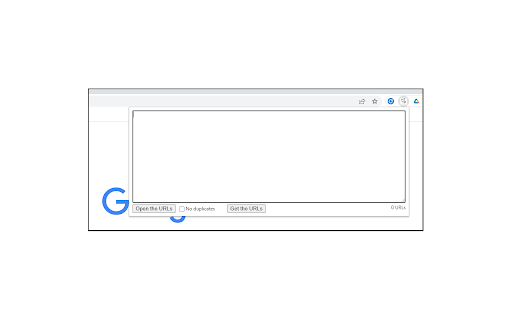
Extension for Opening Multiple URLs Small utility that allows you to open a list of URLs. It will also allow you to read the URLs from all tabs in the current browser window.

Multiple URL Opener
Open multiple URls at once with single click. Also supports delay in opening URls. Open multiple URls at once with single click. You can also add delay in opening each url. Version 0.5 --------------- You now can get all links from opened tabs and put them in in list on multiple url opener. Version 0.3 --------------- Now you can: Don't lose focus when opening links. (This is to not bring chrome to front while opening links.) Skip duplicate links Version 0.2 --------------- Delay in decimal points: 0.5, 1.5 etc Able to save links in database so you don't have to enter them again.

Open Multiple URLs
Extension opens a list of URLs. Bulk URL Opener extension. "Open Multiple URLs" extension takes a list of web pages in plain-text format and opens them all in new tabs. Paste the list into the text area (one website address per line), click [Open] or [ Open in Incognito]. You can load URLs from .txt file. You can download your URLs as .txt file. Can create folder with urls as bookmarks. Permissions: - "Storage" permission in order to save user input; - "Tabs" permission in order to get all opened URLs; - "Downloads" permission in order allow you to download URLs as .txt.

URL Runner
Open multiple urls with one click. URL Runner is a browser add-on, a Chrome extension that helps you open multiple URLs with one click. Enjoy the simplicity of numerous URL openers with one tool. Not only that, if you are a marketer, a content writer, a salesperson, or an entrepreneur; URL Runner helps you increase your productivity by opening multiple URLs with one click and opening the first 10 Google Search Results in new tabs with one click! A simple, yet powerful productivity extension that makes your research work easier. Fetch all the open URLs on your browser, delete a list of URLs, and manage your favorite list of URLs by creating your customized bookmarks. Key Features: 🌟 Allows users to open a list of custom links quickly and easily in new browser tabs 🌟 Ability to create, save, load, and edit lists of links to provide a simple way to store and use a large number of links in the same place 🌟 Help you open the first 10 URLs on Google Search to save time in research 🌟 Fetches all the open URLs in your browser to help you collect active tab data easily 🌟 Help you create a bookmark for the list of open URLs in your browser to save the list 🌟 A productivity tool for marketers, affiliates, entertainers, artists, designers, and sales reps! The extension does not collect any user data while running; we are proud of that! You can open multiple URLs with our Bulk link opener feature. Not only that, but the URL opener also functions as a search engine batch link opener. This means you can open the initial 10 links on your Google Search with just a single click (this does not include ad URLs). Start Using our bulk URL opener for: 👉 Open multiple links at the same time, save the list, and load list URLs to improve productivity 👉 Open the initial 10 Google Search results to save your time while doing research work Open links in multiple tabs on your browser and make your browsing experience soothing.

Multiple URL Opener
Open multiple URLs in new tabs. Best bulker URL opener chrome extension Chrome extension to open multiple urls with single click. A useful and easy to use extension which allows to open a list of links in single a click. - Opens multiple URLs in one click - Ability to preserve input links - Load URLs in random or reverse order - Open the link when tab is selected This extension collects no user data. "Read your browsing history": This permission allows the extension to create tabs. It also allows the extension to get the URL's and preserve the input for the next time.
