
bhaeffhiollngcgdhoepmdckmeadgnbk

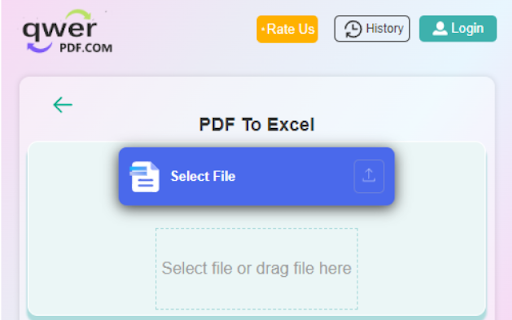
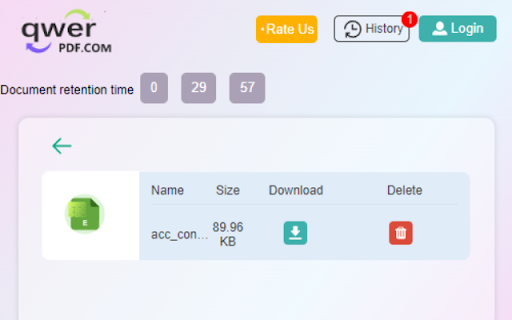
Convert PDF to Excel online. PDF file to XLSX documents and 100% free. Convert PDF to Excel online. PDF file to XLSX documents and 100% free. Select and upload the PDF file you need to convert in the PDF to Excel converter. we will quickly convert the PDF document to Excel & XLSX file as it's online. Our features: Convert PDF to Excel: Convert your PDF to Excel documents(XLSX) with incredible accuracy. Convert Excel to PDF: Convert Excel to PDF, XLSX to PDF, Excel to PDF XLSX & Excel online Editor: Open and edit your Excel documents without install any software. 1.Install the Convert PDF to Excel extension 2.Find the Convert PDF to Excel extension in the upper right corner of the browser and click it, and click the "PDF to Excel" icon in the pop-up window. 3.Select or drag the file you want to convert to the dotted frame area,The file will automatically start uploading and converting. 4.Wait for the conversion process,do not close your browser Wait until your files are uploaded and processed,this might take a few minutes.You can close this page to do other things, The extension will notify you when the file conversion is complete. 5.Download after successful conversion.Click the file icon in the upper left corner of the extension to enter the file list, where all your converted files will be displayed, find the file you want to download, click the download button, the download page will pop up. Note that the file will only be temporarily on our server Save for 30 minutes, then it will be deleted automatically, please download it in time. By installing this extension you agree to the data protection regulations (https://qwerpdf.com/privacy-policy.html).

PDF to Excel
PDF to Excel: Quickly convert PDF to Excel and streamline your data workflows with effortless precision! Whether you’re a data analyst brushing up on details, a busy office worker consolidating reports, or a freelancer juggling invoices, PDF to Excel brings simplicity right to your browser. With intuitive steps, robust security, and cross-platform compatibility, PDF to Excel revolutionizes the way you interact with documents. ✨ Embrace rapid transformations, top-quality output, and the freedom to manage files anytime and anywhere. Get rid of bulky software installations and say hello to a browser-based approach that’s reliable, safe, and fast. ⚙️⭐ 👉 The extension is designed for: ⏩ Students & Educators 📚 – Turn course materials or research data from PDF to Excel with minimal hassle ⏩ Office Professionals 🏢 – Accelerate workflows by transforming monthly reports into editable spreadsheets ⏩ Freelancers & Designers 🎨 – Manage client invoices, proposals, or design briefs for easy record-keeping ⏩ Accountants & Legal Experts 📑 – Boost productivity by extracting vital info directly into spreadsheets ⏩ Anyone handling data projects ✨ – Remove unnecessary complexities and get straight to the numbers 🔎 What can this extension do? ✅ Convert multiple PDF files into fully customizable Excel sheets in a snap ✅ Reorder pages and preview data before finalizing conversions ✅ Perform tasks both online and offline for maximum flexibility ✅ Maintain high-quality output, preserving tables and formatting ✅ Work flawlessly across devices and operating systems ✅ Safeguard your files with strong encryption I. Prime Advantages of This Data Tool ⚙️✨ Welcome to your first look at why PDF to Excel emerges as a top-tier choice for file conversions. Whatever your profession or interest, here are the key highlights: Lightning-Fast Speed ⚡ • 🚀 Experience near-instant transformations, ensuring your projects never stall. • 🎉 Whether you’re rushing to meet deadlines or quickly adjusting data for a meeting, this tool fits your pace. Straightforward Layout 🎨 • 🦋 A clean interface keeps even new users comfortable. No convoluted options—just simple, direct steps. • 📝 Ideal for both beginners and power users seeking a streamlined workflow. Versatile Processing Options 🔄 • 🤹♀️ Converting PDF to Excel spreadsheet versions can be done for single or multiple documents. • 💡 Tackle everything from small memos to large-scale datasets. Cross-Browser Compatibility 🌐 • 💻 Access the extension on Chrome, Firefox, or any browser you prefer. • 🏃♂️ Travel, work remotely, or manage data at home with absolute ease. Consistent Data Quality 🔎 • 🖼️ No more losing columns or corrupting numerical data—Excel files remain crisp and organized. • 🧲 Perfect for business analytics, academic research, or personal finance. II. Reasons to Embrace This Solution 💼🚀 When deciding on a new tool, the best reasons often revolve around simplicity and performance. PDF to Excel excels in offering both: User-Centric Design 💡 • 🤖 Anyone can operate this extension without wading through complex instructions. • 🌱 Perfect for novices, experts, or anyone in between. Consistent & Stable Output ⚙️ • ✅ Expect top-grade results—no sudden formatting errors or missing tables. • 🏅 The extension stands strong even when handling large or intricate PDF sets. Comprehensive Guidance 🤝 • 🧩 Tutorials, FAQs, and support are readily available. Explore how to convertir PDF a Excel with peace of mind. • 🔔 Always stay informed on fresh tips and tricks for better conversions. Regular Updates 🔄 • 🌟 Development never stops. With community feedback, new features keep coming to guarantee you remain at the forefront of efficiency. • 🚧 The roadmap includes advanced integrations and performance boosts. Robust Data Security 🔐 • 🛡️ Your files remain confidential, with state-of-the-art encryption during every stage. • 🤝 Maintain peace of mind knowing sensitive documents are handled safely. Swift Installation 🛠️ • ⚙️ Visit your browser’s extension store and add it with just a click. • 🚀 Pin it for direct access whenever the need arises. Load PDFs Effortlessly 📁 • 📄 Either drag and drop your files or use the “Upload” button. • 🧭 No complicated procedures—just a straightforward approach. Begin Conversion 🚀 • 💨 Hit the button and watch your PDFs become spreadsheets in seconds. • ✅ Speed remains consistent even for heavier documents. Retrieve & Share 🏷️ • 🌍 Download your brand-new Excel sheets or share them across platforms. • 🕊️ Instantly distribute results to colleagues, students, or clients. IV. Expanded Capabilities of This Extension 🌠🎉 Stepping beyond a simple converter, PDF to Excel is a holistic data-management platform: Streamlined Control Panel 🌐 • 😺 Enjoy a central dashboard showcasing ongoing tasks and previews. • 📈 Track progress without juggling multiple windows or programs. Bulk Conversions 📂 • 🏋️ Handle entire multi-page documents in one go. • 💧 Save yourself from the frustration of repeated single-page conversions. Individual Page Management ⚒️ • ⭐ Remove irrelevant pages or reorder to fit your desired layout. • 🌈 A perfect solution for custom tables and partial data extractions. Cloud Integration ☁️ • 🔐 Connect Google Drive or OneDrive for direct file imports and exports. • 📡 Access your updated Excel files on any device, hassle-free. V. Who Stands to Gain from This Tool? 🌍🤝 Any scenario that calls for robust data organization or quick edits benefits from PDF to Excel. Here are just a few examples: Academics & Learners 🏫 • 🍎 Convert tables, lectures, or questionnaires for easy sorting. • 📚 Perfect for study groups sharing consolidated data. Workplace Teams 🏢 • 🤝 Collaborate on figures and charts during meetings without PDF readers. • 🚀 Simplify large-scale monthly, quarterly, or annual reports. Freelance Professionals 🎨 • 🎨 Manage invoices, budgeting sheets, and proposals fluidly. • 🧮 Tally up costs and client details in a single spreadsheet. Researchers & Analysts 🔬 • 🧬 Transform data tables from PDF document to Excel for immediate analysis. • 🔍 No more manual retyping or risk of transcription errors. VI. Daily Benefits for Every User 🌠⚒️ PDF to Excel was crafted with the user’s comfort in mind, ensuring each operation is stress-free: Drag-and-Drop Efficiency 🤏 • 🌟 Skip complicated import menus—simply drop your file in for quick conversion. • 💥 A small detail that makes a huge difference in everyday tasks. Unified Workspace 🎯 • 🧩 Handle multiple PDFs concurrently in a single tab, perfect for large projects. • 💼 Keep your workflow organized without toggling between different software. Real-Time Previews 👀 • 🖼️ Check each page’s formatting before finalizing. • 🎉 Adjust if something looks off and avoid re-running conversions. Enhanced Support Hub 📖 • 💬 Browse answers to frequent questions on how to change from PDF to Excel free. • 🤗 Video tutorials and step-by-step guides help you master every feature. VII. Cross-Platform Adaptability 🌎📲 No matter your device or operating system, PDF to Excel ensures consistent performance: Browser-Integrated 🖥️ • 🔌 Keep everything at your fingertips. No more launching external programs. • ⚡ Convert files on your schedule, whether at home or in the office. Perfectly Optimized for Mobile 🏃♂️ • 🌐 Use on tablets or smartphones for true on-the-go flexibility. • 💼 Seamlessly switch between your laptop and phone, with no disruptions. Auto-Sync Across Devices 💾 • ♻️ Resume conversions from where you left off. • 🔐 Access earlier processed files for easy reference anytime, anywhere. VIII. Fuel Your Productivity ⚡✨ This extension directly impacts how quickly and efficiently you can handle data: Rapid Data Visibility ⏩ • 📸 The moment you open PDF in Excel, vital info becomes editable and ready for analysis. • ⏱️ Gain the advantage of real-time modifications. Simplified Collaboration 🗣️ • 👐 Instead of sending bulky PDFs, share Excel files that your team can open in a flash. • 💬 Colleagues no longer scramble to install a dedicated reader or specialized software. Lean File Sizes 📂 • 📊 Save storage space by selectively extracting relevant pages. • 🚀 Boost distribution speeds for presentations, newsletters, or project outlines. Streamlined Workflow ⚡ • 🤖 Convert multiple docs and reduce repetitive tasks. • 🕑 Reclaim hours lost on manual data entry or reformatting. IX. Initiate Your Conversion Journey Today! 🚀🌈 Grab the Extension 🏁 • 🔗 Head over to your browser’s library and look for PDF to Excel. • 🎯 Install in seconds and begin your transformation journey. Start with Minimal Steps 🎯 • 🏆 In just a few clicks, your PDF is on its way to becoming a modifiable Excel file. • 💡 Intuitive prompts guide you at every phase. Preview & Verify 👀 • 📚 Ensure each row and column appears as you intend. • 🦋 Perfect for those who require pinpoint accuracy in data analysis. Distribute & Archive 🌏 • 🗂️ Once your Excel files are ready, share them internally or upload to the cloud. • 🌐 Keep track of everything in a single, organized folder. Customize Output to Your Needs 🧩 • 🎨 Adjust layout, rename spreadsheets, or compress files if required. • ⚙️ PDF to Excel adapts seamlessly to your personal or organizational standards. X. Elevate Your Day-to-Day Workflows 🌐⚡ As you integrate the extension into your routine: Eliminate Unnecessary Software 🧩 • 🏋️ Save disk space and skip the hassle of installing multiple tools. • ✨ A single add-on can handle your data conversion needs end-to-end. Empower Team Coordination 🤝 • 💬 Easily convert PDF to Excel spreadsheet and share, removing any format-related confusion. • 🏆 Everyone can jump straight into editing or analysis. Free Up Valuable Time 🔥 • ⏰ Focus on what truly matters—interpreting and using your data. • 🪄 Let repetitive tasks become a thing of the past. XI. FAQs & Helpful Insights 🏅❓ Curious about specific scenarios? PDF to Excel has you covered: “How private are my documents?” • 🍀 Rest assured. This free PDF to Excel converter guards your data with robust encryption. Your sensitive records remain confidential at all stages. XII. Extra Perks & Surprises 🌠🔎 When you install PDF to Excel, you unlock a handful of understated advantages: Automatic Compression 🚀 • 🏭 Often, transforming can reduce file size, simplifying storage and transmission. • 🚦 Perfect for those frequently emailing attachments. Adaptability Across Sectors 🎨 • 🤩 Whether you’re in marketing, real estate, or healthcare, the extension fits. • 🛠️ transform PDF to Excel to enhance data analysis. Vibrant User Community 🌍 • 🫶 Find a network sharing strategies and new usage ideas. • 🏆 Take advantage of forums or social media groups for helpful tips. XIII. Your Cornerstone for Efficient Data Handling 🎉❤️🔥 The days of laborious manual entry or clunky third-party programs are gone. PDF to Excel merges convenience with performance, ensuring a modern approach to data conversions. ✨ By using this tool, you’re stepping into a future where editing tables, analyzing charts, and reformatting documents take only a fraction of the time. Global Accessibility 🌎 • 🎉 Once installed, begin to convert PDF into Excel within moments. • 🌈 No matter your location, the extension’s performance stays consistent. All-in-One Document Hub 💡 • 🤖 Explore possibilities beyond basic conversion. Additional data tools are on the horizon. • 🔑 Centralize your PDF management in a single place. Robust Cloud Connectivity ☁️ • 🚀 Quickly export PDF to Excel to Google Drive or other platforms. • 🔐 Bypass the hassle of saving locally every time. XV. Make This Extension Your Go-To Choice 🌈✨ It’s time to welcome a new era of data conversion. PDF to Excel takes the guesswork out of reformatting documents, letting you swiftly pivot from static PDFs to vibrant, interactive spreadsheets: Reduce Redundancies 🧩 • 🧹 Eliminate the need to manually copy-and-paste data. • 🙌 Enjoy a more organized and stress-free workflow. Organize Personal Files 🏠 • 📂 Convert personal PDFs—like receipts or household budgets—into manageable spreadsheets. • 🏅 keep track of expenses, plan savings, and more. XVI. Tips for Mastering Usage ⚙️❇️ Optimize your experience with these tried-and-true techniques: Name Files Clearly 📑 • ✍️ Label documents prior to uploading. Searching for them post-conversion is simpler when you have distinct filenames. • 🔍 No confusion or rummaging through random titles. Use Shortcuts & Hotkeys ⌨️ • ⏫ Speed up repetitive tasks by learning extension-specific shortcuts. • 🎆 A few keystrokes can drastically improve your overall productivity. Stay Updated with New Versions 🌱 • 🔔 Keep an eye out for feature expansions or improved security measures. • 🌍 The tool evolves to accommodate changing user demands. Combine Offline & Online Workflows ☁️ • 🎡 For remote areas or limited internet, rely on offline mode. • 🌀 Once reconnected, quickly export PDF as Excel to the cloud for universal access. For professionals, students, or hobbyists, a stable method of how to turn PDF into Excel remains invaluable. Rely on consistent output, robust reliability, and a supportive user community that always has your back. 🏆 Security, performance, and convenience blend into a single powerhouse of an extension, letting you conquer daily tasks with style. 📥 Acquire & Install: Grab PDF to Excel from your browser’s extension store in one swift move. 🚀 Kickstart Conversions: With minimal clicks, watch your PDF become a spreadsheet. 🌐 Share & Store: Download locally or place your final spreadsheet in a favorite cloud drive. 🔄 Embrace Future Updates: Keep an eye out for new features that make converting even more fluid. Experience the efficiency and reliability of PDF to Excel today! If your tasks demand reformatting, sorting, or analyzing data, there’s no better ally than this versatile extension. Turn documents into workable spreadsheets instantly, harness advanced security protocols, and enjoy a broad range of user-friendly features. 🥳

PDF to XLS. Transform PDF to Excel
Convert PDF to Excel. OCR text recognition. Convert entire page or select specific tables with inline edit and preview. Instantly convert PDF tables and data into editable Excel spreadsheets — right from your browser. No complicated software. Just click and convert. Open any PDF in Chrome and click the extension icon. Your PDF opens in a powerful built-in viewer where you can select the pages you want to convert, crop specific regions, and get clean spreadsheet data in seconds. ★ One-Click PDF to Excel Conversion — Convert any PDF page into structured spreadsheet data instantly. ★ Smart Region Selection — Don't need the whole page? Draw a rectangle around the exact table or area you want to convert. Only that region gets processed. ★ Multi-Page Support — Select multiple pages at once using Ctrl+Click or Shift+Click. Batch convert them all in one go. ★ Built-In Spreadsheet Editor — Preview and edit your converted data before exporting. Click any cell to modify values, delete unwanted rows or columns, and get your data exactly how you need it. ★ Flexible Export Options — Export all pages into a single Excel sheet, or create separate tabs for each page. Copy data to clipboard for quick pasting into Google Sheets or other apps. ★ Full-Featured PDF Viewer — Zoom from 50% to 500%, navigate with keyboard shortcuts, switch between dark and light themes, and open local PDF files from your computer. ★ Works Everywhere — Automatically detects PDFs on any website, in embedded viewers, and in Chrome's built-in PDF reader. A floating button appears so you never miss a PDF. Extract tables from PDF to Excel instantly Convert PDF to Excel (XLSX / XLS) Convert PDF to CSV Extract structured data from PDF Convert scanned PDF to Excel Extract financial statements from PDF Convert bank statement PDF to Excel Extract invoice data from PDF Export PDF reports to spreadsheet format Detect and extract tabular data automatically Perfect For: Extracting tables from financial reports, invoices, and bank statements Converting PDF data into spreadsheets for analysis Pulling structured data from scanned documents and forms Accountants, analysts, researchers, and anyone who works with PDF data daily No file size limits or page restrictions Editable cells with Excel-style column/row headers Keyboard shortcuts for fast navigation Clean, modern interface with dark mode support Lightweight — installs in seconds If you're searching for: extract table from pdf pdf data extraction tool convert pdf table to excel pdf to excel chrome extension pdf to xlsx converter best way to extract data from pdf automate pdf data entry This is the tool you’ve been looking for.

Excel to pdf
Use the excel to pdf extension to convert excel to pdf swiftly. Now, convert xls to pdf easier than ever, right in your browser! The Excel to PDF extension steps in, revolutionizing how you manage your documents directly from your Chrome browser. With our extension, you can effortlessly convert the formats, ensuring that your documents are always in a professional, shareable format. This extension is designed to make your life easier, allowing you to do it with just a few clicks. 🪄 Why this extension is a Must-Have Tool How to convert excel file to pdf - just simply try it! 1️⃣ Simple Conversion: To convert a spreadsheet into PDF, open the file in Chrome and use the extension to quickly perform the conversion. 2️⃣ Sidebar Menu Integration: Easily convert Excel files to PDF from the sidebar menu by selecting the file and choosing the convert option. 3️⃣ Drag and Drop Simplicity: One of the standout features of this convert excel to pdf converter is its intuitive drag-and-drop functionality that helps to convert xlsx to pdf effortlessly. 👤 Who Will Benefit the useful plugin? 🔸 Students: Convert the excel to pdf your data-driven projects into pdf for easy submission. Excel transfer to pdf is straightforward. 🔸 Professionals: Ensure your financial statements, and other important documents are in the preferred pdf format. 🔸 Educators: Share lesson plans, attendance records, and other educational materials with ease by converting xlsx to pdf. 🔸 Freelancers: Manage your invoices/project documentation by converting xl to pdf , ensuring your clients receive polished documents. 🥇 Speed and Precision in One Package It’s designed to work quickly, allowing you to convert xls pdf files without delay. ➡ Fast Processing: The format conversion happens in the blink of an eye. This means you can spend time on what really matters. ➡ Free XLS to pdf Conversion: While many tools charge for basic functionality, it offers free options, making it accessible for everyone. ➡ High-Quality Output: The extension doesn’t compromise on quality. Your documents retain their original formatting, ensuring that your data is presented exactly as you intended. 📈 Why Our Extension Stands Out What makes our product a top choice is not just its functionality but its commitment to user experience. 🔹 User-Friendly Interface: The extension’s interface is intuitive and easy to navigate, making the process of converting excel into pdf hassle-free. 🔹 Continuous Updates: The development team behind xcel to pdf is constantly improving the extension, adding new features and enhancing performance. 🔹 Versatile Functionality: Whether you need to convert a single file or manage multiple conversions, the program adapts to your needs. 📥 How to Convert to PDF using our Extension To convert from excel to .pdf with our tool is a breeze: 🛠 Install the Extension: Visit the Chrome Web Store and add excdl to pdf to your browser. 🛠 Convert and Save: With a single click, convert excel into pdf and save the document to your desired location. 🛠️ Select Your File: Choose the excel file you want to convert. Whether it’s a complex spreadsheet or a simple list, the extension handles it all. ✨ Customization to Fit Your Needs What sets this pdf converter apart from other tools. ➤ Custom Page Layouts: Whether you prefer landscape or portrait orientation, the plugin gives you the flexibility to choose the layout that best compliments your document’s content. ➤ Precision Margins: Fine-tune your document’s margins to ensure that every detail fits perfectly on the page, making it ideal for both digital sharing and print-ready formats. ➤ Smart Scaling: Automatically adjust the content to fit perfectly within the pdf page, ensuring nothing gets cut off or misaligned during the conversion process. ❓ Frequently Asked Questions 📌 Q1: How to convert an excel file to pdf? 💡 A1: You can simply drag and drop your file or click to upload it from the side menu bar of the extension. 📌 Q2: How to change xls to pdf ? 💡 A2: It’s easy! Just choose your file, customize your settings, and let the extension do the rest. 📌 Q3: Can I convert exel to pdf for free? 💡 A3: Yes, excell to pdf offers a free converter option, making it a cost-effective solution. 📌 Q4: Is the conversion process secure? 💡 A4: Absolutely. Your files are processed securely, and no data is stored or shared. 🌐 Conclusion It is more than just a conversion tool; it’s a vital part of your digital toolkit. With its powerful features, ease of use, and commitment to quality, this extension is the ultimate solution for anyone who regularly works with excel files. Ready to simplify your document management? Download it today and experience the difference!

Bank Statement Converter
Introducing Bank Statement Converter, the ultimate solution for easily turning your PDF bank statements into organized Excel or CSV files right from your Chrome browser. With just a few clicks, you can upload your PDF file and let our advanced algorithms and latest AI technologies handle the rest. You can either let the tool automatically detect tables or manually choose specific ones. Our converter ensures accurate results every time. Features: Time-saving: No more manual copying and pasting of transactions from PDF statements. Trusted by professionals: Leading financial, legal, and accounting firms rely on our converter for its accuracy and efficiency. Unlimited conversions: Enjoy unlimited conversions with precise results every time. Fast processing: Our converter completes the conversion in just 3-5 seconds on average, saving you time. Offline version available: Need offline conversion? Reach out to us at contact@statementconvert.com for our offline Mac/Windows/Linux app. Don't waste time with tedious manual conversions. Give Statement Converter a try today and effortlessly convert your PDFs to Excel/CSV.
