
bglfbminnmomokbpdpciihmjbenagabp
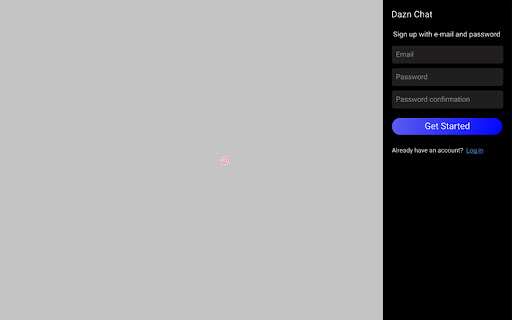


Chattig Chrome Extension Dazn chat allows you to chat with friends while watching professional sport games. By installing this chrome extension, you can enjoy watching Dazn with your friends. 1. Installing the "Dazn chat" chrome extension 2. Setting "Dazn Chat” extension to your chrome web site. 3. Opening the Dazn Chat. 4. Filling out your email address, password and signing in. 5. Filling out your basic information. After those five steps, you can use the "Dazn Chat" extension.The function list of Dazn Chat include the following. 1. Creating your own chat room. 2. Entering the chat room. 3. Chatting with other users. 4. Blocking bad users.

ChatGPT Bulk Delete
A Chrome extension to bulk delete ChatGPT conversations This Chrome extension is designed to help users quickly and efficiently delete conversations in the ChatGPT’s left sidebar. With the extension installed, users can add checkboxes to each conversation in the sidebar, select multiple conversations to delete or archive, and accomplish this with just a few clicks. Hold Shift and click to select multiple conversations for efficient bulk actions. This extension is particularly useful for users who frequently use ChatGPT and need to manage their conversations efficiently. Instead of deleting conversations one by one, users can remove multiple conversations at once, saving both time and effort. Additionally, this extension now offers a “bulk archive” feature for a one-time fee of $0.99 USD. This paid feature allows users to archive multiple conversations simultaneously, further enhancing the tool’s utility and convenience. The extension popup includes a small advertisement labeled “Ad” in the footer, linking to TubeVocab (https://www.tubevocab.com/), a third-party language-learning product. This ad helps support the continued development and free distribution of ChatGPT Bulk Delete. Clicking it is entirely optional and does not affect any of the extension’s core functionality.

Discord Translator Extension
A Chrome extension that automatically translates Discord messages Discord Translator Extension allows you to automatically translate messages in Discord into your preferred language. Communicate seamlessly with global communities, understand conversations in real time, and break down language barriers. Easy to use, fast, and reliable translation experience.

ChatGPT Explain
A ChatGPT Chrome Extension that explains concepts in a simple way Looking for a way to understand complex concepts with ease? Look no further than ChatGPT Explain, the Chrome extension that simplifies even the most challenging topics. 📚 Select any text on your screen and get concise, brief, or detailed explanations of the concepts it contains. 💡 Customize the amount of detail you receive, from a quick overview to an in-depth analysis. ⏰ Save time and effort by getting instant access to the information you need. 👩🎓 Perfect for students, professionals, or anyone who loves to learn new things. 🆓 Completely free to use and easy to install with just a few clicks. With ChatGPT Explain, understanding new information has never been easier. Say goodbye to confusion and frustration and start learning with ease today!

ChatGPT to Markdown
A Chrome extension that exports ChatGPT chat history as Markdown text 📢Notice It is recommended to use the newer and more complete export plug-in ExportGPT, for details: https://chatopenai.pro/exportgpt/ ⚒️ Tips for use 1. Open the ChatGPT chat page and chat with ChatGPT https://chat.openai.com/chat/ 2. Click the Markdown icon in the upper right corner of the page to open the `ChatGPT to Markdown` operation panel 3. Click the button at the bottom of the panel to copy the text or download the Markdown text 4. You can edit the Markdown text as needed, and then copy or download 5. The popup window supports setting whether to automatically close the sidebar after export, and whether to insert metadata
