
bgjffbeeolcikmcpliaekbgdkflchakg
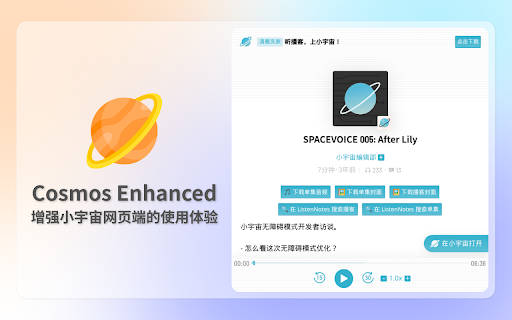
Enhance cosmos podcast page

Kimi Copilot - 网页总结助手
用Kimi AI一键总结网页内容 安装后,在浏览网络文章时点击插件图标,或使用快捷键 Ctrl/Cmd+Shift+K,即可一键召唤Kimi.ai总结网页内容 特点: 1. 免费,登录Kimi账号即可无限使用 2. 得益于Kimi的长文本大模型,总结更全面 3. 极简,除了一键总结没有其它花里胡哨的功能 4. Kimi无法访问的网站也能总结 5. 支持总结YouTube和B站视频 6. 支持总结PDF页面(试试arXiv论文吧!) 7. 支持暗黑模式 8. 支持自定义总结时使用的prompt 注意: 1. 本插件为第三方爱好者开发,不是Kimi.ai或月之暗面官方产品 2. 由于技术限制,本插件无法在Arc等非原生Chrome浏览器使用

vCaptions – Video Caption List
Add smart captions lists to any website video. Supports YouTube and Bilibili with translation, chapters and AI summaries. vCaptions is the ultimate AI video assistant and subtitle translator. It transforms how you watch online videos by generating interactive transcripts, providing AI-powered summaries, and enabling dual-language subtitles for effective learning. Whether you are a researcher, a student learning a new language, or just want to save time, vCaptions helps you digest video content 10x faster on YouTube, Bilibili, and any website with HTML5 video. ⭐ Key Features - Interactive Video Transcript: View the full subtitle list alongside playback. Click any caption line to instantly jump to that specific timestamp. - AI Summary & Chat (ChatGPT powered): Don't have time to watch the whole video? Get instant video summaries, key takeaways, and ask the AI questions about the content directly. - Dual Subtitles & Translation: Break language barriers with real-time subtitle translation. Enable dual captions (native + translated) for seamless language learning and comparison. - Smart Chapter Extraction: Automatically detect topics and generate video chapters for easy navigation, even if the creator didn't add them. - Subtitle Downloader: Easily copy captions to your clipboard or export subtitles as .SRT, .VTT, or .TXT files for offline use. - Flexible Layouts: Choose your preferred viewing mode — Sidebar, Floating Window (Picture-in-Picture style), or Embedded mode. The floating panel is fully resizable and draggable. - Customizable UI: Full Dark Mode support and font size adjustments for comfortable reading. 🎯 Optimized for Major Platforms - YouTube: Best-in-class support for YouTube videos, embedded players. - Bilibili: Optimized experience for Bilibili videos. 🚀 Use Cases - For Language Learners: Watch videos with bilingual subtitles to improve listening and vocabulary. - For Content Creators: Quickly download transcripts to repurpose video content into blog posts. - For Professionals: Use AI summarization to quickly grasp the main points of long webinars or tutorials. ❓ FAQ Q: Can I download YouTube subtitles with this extension? A: Yes! You can export captions in .srt or .vtt formats with one click. Q: Does it support translation? A: Yes, vCaptions provides translation to convert subtitles into your preferred language.

Podcasts - A player, downloader, transcriber
A elegant podcast player that make it easy to download podcast, manage podcast subscription, and transcribe podcast to text. 💪 The Key Features: 👉 Download Podcasts for free ✔️ Download latest episode ✔️ Download all episode by one-click 👉 Manage your podcast subscriptions easily ✔️ Track podcast update automatically ✔️ Sync subscriptions across devices ✔️ Import subscriptions from OPML files 👉 Create your playlist ✔️ Queued episodes are played one by one 📌 Will podcasts read or modify information from websites I visit? No. We do NOT read your data from any web site, nor do we modify it. 📌 Is Podcasts free? Yes. Most of the features of Podcasts are available for free. If you require AI-related features, you can opt for the Premium Plan. - Support skipping first / last settings for different podcasts - Show episode info in full-screen mode - Keep track of episodes you've listened to - Show description of episodes - Share episodes to Twitter/Facebook/Reddit/Weibo - Support search for episodes - Support preview podcast meta-info - Added extension to downloaded file name - Better transition animation - Better scrolling behaviors

小宇宙FM音频下载器
下载小宇宙FM网页中的音频文件 在小宇宙FM网页端下载节目中的音频文件。 打开小宇宙FM网页后,点击插件,会弹出当前页面音频文件列表,点击”下载所有音频“按钮,即可完成下载。
