
bgfhmafjampalkbjicjcjiikhlaggdnm

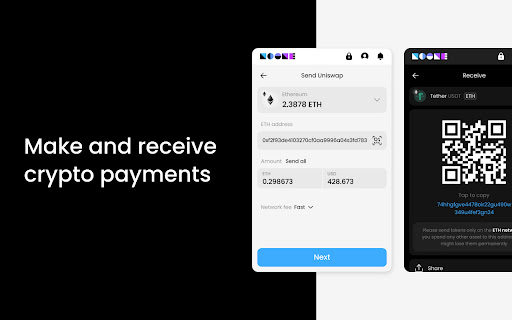
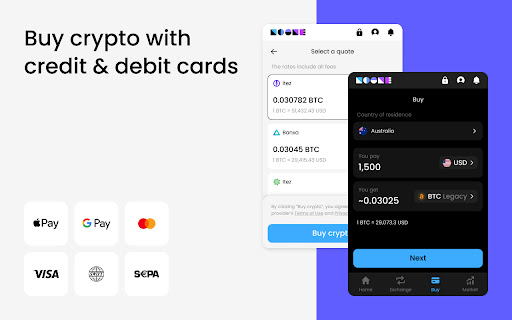
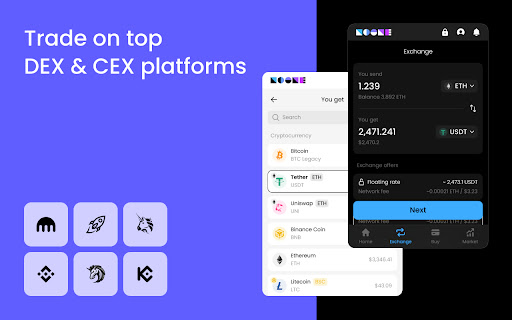
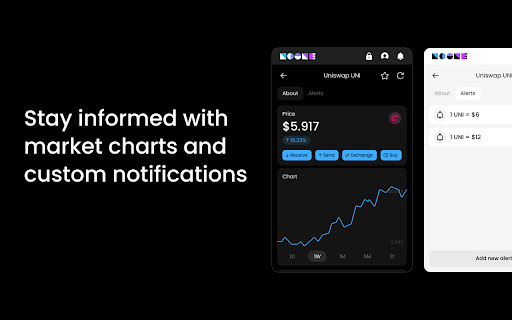
Securely manage 1000+ cryptos with Noone Wallet – buy, swap, and stay in control. Noone Wallet: Securely Manage, Purchase, and Exchange 1000+ Cryptocurrencies Noone Wallet puts you in control of your crypto assets. Our secure platform offers easy management, purchase, and exchange options for 1000+ cryptocurrencies. With advanced security features including biometric authentication, PIN codes, transaction limits, and passphrases, your digital assets are safeguarded. Stay informed with detailed crypto history, live charts, and custom push, SMS, and email notifications. Make confident investment decisions based on real-time market trends. Choose Noone Wallet: the secure, convenient way to manage your crypto assets!

The Big Gift List
Easily add items to your 'The Big Gift List' lists Help friends and family take the guesswork out of buying you gifts with The Big Gift List. When it comes to a birthday, Christmas, wedding or any other special occasion, with your gift list you can show your friends and family what you really want, so they don't need to guess. Use the official browser extension to add items to your gift lists directly from any website.

BoostPic - Google Reverse Image Search on the fly
Uncover the possibility to perform Google Reverse Image Search quickly and incredibly, with clip & paste. With this extension users can search google images simply with clip & paste. The following is how it works. 1. For win10/11: win+shift+s to clip an image even outside the browser, and for mac: shift+control+command+4; 2. Click at the input box below(select another visual search engine other than Google Images at the bottom if you prefer), and then press ctrl+v or command+v; 3. Wait a moment until it returns an URL. If timeout error happens, please delete the error message and ctrl+v or command+v again.

News Storyline
Know Thy History and Be Notified About Future A Chrome sidebar extension and companion newsletter that gives you an unbiased, context-rich timeline of any news story and quietly watches for what happens next—so you never miss a beat (or waste time scrolling). 📖 On-Demand Timelines in Your Sidebar • One-click access while you’re reading any article: hit the extension icon to slide open a concise, chronological view of past reports on that story. • Facts, not opinions: we aggregate across dozens of reputable outlets, stripping out commentary bias so you see the unvarnished sequence of events. • Top highlights only: instead of drowning you in every mention, we surface a handful of the most relevant milestones—headlines, timestamps, and sources—so you instantly understand “what led here.” 🤖 Background Story Scanning & Positive Alerts • Hands-free monitoring: once you’ve opened a timeline, our service continues scanning in the background for new developments on that very story. • Positive-only notifications: you decide what matters—receive alerts only when something significant (and positive) happens, so your inbox isn’t full of noise. • Peace of mind: no more endless manual refreshes or fear of overlooking a breaking update. 📰 Daily Newsletter & “New Developments” Bulletin • Daily digest delivered each morning: a simple roll-up of every event we tracked across your subscribed stories in the past 24 hours—no grouping, no spin. • On-demand “New Developments” email: when fresh updates arrive mid-day (for critical beats), we’ll ping you separately so you stay in the loop around the clock. 🔔 Story Subscriptions & Future Tracking • Subscribe in one click: any timeline can be turned into a “watched” story. From that moment on, we’ll keep you posted on each follow-up report. • Tailored alerts: choose your stories—finance, politics, tech, climate—and we do the rest, surfacing only the most impactful next chapters. 🔧 Platform & Integration • Chrome-based browsers supported (Chrome, Edge, Brave, Opera). • Privacy-first: minimal permissions, no tracking beyond the stories you opt in to follow. • Lightweight: sits quietly in your toolbar, loading only when you ask. Who It’s For • Journalists & analysts who need quick, neutral context before filing next headlines. • Researchers & students chasing down backstory and evolution of key events. • Curious readers who want more than a single outlet’s perspective—and zero surprises when the story moves on. Why Know Thy History? • Context at your fingertips—instantly see what happened before. • Stop missing updates—positive alerts mean you’ll always catch the next big development. • Save time & mental bandwidth—no more endless feeds or biased roundups. Install now and start each story with the past in view—and the future on your radar.

OpenText Core SCA Select Extension
Open Source Select will help developers find and use the right open source and reduce friction between organisations and developers Open Source Select helps you find and use policy compliant and great open-source for any development project. The OpenText Core SCA Select Extension is a free plugin created with developers in mind, enabling you to check the health metrics and license information of an open source project at a glance. If you need more granular data, the extension can lead you to Open Source Select for more detailed information. The three types of metrics you can examine are: Community - How healthy the community around a project is. Popularity - Is it used by many? Is the usage declining? Security - How well does the maintainers apply security best practices. The extension now supports Start Left Policies. This lets you immediately see if the open source you are browsing is compliant with your company’s open source policy, without the need to import and scan code with Software Composition Analysis tools and common source code repositories and package registries such as GitHub, pypi, npmjs, nuget and many others are supported.
