
bfnbbojgkemfejhnedknbidfceobmmek
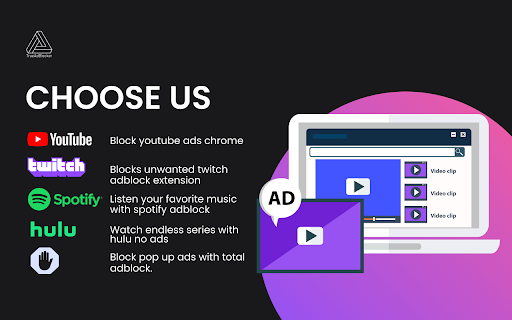

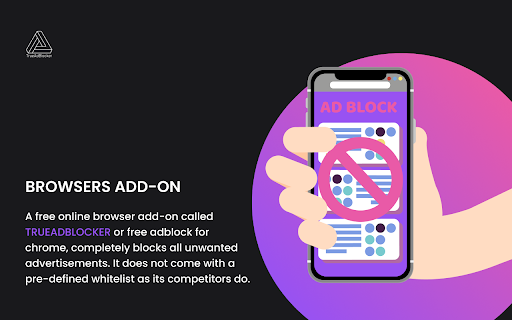
Block Ads On Youtube, Twitch,spotify,hulu and popup Disable pop-ups and advertisements on your preferred websites, including Facebook, Twitch, and YouTube. The best trueAdblocker has over 60 million users and has been downloaded over 350 million times on Chrome. Features 1.Stop pop-ups, advertisements, and bothersome banners (and get rid of video commercials, too!) on all of your favourite websites, including YouTube, Facebook, and Twitch. 2.Block unauthorised trackers to safeguard your privacy. 3.By preventing unwanted advertisements, frauds, and Bitcoin miners, you may browse securely. 4.Enjoy faster internet by improving page load times. 5.Use filters, whitelists, dark mode, and other vibrant themes to make your experience more unique. 6.Backup and synchronise your custom ad-blocking rules and whitelists across all of your Chrome profiles. 7.Replace some adverts with images of cats, dogs, and landscapes to enjoy personalised ad blocking. 8.Receive immediate help from the trueAdblocker team and benefit from a comprehensive Help Center. To block advertisements on the entire web, download the free trueAdblocker from trueAdblocker. In addition to defending your browser against viruses, trueAdblocker also prevents advertising from accessing your browsing history and private data. Chrome's trueAdlocker operates automatically. To see the ads gone, simply click "Add to Chrome" and then visit your desired page. Continue to see unobtrusive advertisements, add your favourite websites to a whitelist, or automatically ban all ads. Being a member of the Acceptable Advertising program, trueAdblocker allows modest advertisements to run on websites without being automatically disabled. Because we think users should prefer what they view online, trueAdblocker's settings make it simple to opt-out. The warning you see about someone having access to your browsing history and website data was generated automatically because trueAdblocker runs in every tab. Yet, neither does it truly track your surfing history or require your personal data to work properly.

Ad block & Adblocker - No Ads extension
Block ads and popunders on social websites. Removing ads makes websites work faster. Youtube Adblocker for pre-roll, banners Adblock is the extension is essential in your browser as it will let all the sites you enjoy browsing without advertisements and unwanted ads. Install now and watch the magic happen :) Block annoying and intrusive ads while browsing We will block advertisements from all sites, but you can refer to us sites to the extension not to block either. Websites are prone to an abundance of ads and distract from important content, to avoid this you have to install and use an extenssion called No ads - adblock. It's all very simple. Ad blocker blocks ads, popunder, banners advertisements, adult & gambling websites and malicious websites. It can also prevent advertisers from tracking your behavior, improves privacy and data protection. Remove annoying ad to stay focused on content you was looking for. Website blocking intrusive ads minimizes the risk of “malvertising” infections. Ad block disable known malware domains and makes protecting yourself from malware easy. This Chrome extension ad blocker is the solution to block and remove all ads. You don't need to change your favorite browser for private and secure browsing. This extension runs on all your favorite chromium based browsers. The best features at a glance: - The application supports every chromium based web browser and adblock everything in. - Blocks sites that distribute malicious content, viruses and fraudulent websites. * Safe browsing * Some websites may contain hidden links that force you to click and may lead you to suspicious Virus and Malware installations. So we also block these links and act as a kind of extra protection with algorithms built into adblocker. *Element block* After installing the extension, simply click on the extension icon. You can then hover the cursor around, and the extension will highlight all blockable elements within a page. Click on an undesirable element, and the extension should block it immediately. Adblock ON mode - when green color in UI Ad block OFF mode - when red color in UI Types of ads it blocks: - Pop-up ads blocker - Banner adblocking - Video adblock - Tracking cookies - Text advertisement - Animation ad blocker - Facebook ads blocking - Makes YouTube banners unseened - YouTube pre-roll ads block* - Webmail advertisement block - Overlay ads block - Other types of annoying ads - Webpage element blocking *Extension speeds up playing video ads on YouTube and/or skip it after 5 sec playing. It do not block it permanently. It uses only allowed on YouTube service methods. The most compatible ad blocker on the market! The extension can track the URLs you visit in order to collect and analyze information about ads that are blocked automatically and/or by using an element blocker. By installing the extension, you are giving your consent to these actions and agreeing to our policy.

TwiBlocker - Video AdBlocker
The TwiBlocker Adblock extension helps you block video ads. TwiBlocker AdBlocker extension is a video ad-blocker. The extension doesn’t use any external proxy, VPN, or 3rd party scripts. Features: >> Easy Toggle ON/OFF Turn on blocking with one click on the toggle button. >> High-Quality Streaming It blocks ads without compromising streaming quality. You can disable the ad blocking prompt to improve the watching experience. >> Show Blocking Message Displays the message after blocking ads. Version 1.1.9 changes >> "Commercial break in progress/purple screen" bug fixed Note: This extension does not collect/share any of your personal information and it is developed after taking inspiration from open-source code. The extension requires such permissions as: - "Access data for all websites": to block ads coming from multiple sites. - "Access to browser tabs" to get details about the website you visit (website url, tab id, parent tab id). It helps us to block ad requests. - “Notifications”: to send the important adblocking notifications.

Purple Ads Blocker
An adblocker for the Twitch.tv using server side signature and local m3u8 manipulation Purple AdBlock is a video ad-blocker for Twitch.tv. The extension uses an external proxy in an ad-free country, only video requests are sent through this proxy to retrieve an ad-free, full quality stream. The extension does not collect or store your personal information and is opensource. If you would like to contribute your own proxy or help us with the extension upkeep, please visit my Github https://github.com/arthurbolsoni it might not work in some countries ATTENTION: Does not work with Alternate Player for Twitch. ATTENTION: The author of this extension accepts no responsibility for the use of the extension. The use of the extension is the total responsibility of the user.

Adblocker for Twitch™
The Twitch Adblock extension helps you block Twitch ads. Adblocker blocks ads by automatically reducing the video resolution to ensure that you are not disturbed by ads while watching live streams or VOD on twitch.tv. Feature: ✔️Easy to use Turn on the extension work switch to start blocking ads immediately. ✔️No bother No effect on watching Twitch streams. You can turn off the ad blocking prompt to improve the viewing experience. ✔️Show blocking times Show the number of ad blocks in the extension popup. Even if the ad block prompt is turned off, you could know the extension is working. You can clear it at any time. ✔️Free 100% free.
