
bflapopofgmkpddlfdljfadoemjnmbem
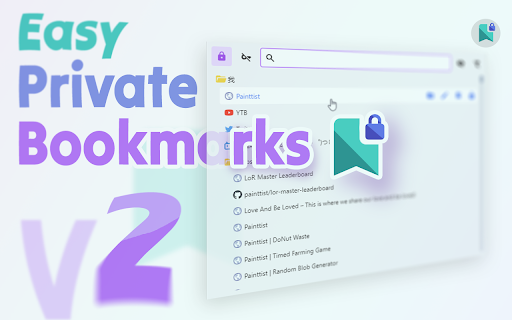


Easiest way to create and manage password secured bookmarks. Open-source so you can trust. Quickly and easily lock a bookmark in its original place. Locked bookmarks sync across devices just like normal bookmarks. This extension allows you to password protect your bookmarks so they are kept private, but still allows easy access from the bookmarks bar, as long as you remember your password. To use this in Incognito mode, you need to enable it first: - Go to chrome://extensions - Find the extension, click Details - Toggle the button "Allow in Incognito" to allow the extension to run in incognito mode. Q: I have just updated to version 2.0 and my old locked links can't be recognized or unlocked? A: Sorry for the inconvenience. Please don't modify those bookmarks. We have fixed the auto migrate bug in version 2.1. After updating to version 2.1. Go to the Options page (Right click on the icon -> Options) And then use the Manual Migrate feature to migrate those old links. ## v2.0.0 - Rewrote from ground up to `revive` the codebase - The old codebase refused to compile :/ - But now I can use great tools to super-charge my workflow :D - Improves locking safety. - The public & private key process wasn't fully implemented, now it is! :D - And hence the migration required :/ - Adding Current Tab as Bookmark - Adds `Peeking`. No more manually decrypting to see the link title! - Many UI/UX refinements. Better color consistency & read-ability improvements - Adds Icon (Favicon) preview for all URLs! :D

Locker – Hide & Lock Tabs, Private Bookmarks
Protect your tabs and bookmarks. Hide everything in one click — even in incognito. Hide, lock, and protect your tabs — instantly. Locker gives you full control over your privacy, even in incognito mode. ✔ Hide sensitive tabs in one click ✔ Lock access with password ✔ Keep bookmarks completely private (encrypted) ✔ Work in incognito without leaving traces ✔ Sync safely across devices Perfect if you: – share your laptop – work in public spaces – want to keep personal tabs truly private Locker is your private space inside the browser — simple, fast, and secure. Advanced features: – Organize bookmarks into folders and private collections – Save pages, articles, videos, and PDFs – Built-in AI summaries for saved content – Session manager to restore tabs anytime – Secure cloud sync across devices – Quick actions with QR codes and instant access Your personal encrypted vault for managing information — privately and effortlessly.

Private Bookmarker
Private Bookmarker allows you to safely and efficiently manage a completely separate set of private bookmarks, independent of your standard browser bookmarks. You can save links you don't want others to see or pages containing personal information with peace of mind. Key Features: ✅ Separate from Standard Bookmarks: Manage your bookmarks independently within the extension, without mixing them with your standard browser bookmarks. ✅ Password Protection: Set a password lock on your private bookmarks to prevent access by third parties. ✅ Import/Export Functionality: Easily back up or migrate your bookmarks. You can export and import them in JSON format. ✅ Import from Chrome Bookmarks: Smoothly import your existing Chrome bookmarks on a folder-by-folder basis into your private space. ✅ Folder Name Masking: Display folder names as IDs when adding bookmarks, making it harder for others to guess the content. 💡 Recommended for: ・Those who want to completely separate work and private bookmarks. ・Those who want to securely manage bookmarks they don't want others to see. ・Those who want to flexibly manage and organize their bookmarks. ・Those who want to avoid leaving a history on a per-folder basis. ⚠️ Note for Incognito Window Users: When opening a bookmark with the incognito window feature, by default, it will always open in a new incognito window. If you want to open it in an existing incognito window, please go to "Manage extensions," select "Private Bookmarker," and check "Allow in Incognito." ⚠️ Disclaimer: ・The private bookmark information is not encrypted. ・Please be aware that this extension is not protected by advanced security features. # Version 1.01 ・A "★" badge now appears on the toolbar icon when you open a page that is already saved in Private Bookmarker. This can be enabled on the options page (disabled by default). # Version 1.03 ・Changed the default display language to English. # Version 1.04 ・Added the ability to filter the list of bookmarks within a folder by any text string. ・Fixed an issue where the bookmark list display was misaligned. # Version 1.05 ・Added the ability to tag bookmarks and filter by tags.

Privacy Bookmarks
Privacy Bookmarks is designed to help users manage their bookmarks with a focus on privacy. Privacy Bookmarks is designed to help users manage their bookmarks with a focus on privacy. With Privacy Bookmarks, you can save and organize links to your favorite websites, articles, videos, and more, all while ensuring that your data remains private and secure. *User Manual: 1. Click "Sign in" to log in your account. If you don’t have an account yet, click "Create a new account" to create one and log in. Please remember your password, as it is stored locally and cannot be recovered if lost. 2. Click "Add Current Tab" to add the currently active tab to your privacy bookmarks. 3. Also, you can drag and drop tabs in the right sidebar to add tab to your privacy bookmarks. 4. Click a bookmark in privacy bookmarks list to open it quickly and easily. 5. Hover over the three-dot icon to edit, delete, or open bookmark in incognito mode. 6. Finally, click "Sign out" to log out. Once signed out, no one can view your privacy bookmarks unless you log back in. * Key Features: - Your bookmarks are protected by your password to protect , so they are kept private and only you can access your bookmarks. - Quickly add the current active web to your privacy bookmarks with one click. - Drag and drop to easily add bookmarks. - Supports editing, deleting, and quickly opening your privacy bookmarks in normal mode or incognito mode. - Supports bookmarks search * Privacy-Focused: You can save and organize your favorites in your own account. Bookmarks can only be viewed once you have logged in. * Private Browsing: You can open bookmarks in an incognito window, and no browsing history is left. * No Tracking: Privacy Bookmarks doesn't track your activity or collect your data for advertising purposes.

SafeBlob - Password Generator
Safeblob suggests you a secured password SafeBlob does one thing and does it great: it generates a secure password for you to use anywhere you subscribe. Setup your options via the extension icon : desired length of your password, character types you want to enable (uppercase, numbers, special characters) A generate button will be added among the password input. Click on it to generate the password, fill the input and copy the generated password to your clipboard !
