
bfhbopefabnolobmeejpjmngbkjoogga
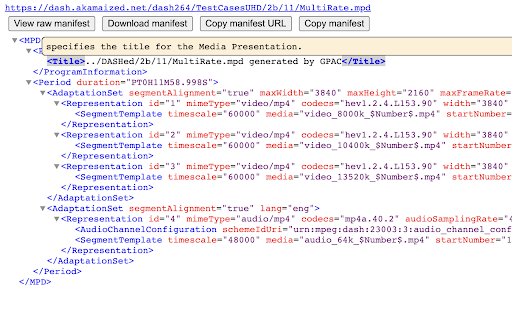
View Dash Manifests and fragments Dash Manifest Viewer. Features include: - In browser viewing of Dash manifest - Pretty-printing and easy collapsing of manifest - Syntax highlighting - Easy options to download manifest; copy manifest to clipboard; copy manifest URL to clipboard. - Fragment ISOBMFF box viewer

Manifest Viewer (DASH/HLS)
Pretty-print DASH (.mpd) and HLS (.m3u8) manifests with syntax highlighting. Manifest Viewer lets you inspect and debug MPEG-DASH (.mpd) and HLS (.m3u8) manifests directly in the browser. See syntax-highlighted playlists, follow clickable URIs with automatic relative resolution, and set custom request headers when needed. Copy manifests as text, auto-open on .m3u8/.mpd visits, switch to a dark developer UI, and dive into MP4 atom structure. Includes a browser media compatibility checker and page scanner to find manifests in use. Features: - Syntax-highlighted, formatted views for HLS (.m3u8) and MPEG-DASH (.mpd) - Clickable playlist URIs with automatic relative path resolution - Optional custom request headers for authenticated or special endpoints - One-click copy of manifest contents as plain text - Auto-open when visiting .m3u8 or .mpd URLs (optional toggle) - Dark, developer-focused interface for comfortable reading - MP4 atom/box structure inspection - Browser media compatibility checker (codec/DRM support) - Page scan to detect manifests loaded by the site

PageTrail
This Extension tracks your daily surfing activity PageTrails is designed to enhance productivity by tracking time spent on various websites. It records active browsing time, aggregates it at the domain level, and provides a concise summary of web activity. This extension is ideal for users seeking to monitor their web usage patterns and optimize their online time.

FLOZABLE Tab Monitor
Boost focus with timers, block distractions, get study tips, and stay updated with group alerts using FLOZABLE. Supercharge your focus and productivity with the FLOZABLE Study Focus Chrome Extension. Seamlessly integrated with your browser, this extension is your go-to tool for cultivating efficient study habits and making the most out of your online learning experience. Time Management Mastery: Effortlessly track your study time with our intuitive timer. Set focused intervals, challenge yourself, and stay on top of your study goals. Distraction-Free Browsing: Activate the distraction-free mode to limit access to non-educational websites during your study sessions. Say goodbye to procrastination and hello to enhanced concentration. Personalized Study Plans: Receive AI-generated study suggestions based on your learning habits and preferences. Tailored recommendations to keep your study sessions engaging and effective. Group Study Alerts: Stay connected with study groups seamlessly. Receive instant notifications for group study invitations, challenges, and achievements directly through the Chrome Extension. Progress at a Glance: Get a quick overview of your study progress with a personalized dashboard. See your daily, weekly, and monthly study trends, empowering you to stay motivated and accountable.

MOE:Viewer - Manifest Redirect
MOE:Viewer redirect and prefill for any paths with 'M3U8' - including query params. Click the extension badge to toggle modes. This extension will redirect any URL that contains 'M3U8' - including query params- into MOE:Viewer and prefills the original URL to be loaded and tested. Click the extension badge to toggle OFF/ON/AUTO/QURY. AUTO will automatically load the target URL in MOE:Viewer without further user input. QURY can be used if you have query strings and want to ignore them - it currently requires the url/string has a '?' in it (this will be improved in the future). MOE:Viewer will be loaded with either HTTP or HTTPS based on the M3U8 protocol.
