
beopoaohjhehmihfkpgcdbnppdeaiflc
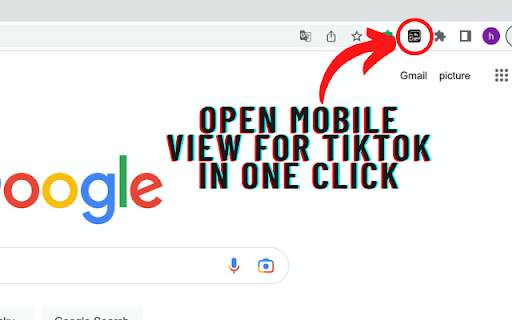


Run web client for TikTok just like your favorite mobile app. TikTok is one of the biggest and the most popular video community in the world. Share highlights from your own life with the world and watch cool short videos shared by talent and creative people. So have you ever thought about such a question: How to view it in a mobile view on pc? Web TikTOK Mobile View - Denote is definitely a type of extension you were looking for. It transforms your web tiktok view to mobile view, allows you to use mobile Tik Tok version on your pc. It is a simple Chrome extension that customizes to look exactly like a mobile app, has a quick access to best video content online. Just in one click on the extension icon in chrome toolbar, it will pop up in a small window. Extension won`t mess with personal data or track your online activities. This convenient window contains all the functions that are available on the site or in the application. You will never miss new, interesting videos and clips - enjoy all the features of the TikTok™ mobile application in your browser! 🚀Features: ** Easy to use: Watch web tiktok in mobile form in browser with one click; ** Support share: easy to share video in your social network ** Support login: you can sign or login in the tiktok ** No ads and No limits: Do not need to jump to other website and paste the video URL you copied. 🚀How does it work? After you open this tool, a piece of code will be executed in the current tab. This code is responsible for analyzing the json code and open a new tab in chrome to show tiktok in a mobile view. Then it will add Event listener to watch your mouse action in the chrome,such as click home icon, comment icon, mouse in a drag to scroll to the next video.You can view avatars in the highest quality. Easily copy captions, user IDs, post IDs, and hashtags in posts. 🚀How to use? ‒ Add Web TikTok Mobile Viewer - Denote to your chrome. ‒ Pin it in your tab. ‒ Click on the extension icon in chrome toolbar, mobile tiktok version will pop up in a small window ‒ To scroll to the next video, use the mouse in a drag-n-drop manner in the vertical direction.

TikTok Video Downloader — Save Videos
Download TikTok videos without watermark, save TikTok clips in Chrome, and use a fast TikTok video downloader in one click TikTok Video Downloader — Save Videos helps you download and save supported TikTok videos directly from TikTok.com in Chrome. Use it as a simple TikTok video downloader, TikTok video saver, and browser download tool for keeping TikTok clips on your device. Instead of copying links into online downloader websites, opening extra tabs, or using separate apps, you can save supported TikTok videos while browsing TikTok. The extension adds a simple download option to supported TikTok pages. When a supported video is available, you can click the download button and save it quickly, including without watermark when available. You can use it to: • download supported TikTok videos • save TikTok videos directly in Chrome • download TikTok clips in one click • save videos without copy-pasting links • keep TikTok clips for offline viewing • collect videos for personal reference, research, or content planning TikTok Video Downloader works inside your TikTok browsing experience. You do not need to copy a video link, paste it into another website, wait for processing, or switch between multiple tabs. 1. Install TikTok Video Downloader — Save Videos 2. Open TikTok.com in Chrome 3. Find a supported TikTok video 4. Click the download button 5. Save the video to your device Useful for creators, marketers, and everyday users This TikTok downloader can be useful for content creators, social media managers, marketers, researchers, and regular TikTok users who want to save clips for later. You can keep trend examples, organize useful videos, or build a personal collection of favorite TikTok clips. • save TikTok videos for personal reference • collect trend videos and creator examples • keep useful clips before they disappear • organize TikTok content without third-party downloader sites • save favorite videos directly from your browser Simple and focused TikTok Video Downloader — Save Videos focuses on one task: helping you save supported TikTok videos from TikTok.com quickly and easily. Please respect creators’ rights and only download videos when you have permission or when your use is allowed.

TikTok to MP3
Сonvert TikTok to MP3 with our TikTok downloader. Save TikTok audio to MP3 and enjoy high-quality downloads instantly! What It Is Tiktok to mp3 is a convenient, easy-to-use app that allows you to convert tiktok videos to mp3 files, making it simple to save your favorite music and audio. Whether you're interested in downloading music, viral sounds, or trending audio clips from tiktok, this app offers a straightforward solution for converting content into mp3 format, enabling offline access. With an intuitive design, tiktok to mp3 is ideal for anyone looking for a fast, high-quality way to download tiktok audio. What's Inside The tiktok to mp3 app includes key features that make it a top choice for downloading and saving tiktok audio: 🎶 MP3 Download Options 🎶 High-Quality Downloads 🎶 Quick, User-Friendly Interface 🎶 Unlimited Free Downloads 🎶 Multi-Platform Compatibility How It Works Tiktok to mp3 is designed for simplicity and efficiency. Here’s how to use it: 🔹 Copy the tiktok video link: Find the video you want and copy its link. 🔹 Open the app and paste the link: Open tiktok to mp3 and insert the link in the designated field. 🔹 Select your format: Choose mp3 for audio-only. 🔹 Convert and Download: Tap the convert button, and the app will process your request. 🔹 Enjoy Offline Access: Your converted file saves to your device for offline listening. How to Use Using tiktok to mp3 is very straightforward: ➤ Launch the App: Open it on any device with an internet connection. ➤ Copy & Paste the Video URL: Paste the tiktok video link into the app. ➤ Choose mp3 Format: Select mp3 for audio-only. ➤ Download with One Click: After conversion, save the mp3 file to your device. Advantages The tiktok to mp3 converter provides multiple benefits: ⚡ Fast, Efficient Conversion ⚡ Flexible Format Options ⚡ Cross-Platform Compatibility ⚡ Free, Unlimited Use ⚡ High-Quality Output Additional Features 🌍 Regular Updates 🌍 Multi-Language Support 🌍 Security Assured Conclusion tiktok to mp3 is an essential tool for converting tiktok videos to mp3 files, allowing you to download, save, and enjoy content offline. With its ease of use, fast processing, high-quality output, and cross-platform compatibility, it’s ideal for music lovers, content creators, and fans alike. 🎉 Start using tiktok to mp3 today to experience quick and easy downloads for building your personal collection of favorite sounds and music!

TikTok Video Downloader – Bulk Save
Download TikTok videos without watermark. Bulk save multiple videos with one click. Works directly on TikTok 🎬 Download TikTok Videos and Photos Without Watermark – One Click, Bulk Save Easily save videos and photos from TikTok directly to your device. This powerful extension adds a download button to every TikTok video or image, letting you download content instantly — without watermarks, external websites, or complicated steps. 🚀 Key Features • Download TikTok videos without watermark • Save video and photo content directly from TikTok • One-click download functionality • Bulk download: save multiple videos from user profiles • No redirects or third-party services 📦 Two Download Modes 1. Single Download Mode Click the download button next to any TikTok video or photo. The file will be saved instantly. 2. Bulk Download Mode Download multiple TikTok videos from a user’s profile: - Choose how many recent videos to download (e.g. last 5, 10, 20+) - Filter by date range to save only the content you need - Download as separate files or in a ZIP archive 🔧 Watermark Options By default, videos are saved without watermark. You can choose whether to download videos with or without watermark using a simple toggle in the extension settings. 📚 How to Use TikTok Bulk Downloader 1. Install the extension from Chrome Web Store 2. Open TikTok in your browser 3. Hover over any video or image to see the download button 4. Click to save — instantly 5. For bulk downloads, go to a user profile and click "Download All" 💡 Who Uses This Extension? This tool is ideal for: - TikTok creators backing up their own content - Social media managers collecting TikTok videos - Anyone who wants to save and reuse TikTok content offline 🔐 Simple, Secure, Reliable TikTok Bulk Downloader works inside your browser — no external apps, no logins, and no unnecessary steps. Install it once and start saving TikTok content the easy way. ✅ Start downloading TikTok videos today — with full control and zero hassle.

Web Client for game Cricket Batter Challenge
Run web client for Cricket Batter Challenge just like your favorite game. "Cricket Batter Challenge" is a Chrome browser extension that offers an engaging cricket game experience. Players step into the shoes of a batter and aim to score as many runs as possible by hitting the ball accurately and strategically. The game features intuitive controls, realistic physics, and vibrant graphics, providing a fun and immersive way to enjoy cricket. Perfect for cricket fans and casual gamers, "Cricket Batter Challenge" brings the excitement of the cricket pitch directly to your browser.
