
belobhgoekenaidkcgeopnhobofklili
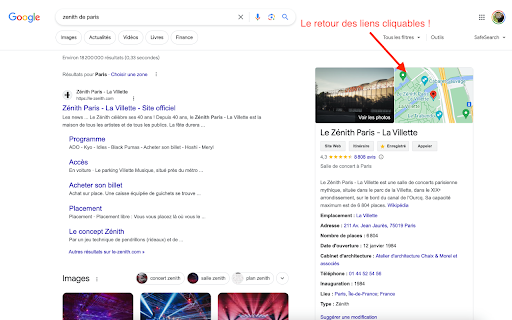
Restore Google Maps links within search results. Restore Google Maps links within search results.

Open via Google Maps
Open selected addresses in Google maps directly from the same page You can do so today using the context menu when you install this software today. To begin using the software after installation, here is what you need to do. Use your mouse to highlight the address/location you want to find on Google Maps. Right click and choose the option "Open via Google Maps" Our extension will open a new popup window with this address inside Google Maps. This software helps you to save time if you are constantly looking for directions/trying to find how to get to your final destination. Please note this software is NOT made by Google and is an unofficial software made by a group of independent developers. We hope you enjoy using this software.

Google Search Maps Button
Adds back the Maps button to Google search pages and makes the search result map images clickable again for seamless navigation. The "Google Search Maps Button" Chrome extension brings the Google Maps button back to the Google Search navigation bar for users in Europe. If you've found the Google Maps button gone or missing from your search experience, this extension is designed to address exactly that. What it Does: This extension ensures you can access Google Maps with just one click from the Google Search page. It also makes map images clickable within search results, significantly improving your navigation experience. Why it's Needed: In response to the Digital Markets Act (DMA), which is aimed at fostering fair competition and innovation, the Google Maps shortcut was removed for European users. This tool effectively restores that lost convenience. Privacy and Security: Operating without saving any user data, the extension ensures your privacy and security are protected. For anyone who's noticed the Google Maps button gone from the Google Search navigation bar in Europe, this extension provides a straightforward and effective solution, seamlessly reintegrating this essential feature into your browsing routine. Troubleshooting steps if the extension is not working: 1. Check Plugin Status: Make sure that the plugin is enabled in your Chrome browser. 2. Verify Site Access: Open the details for this plugin under "My Extensions" and ensure that "Site Access" is enabled. NB! For Opera users: Go to the Manage Extension section and tick the „Allow access to search page results” option. Otherwise the plugin wont work. If you'd like to say thanks, you can do so via PayPal at henripp94@gmail.com. I'm truly grateful for any support, though it's absolutely not necessary or expected.

URL Parameter Eraser
Reclaim Your Digital Footprint: Erase Tracking Parameters from Your Webpages. URL Parameter Eraser automatically removes tracking parameters from the current page's URL. It also rewrites any links containing tracking codes on the page, marking them with a purple dashed outline for visibility. Filter out the annoying URL Tracking Codes based on what you want!💪 You can open the popup interface by clicking the icon, then click “Settings” to enter the customization page. On this page, you can configure which tracking parameters to filter or exclude from filtering. You can also customize the appearance of links after the tracking parameters have been removed. You might be wondering why processed links have a dashed outline by default. With browsers increasingly blocking third-party cookies, I want to highlight just how prevalent URL Tracking Codes are in today's online world. 🌈🤢 You can also toggle “dynamic monitoring for this domain” to stop URL Parameter Eraser from watching content changes on the current website. This can help reduce anxiety for users who are bothered by the growing number count, and improve performance on dynamic websites such as streaming platforms. For even more control, you can toggle "link processing for this domain” to completely stop URL Parameter Eraser from processing any links on this site. URL Parameter Eraser does not collect any user information and does not include any third-party scripts. All settings are stored locally in the user's browser. 0.9.0 - BETA upload to check. 1.0.0 - extension name delete "BETA". 1.0.01 - add japanese version. 1.2.11 - handle decoded URLs. add "customize the appearance" and "Disable link processing for this domain". 1.2.12 - update popup style, fixed URL decode error. 1.2.22 - Add some default parameters. Setting: Users can use ^ to match parameters that begin with a certain prefix. 1.2.23 - Adjust the URL-encoding interpretation logic. 1.2.24 - Parameters have been changed from fuzzy matching to exact matching only (case-insensitive) and "^" (starts-with) matching. 1.2.34 - Modify the parameter storage format and maintain compatibility with the previous format. 1.3.54 - Updates the settings page UI and adds new custom fields for note and domain. Parameters can now be filtered to be active only within a specific domain.

Google Maps Button and Minimap Reloaded
Adds a Maps button and makes the map thumbnail clickable on Google pages The European Commission has decided, via the Digital Markets Act, to remove the Maps button from search results I decided to create a plugin to reimplement it, as well as make the minimap clickable again
