
bcnlapnnfkhhcbdlhfngbonphlhhmfph
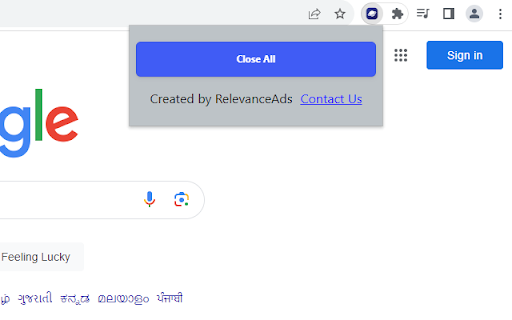
Quickly close all tabs with a blick of a button The Tab Eraser Chrome extension optimizes your browsing experience with a single click. Designed by an experienced developer proficient in Chrome extension development, it swiftly closes all inactive tabs while preserving the active one. This intuitive tool enhances productivity and declutters your workspace effortlessly. This efficiency boost eliminates the time-consuming task of manually closing tabs, allowing you to focus on your active task without distraction. Whether you're deep into research, juggling multiple projects, or simply organising your online activities, the Tab Eraser extension optimizes your workflow, enhances concentration, and empowers you to achieve more in less time.

BLOCKoli - Web request blocker
For example, it can be used for the following situations: * In user support operations for web services, block modification requests (POST, PATCH, PUT, DELETE) to the target web site to prevent inadvertent modification of user data. * In web development, block specific requests and make them fail to check the system behavior. * When using a pay-as-you-go network, suppress communication charges by blocking request for image and media resources. Features: * Rule definition with flexibility - Rules can be defined to block or allow (exceptions to block) network requests based on domain, URL, request method, and resource type * Safe as only minimal permissions are required - Unlike many other network blocking extensions, this extension does not require permissions to read and change all your data on all websites or to read your browsing history * Work results can be checked - Users can view a list of rules that blocked or allowed requests within a specific tab The conditions for blocking or allowing, definable as rules, are as follows: * Request Domains * Initiator Domains * Request Methods * URL Filter * Resource Types In addition to the above, the following features are available * Export and import of rulesets

Keyboard Shortcuts to Reorder Tabs
Chrome extension adding shortcuts for moving tabs around The extension consists of four keyboard shortcuts (VIM style): A separate extension, tabasco, adds the following shortcuts to Chrome * Close Other Tabs * Close Tabs to the Right * Pin Tab Chrome extensions currently only allow for a maximum of four shortcuts, which is why they are not included in tabloid. You can fetch tabasco here: https://chrome.google.com/webstore/detail/tabasco/dkoadhojigekhckndaehenfbhcgfeepl

UTM Eraser
This extension clears URL parameters used to track user behavior and also prevents tracking by common analytics systems (Google, Yandex, etc.) Please note that due to Chrome developer policy, it is no longer possible to dynamically change the list of parameters to remove before loading the page — it is hardcoded when developing the extension. You can see the current list of rules with tags that will be applied BEFORE loading the page (i.e. will really interfere with tracking) at this address: https://github.com/Psychosynthesis/Eraser/blob/main/src/chrome/rules.json Eraser also has the ability to clean custom params (place the extension icon on the panel and click on it to edit). Your custom set of tags will allow you to cosmetically remove parameters after the page has loaded (this is convenient, for example, to share links). Keep in mind that this will not interfere with tracking by your custom tags, this is literally just a cosmetic edit of the address bar - Chrome policy is to blame. You can edit custom params list in the settings (by clicking on the extension icon).

Web Highlighter, Eraser, Black out marker and Multi copy tool
Highlight text in a web page. Copy multiple selections at once. Delete text or images. Black out. Print or save as anonymized pdf. Open a web page and activate the extension by clicking its icon. - Highlight the meaningful text fragments in a web page. - Delete the irrelevant text or images from a web page. - Copy multiple highlighted selections to the clipboard in one click. You do not have to paste into another window each time you select text. - Black out any private information before printing a web page. - Print the decorated text or save as a PDF. The highlights are retained during printing. In the PDF the blacked out characters are replaced by question marks. - You can also cross out or underline text like in Acrobat. How this tool is different from similar extensions: - It is simple to use. Its user interface is a toolbar popping up upon text selection. It has no options or settings. - It is open-source. The code inside is not mangled, you can check it to make sure that it is safe. - It is free.
