
bbfclemghbmdbknbggpekigakcicinip
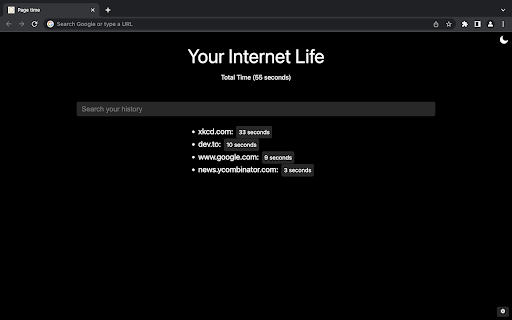
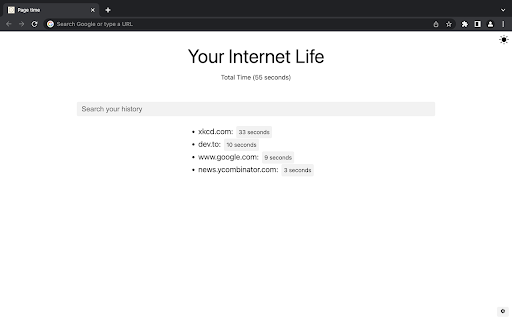
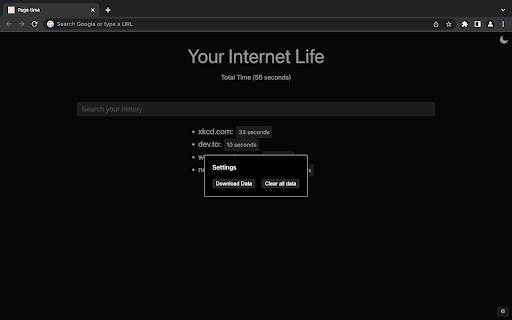
See how much time you spend in each website Simple chrome extension that tells you how much time you spend in each website

Page Load Timer
Shows page load time in the toolbar and alerts when performance drops. This extension measures page load time and displays it in the toolbar automatically. It also shows alert whenever page performance goes down. Navigation Timing API is used for precise measurement. How to use: 1. Add plugin to browser. 2. Pin the plugin to the toolbar. 3. Now open any website and it will automatically show the page load time on it's logo itself. 4. You can view and download the report for the last 100 opened webpages. 5. Feature to whitelist and blacklist website is available under settings which will help to run plugin only on particular website and show time for them. 6. User can set the max load time as well. If load time of page exceeds max load time, it will show alert. Please follow this video for live demo- https://www.youtube.com/watch?v=txDT87bUJg8 If you have any query or face any problem, please send us an email at support@selectorshub.com

Permanent Progress Bar for YouTube
Always display a tiny progress bar with buffer loading on YouTube's player even in the fullscreen mode This extension brings a small, persistent progress bar to the YouTube player, enhancing your viewing experience. You can customize the extension to adjust the bar's height and color on the options page. The beauty of this feature lies in its adaptability ? it remains hidden until the default YouTube progress bar disappears, even in fullscreen mode! The primary goal is to offer a constant visual cue of the player's progress status. If the bar appears too slim for your screen, head to the options page and tweak the height setting. Exciting Features: 1. Keep track of the loaded percentage (buffered video progress). 2. Monitor the current position of the player. 3. Updates of these percentages every 2 seconds (adaptive). 4. Almost all features are fully customizable through the options page. 5. Compatible with the YouTube website and embedded YouTube players on any website. 6. Hides the permanent progress bar on live streams Recent Changes: Version 0.2.0: 1. The extension has been upgraded to manifest v3, ensuring improved functionality and performance.

DetailedTime
YouTube動画の公開時刻を表示するやつ ◆どんな機能? YouTube動画の公開時刻を表示します。 ◆使い方 動画タイトルの横に「詳細」の文字が出るのでそれをクリックしてください。 ◆注意事項 ※ライブ配信の場合は配信開始時刻になります。 ※完璧な動作保証はできません。ご利用は自己責任で。 ※ブラウザの横幅が狭い場合・動画タイトルが長すぎる場合には「詳細」の文字が出ないことがあります。 ◆他の機能 YouTube用の自作拡張まとめ https://null.style/app ◆不具合を見つけたら 作者Twitter(@nulltypo)までご連絡お願いします。レビューには回答できません。 ◆免責事項 このChrome拡張によりいかなる損失や損害などが発生しても責任を負いかねます。ご了承ください。

Bookmarks Checker - Remove broken links
Clean up bookmarks from junk. Batch check your bookmarks to find duplicates and broken bookmark links. Bookmarks Checker is so simple and useful: batch check your bookmarks, review them, and delete the broken bookmarks that are no longer valid. You can also check if there are duplicated bookmarks (bookmarks that point to the same URL). In addition, Bookmarks Checker enriches search results by adding the smart search widget beside the search results. Here is how it goes : at first your bookmarks are "unchecked" (symbol : empty circle). Click on the empty circle next to CHECK ALL to start scanning your bookmarks (click again if you want to stop) : your bookmarks statuses will change to "success" (symbol : green circle with checkmark) or "timeout" (symbol : black circle with clock) or "error" (symbol : red circle with cross). MENU CHECK ALL : batch check your (unchecked |timeout | error) bookmarks DELETE ALL : delete your (timeout | error) bookmarks. WARNING : NO UNDO VIEW/HIDE : when working on hundreds of bookmarks or more it is handy to wiew or hide (unchecked | success | timeout | error) only the bookmarks you need to focus on. TIMEOUT : the time each bookmark request has to wait before it is tagged as "timeout". Set this parameter to 1 second and the scan will fly... but many sites won't have enough time to respond. You can also click on the status icon on a single favorite link instead of batch checking all your favorite links. NOTES When a bookmark is tagged as "error", there is actually no way to tell what is really going on with the site's server... but it is highly probable that your bookmark's link is dead forever. Bookmarks that get a "timeout" status should be treated with caution, even with a 60 seconds delay... never getting a response does not mean nobody is listening. This extension is not a bookmark manager : you will not be able to add, edit, reorganize bookmarks. Use Chrome's built-in Bookmarks Manager instead. ADS You may encounter ads when using Bookmarks Checker. These ads allow us to offer this extension for free. DISCLAIMER Bookmarks Checker is not made by Google™ or affiliated with Alphabet Inc. Supported with ❤️ by the BrowseCraft gang. Stand with Ukraine 💙💛.
