
baknncolkllindhafohambgbklabfcjn



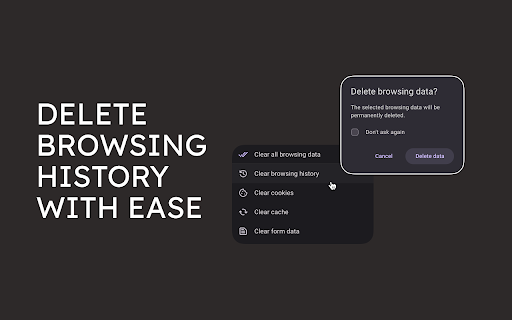
Easily delete search history on Google, YouTube, Amazon, Bing and Yahoo. Clear browser cookies, cache and downloads in two clicks! 🌟 Take control of your online privacy and browsing experience with clear search history, the powerful Chrome extension. 🔑 Key Features And The Way Of Using Them 1️⃣ How to delete google search history? ➤ Install clear search history extension from Chrome Web Store; ➤ Click on the menu item “Delete Google search history"; ➤ Select the search queries you want to delete, or delete the entire search data in Google. 2️⃣ How to clear youtube search history? ➤ Visit Chrome Web Store to install clear search history extension; ➤ Open the menu and choose “Delete youtube search history"; ➤ Look through your search queries and choose which of them you want to delete. 3️⃣ How to clear amazon search history? ➤ Head over to the Chrome Web Store to get clear search history extension; ➤ Open up the menu and opt for "Clear amazon search history"; ➤ Browse through your search requests and select which ones you need to discard. 4️⃣ How to erase bing search history? ➤ Go to the Chrome Web Store to download clear search history; ➤ Initiate the menu and select "Erase bing search history"; ➤ Review your search queries and decide which ones you wish to remove. 5️⃣ How to clear search history on yahoo? ➤ Navigate to the Chrome Web Store to download clear search history; ➤ Launch the menu and pick "Clear yahoo search history"; ➤ Peruse your search entries and determine which ones you prefer to erase. 6️⃣ How to delete browser cache and cookies? ➤ Proceed to the Chrome Web Store to set up clear search history extension; ➤ Access the menu and decide on "Clear browser cache" or “Clear browser cookies”; ➤ Confirm this action in the pop-up window. 🔥 Why Choose Clear Search History Over Other Tools and Extensions? 🕵️ Comprehensive Removal: Delete search and browsing data across multiple platforms, providing unparalleled control. ⚡ Automated and Efficient: Our extension runs seamlessly in the background, freeing you from the hassle of manual deletion. 🛀 Privacy-Focused: We prioritize your privacy by effectively removing cookies and cache, protecting your online identity. 🚀 Improved Browsing Experience: A clean browsing results in faster loading times and a more responsive browsing experience. 🌐 Real-World Scenarios Where Clear Search History Can Be Useful: 1️⃣ Protecting privacy when using public or shared computers ➤ Clear search history allows you to erase your search and browsing data after each session, ensuring that your online activities remain private. 2️⃣ Maintaining anonymity for sensitive searches ➤ Whether you're researching health conditions, financial matters, or personal interests, clear history of searching helps you keep your searches confidential. 3️⃣ Preventing targeted advertising ➤ Cookies track your browsing to deliver personalized ads. Clear search history removes these cookies, reducing the amount of targeted advertising you see. 4️⃣ Improving browsing performance ➤ A cluttered browsing history can slow down your browser. Erase search regularly clears your history, resulting in a faster and more responsive browsing experience. 5️⃣ Managing multiple user profiles: ➤ If you share a computer with others, delete search data allows you to easily switch between user profiles and clear the history associated with each profile. 6️⃣ Starting fresh after a break: ➤ If you've taken a break from using your computer or browsing the web, clear search history can help you start fresh with a clean slate. 🎯 Real-World Benefits: 🔐 Enhanced Privacy: Keep your online activities private, especially when using public or shared computers. 🤫 Anonymity for Sensitive Searches: Conduct sensitive searches without leaving a trace. 🌐 Reduced Targeted Advertising: Minimize targeted advertising by removing cookies that track your browsing behavior. 🚀 Improved Browsing Performance: Experience faster and more responsive browsing by regularly clearing your search. 💰 Peace of Mind: Enjoy the peace of mind knowing that your search and browsing is under your control. 📌 Frequently Asked Questions: ❓ Does the extension also delete my browsing history from incognito mode? 💡 Yes, clear search history deletes browsing history from incognito mode. ❓ How often should I clear my search data using this extension? 💡 It is recommended to clear your search data regularly, such as once a week or once a month, depending on your privacy preferences and browsing habits. ❓ Can I selectively choose which search data to delete? 💡 Yes, erase search data allows you to selectively choose which search track to delete. ❓ Do you store or share my data? 💡 No, clear search history does not store or share any of your data. All data processing is done locally on your device. ❓ Is it compatible with other browser extensions? 💡 Yes, delete search history is compatible with most popular browser extensions. ❓ Can I use the extension on multiple devices? 💡 Yes, you can use clear search history on multiple devices by syncing your browser data. ❓ What are the privacy benefits of using the extension? 💡 Erase search data helps protect your privacy by deleting your search and browsing history, which can prevent tracking and targeted advertising. ❓ How does it improve my browsing experience? 💡 Delete search history improves your browsing experience by removing unnecessary data, which can speed up your browser and make it more responsive. 🔐 Install clear search history today and reclaim control of your digital footprint!

Delete Specific Websites History
Quickly deletes specific websites history from your browser. Easily manage and delete browsing history for multiple URLs — all stored securely in your own browser. Perfect for maintaining privacy during screen sharing or presentations by preventing accidental exposure of visited sites in the address bar. ✅ Simple, user-friendly interface ✅ One-click deletion of all saved URLs ✅ Removes both https and http history variants

Auto History Wipe
Auto History Wipe: Clean browsing history, cache & cookies automatically or manually. Supports incognito mode and tab management. 🔒 Auto History Wipe: Your Privacy, Automated Easily manage and Auto History Wipe clean your browsing data with customizable schedules and options. Auto History Wipe Key Features: ✨ One-Click Cleaning: Clear your browsing data instantly with a single click ⏰ Scheduled Cleaning: Set automatic cleaning intervals 🎯 Selective Cleaning: Choose what to clean: • Auto History Cleaner delete history • Clear Download History • Auto History Cleaner delete cache • Clear Cookies • Clear Local Storage • Clear Saved Passwords • Clear Form Data Auto History Wipe Perfect for: - Privacy-conscious users - Shared computer users - Regular privacy maintenance - Automated browsing data management Auto History Wipe Simple, lightweight, and privacy-focused! ⚙️ Latest updates for Auto History Wipe : 13.05.2025 🔄 On/Off Button - Ability to easily activate and deactivate the plugin 🔗 Share Button - Ability to share the plugin with your friends on social media and messaging apps ⏱️ Auto Delete Timer - Countdown and progress bar display for the next auto-clean ⚙️ Latest updates for Auto History Wipe : 22.04.2025 🛡️ Auto-clear feature is now disabled by default, putting control in users' hands 🔔 Fixed notification icon loading issues 🗑️ "Delete All Browsing Data" button now properly activates only when data types are selected ⏱️ Improved time range options and fixed related bugs 🕒 "All Time" option now works correctly 🇺🇸 Added American English (en_US) language support ⚡ General performance and usability improvements 🔹 Fixed a bug where timed auto-clear was clearing all data types even when only specific types were selected. 🔹 Added support for two new languages: Swedish (Svenska) and Finnish (Suomi) 🔹 Added new privacy and auto-cleaning feature descriptions for Chrome Web Store Auto History Wipe is a user-friendly extension that helps you automatically or manually clear your browsing history, cookies, cache, and other browsing data. • Auto Clear when browser closes • Timed Auto-Clear at regular intervals • Manual clearing with one click • Select which data types to clear • Choose time range for data clearing • Set custom clearing intervals ✅ Data Types You Can Clear: 🔒 PRIVACY FOCUSED 🔒 Auto History Wipe respects your privacy. It doesn't collect or transmit any data. All operations happen locally on your device. 🔧 EASY TO USE 🔧 With its simple and intuitive interface, anyone can use it. Set your preferences once and let the extension work for you. Take control of your browsing data and protect your privacy with Auto History Wipe!

Clear Cache & History Cleaner
With this plug-in, you can delete history and cache when opening the browser. When you delete cache and history, the browser becomes faster. Quickly clear your cache without any confirmation dialogs or pop-ups. It’s a straightforward solution for cache management It provides instant removal of cache, download history, cookies, saved passwords, and more. Another Chrome extension that lets you customize what and how much data you want to clear, including cookies, app cache, files, and passwords.

Auto History Wipe
Auto History Wipe Chrome Extension is a handy and privacy-focused Chrome extension designed to automatically clear your browsing history, cookies, cache, and other browsing data as the browser starts. This tool is perfect for users who prioritize their online privacy and want to ensure that their browsing activities remain private. The ultimate tool to automatically wipe your browser history. Effortlessly clean cache, cookies, and more for total privacy. Take back control of your digital footprint with Auto History Wipe, the most powerful and customizable cleaning tool for your browser. Tired of manually clearing your browser data? Worried about your online privacy? Auto History Wipe is your "set it and forget it" solution. Our smart, automated tool works silently in the background to ensure your browsing history, cache, cookies, and more are wiped clean on your schedule, giving you complete peace of mind. Whether you want a fresh start every time you open your browser or a deep clean every week, Auto History Wipe provides the ultimate flexibility. * 🚀 Full Automation: Automatically clean your data on browser startup, on browser close, or on a recurring schedule (hourly, daily, weekly). You decide! * 🧹 Powerful Manual Clean: Instantly clean cache, history, cookies, downloads, and even advanced data like passwords and local storage with a single click on our "Clean Now" button. * 🧠 Smart Whitelist: Don't want to be logged out of your favorite sites? Our intelligent whitelist feature allows you to protect specific domains (like google.com) from the cleaning process. * ⏱️ Precision Time Control: Choose to delete data from the last hour, last 24 hours, last week, last 4 weeks, or all time. * 🔒 Enhanced Security: We've added confirmation dialogs for sensitive actions, like clearing saved passwords, to prevent accidental data loss. * 🔔 Stay Informed: Receive a simple notification after each cleaning process, so you always know that your privacy is being protected. * ✨ Modern & User-Friendly Interface: A clean, intuitive, and beautifully designed options page makes managing your privacy settings easier than ever. Unlike other tools that are complicated or lack features, Auto History Wipe combines power with simplicity. We provide granular control over your data in a clear, user-friendly package. From a quick clean cache operation to a fully automated, scheduled deep clean with a whitelist, our extension is the only privacy tool you'll ever need. Download Auto History Wipe today and experience a cleaner, more private web.
