
bahblebldjmacmpdllhinebpfbdpcdnl

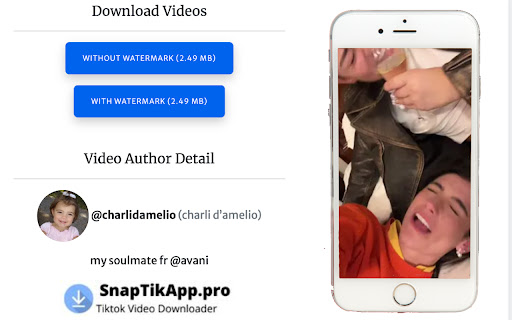
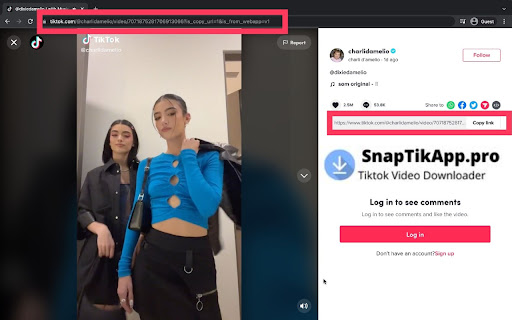

You can download any tiktok video with watermark and without watermark, as well as background music mp3. Snaptik - TikTok Video Downloader: This website allows you to download videos without watermarks and watermarks. It is free and easy to use, and you can download them to your cell phone or PC. To use this tool, you need to visit out website or use this chrome extension on chrome browser. It’s available for Windows, Mac, and Android. It is also compatible with both Android and IOS devices. You can also download MP3 background music of tiktok video. Download sad, poetry, funny and many more without watermark videos and mp3.

FetchV - Video Downloader for m3u8 & hls
The video downloader for saving web videos and live streams. Features: 1. Supports HLS video (streaming video indexed by m3u8 file), integrating all media fragments into a single MP4 file. 2. Supports HLS live streaming. 3. Supports videos or live streams with a 'blob' prefix in the player's src address. For such media, when the actual media address cannot be detected, the "recording mode" can be used to convert the buffered data into an MP4 file. 4. Supports various static videos or audios that can be played on web pages, such as MP4, WEBM, etc. 5. Supports streaming MP4 (HLS v7, may add support for "MPEG-DASH" in the future). 6. Uses multi-thread downloading, which can significantly increase the download speed in good network conditions, very useful for downloading large files. 7. Supports switching resolutions, available when the HLS video's m3u8 file provides multiple resolutions. 8. Provides media preview, if multiple media are captured on a page, you can confirm your target through the preview. 9. Provides a feature-rich download interface, where you can know the download speed, progress, and perform operations like switching download threads, switching resolutions, and modifying file names. 10. All the work of this tool is done in your browser, without using any third-party servers to transmit or convert media data. Notes: 1. This tool is only applicable to videos that comply with technical standards, and it does not work for videos using non-standard playback technologies. It does not have special adaptations for specific websites. 2. It does not support encrypted videos, and we are not responsible for any media you download. It is recommended to check the copyright of the media before downloading. 3. Although this tool has been adapted to popular web videos, it cannot guarantee absolute success in the adapted scope. If it doesn't work for you, please try other tools as an alternative.

TikTok Video Downloader – Bulk Save
Download TikTok videos without watermark. Bulk save multiple videos with one click. Works directly on TikTok 🎬 Download TikTok Videos and Photos Without Watermark – One Click, Bulk Save Easily save videos and photos from TikTok directly to your device. This powerful extension adds a download button to every TikTok video or image, letting you download content instantly — without watermarks, external websites, or complicated steps. 🚀 Key Features • Download TikTok videos without watermark • Save video and photo content directly from TikTok • One-click download functionality • Bulk download: save multiple videos from user profiles • No redirects or third-party services 📦 Two Download Modes 1. Single Download Mode Click the download button next to any TikTok video or photo. The file will be saved instantly. 2. Bulk Download Mode Download multiple TikTok videos from a user’s profile: - Choose how many recent videos to download (e.g. last 5, 10, 20+) - Filter by date range to save only the content you need - Download as separate files or in a ZIP archive 🔧 Watermark Options By default, videos are saved without watermark. You can choose whether to download videos with or without watermark using a simple toggle in the extension settings. 📚 How to Use TikTok Bulk Downloader 1. Install the extension from Chrome Web Store 2. Open TikTok in your browser 3. Hover over any video or image to see the download button 4. Click to save — instantly 5. For bulk downloads, go to a user profile and click "Download All" 💡 Who Uses This Extension? This tool is ideal for: - TikTok creators backing up their own content - Social media managers collecting TikTok videos - Anyone who wants to save and reuse TikTok content offline 🔐 Simple, Secure, Reliable TikTok Bulk Downloader works inside your browser — no external apps, no logins, and no unnecessary steps. Install it once and start saving TikTok content the easy way. ✅ Start downloading TikTok videos today — with full control and zero hassle.

Easy TikTok Video Downloader (Remove Watermark)
Download any TikTok — yours, liked, reposts, favorites, collections, feeds & more — no watermark. If you see it, you can save it! 🚀 The All-In-One TikTok Video Downloader — Fast, Easy & No Watermark Tired of sketchy apps and slow websites? This browser extension lets you download TikTok videos directly, safely, and without watermarks. Save your own posts or anyone else’s — including likes, favorites, reposts, collections, search results, and full creator profiles. If you can watch it, you can download it. ✨ Why You’ll Love It Save everything you see — your videos, liked posts, favorites, FYP, explore, and search results Private by design — runs locally in your browser, your data never leaves your machine Download now or later — instant saves or links for later Noticeably faster and smoother performance Pause and resume downloads anytime, even after closing the extension Export your download history to CSV Clearer progress tracking you can actually trust Light, Dark, and System themes Power Off switch to temporarily disable the extension without uninstalling it 🔁 What You Got in v4 Scraper Mode for faster collecting from likes, reposts, favorites, and collections Auto-scroll downloading — sit back and let it run CSV export for video details and records Stats & insights on your downloads Optional support for the developer ❤️ Just click, download, and enjoy TikTok your way.

Substack Video Downloader - Download Substack Videos & Audios
Download Substack videos, audio posts, and podcasts as MP4 or MP3. One-click, 1080p, batch downloads. Substack Video Downloader is a fast, lightweight Chrome extension that lets you download Substack videos, audio posts, and podcasts directly to your device in MP4 and MP3 format. Built specifically for Substack, it ensures accurate detection and reliable downloads from video posts, audio newsletters, and podcast episodes — including premium content you already have access to. Unlike generic video downloader tools, Substack Video Downloader is engineered exclusively for the Substack platform. It works seamlessly with embedded Mux video streams, native Substack audio players, and dynamically loaded media across all Substack publications, including custom domains. 🔊 Download Substack Audio & Podcasts (MP3) • Download Substack audio posts and podcast episodes • Save audio as MP3 for offline listening • Fully compatible with native Substack audio players ☁️ Cloud Sync & Backup (Optional) • Connect Google Drive or Dropbox • Automatically upload downloaded files to the cloud • Keep your Substack media library backed up and accessible anywhere 🧠 Smart Substack Media Detection • Automatically detects video and audio players on Substack pages • Works with hidden players, lazy-loaded media, and deep-linked audio • Compatible with all Substack publications and custom Substack domains 📂 Batch Downloads for Substack Posts • Download all videos and audio from a page at once • View detected Substack media in the extension popup • Ideal for long newsletters, archives, and research workflows 📝 Advanced File Organization • Automatically name files using post titles • Organize downloads by publication name, year, or month • Custom file naming and folder structure support 🔐 100% Private & Local • Runs entirely inside your browser • No servers, no analytics, no tracking • No ads and no external services required • Your data and downloads stay on your device Method 1: Download from the Player 1. Open any Substack post with video or audio 2. Hover over the media player 3. Click the download button to save instantly Method 2: Batch Download 1. Click the extension icon in your browser toolbar 2. View all detected Substack videos and audio on the page 3. Click "Download All" to save everything at once 🔎 Supported Substack Downloads • Download Substack videos • Download Substack audio posts • Download Substack podcasts • Download Substack Mux video streams • Offline access to Substack media • Works on substack.com and custom Substack domains Substack Video Downloader is designed for readers, researchers, and creators who want offline access to Substack content they already have permission to view. Simple, reliable, and built exclusively for Substack.
