
aplaanaglajmhedajaodpokhlcenflih
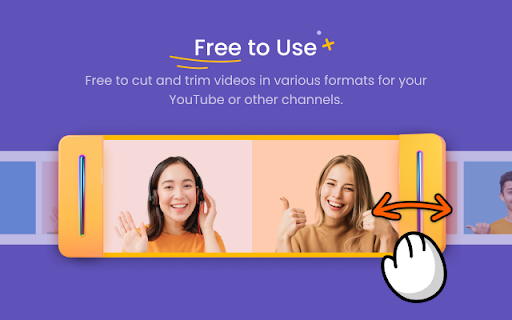


Cut and Trim video online without downloading software on your computer Best Video Trimmer & Cutter for Chrome. Cut and trim video online without watermark. Video Cutter and Trimmer is a web app which helps you to effortlessly trim or cut video online. With this simple online tool, you can cut and trim video files without downloading complex software on your computer. Video Cutter and Trimmer is easy to use and works perfectly on your Windows and Mac. To take out the pause and shutters from your video, Video Cutter and Trimmer is your best option. Main Features: ✓ Smart Cut AI technology is introduced and allows you to mark and cut silent parts with only one click! With this tool, you can easily remove unwanted parts from video in a smart way. ✓ Trim & Cut Unwanted Parts It allows you to cut or trim any parts of the video as you desire. No need to download any others, creating fantastic videos can be all done in your Chrome. ✓ Support All Popular Formats MP4, MOV, MKV, AVI, and more other common video formats are supported in this chrome extension. ✓ Precise Preview The finished videos must be to your satisfaction as it provides a precise preview feature for you to preview your video once you finish editing and then trim or cut again. ✓ 100% Safe Our Video Cutter and Trimmer do not collect any user information, so there are no privacy issues involved and you can use it with no worries. ✓ Free Included Free to deal with 6 files with no more than 200 file size. But it is a cost-effective video cutter chrome extension to cut YouTube videos or videos from other platforms. ✓ Professional Support No matter you have any questions or inquires, please feel free to contact support@hitpaw.com , our support team will give you professional help as soon as possible.

video-clipper
Enhance Your YouTube Experience with Video Clipper Video Clipper is a Chrome extension that allows you to seamlessly create, organize, and play clips from your favourite YouTube videos. Whether you're a dancer, musician, student, or just want to save memorable moments, Video Looper makes it easy to extract and curate the content you love directly within YouTube. Support for more platforms is coming soon! - Simple Clip Creation: Select and save specific video segments with just a few clicks or shortcuts. - Full-Screen Playback: Enjoy your clips in full-screen mode while retaining the original video's context. - Search Capability: List all your clips and search through them easily in a dedicated UI. - Organized Library: Sort your clips into folders and playlists for easy access. - Customizable Settings: Modify playback speed, loop settings, and more to match your preferences. Ideal for - Dancers: Practice and perfect your moves with customized clips. - Musicians: Extract and loop specific song sections for practice or performance. - Students: Save key segments of lectures or tutorials for easy review. - Anyone: Create and share your own clips for personal use or to share with friends. Download Video Clipper today and maximize your YouTube experience!

YouTube Clipper
Clip and share the last 30 seconds of a YouTube video. Transform your YouTube experience with the YouTube Clipper! This user-friendly Chrome extension allows you to effortlessly create and share customized video clips from your favorite YouTube videos. Whether you're looking to highlight a funny moment, an insightful quote, or a crucial scene, our extension empowers you to specify start and end times, generating a unique shareable link in the format of the embedded player. Features: Simple Interface - Quickly clip the last 30 seconds of any YouTube video with just a few clicks. Easy Sharing - Generate shareable links that work seamlessly with embedded players. Quick View - Preview your generated clip with one click. Current Extension Limitations: . Extension does not work for live streams. . The generated clip url can not be accessed through the Youtube mobile app. Icon Attribution: Icons created by Iconjam - Flaticon(https://www.flaticon.com/free-icons/construction-and-tools)

Cap Cut Video Editor
Trim and edit videos in your browser. Preview changes, and download your edited clips. Edit videos right from your browser with CapCut Video Editor — a lightweight, easy-to-use tool for trimming, adding text, and downloading video clips. Whether you're editing a tutorial, meme, or presentation, this extension gives you the tools to create clean cuts and overlays instantly. 🚀 Key Features: ✂️ Trim videos to your desired start and end points 📝 Add custom text overlays to any video 📥 Download edited clips as .mp4 files 🖱️ Right-click to edit any video on supported pages 🔘 Toggle overlay buttons directly from the extension popup 💾 Settings sync across tabs via Chrome Storage 🧠 How It Works: Visit any page with a direct video (e.g. .mp4) Hover for the ✂️ edit button or right-click the video Launch the in-browser editor, trim, add text, and download your clip ⚠️ Note: This extension works with direct video URLs only (e.g. .mp4, .webm). Videos on platforms like YouTube are protected and not supported.

Video editor OpenShot online
Create and edit videos with OpenShot online The OpenShot video editor is a Chrome extension that allows to create and edit videos online. It is an integration with an OpenShot instance, which is a free and open-source video editor . It supports commonly used video codecs that are supported by FFmpeg like WebM (VP9), AVCHD (libx264), HEVC (libx265) and audio codecs like mp3 (libmp3lame) and aac (libfaac). The program can render MPEG4, ogv, Blu-ray and DVD video, and Full HD videos for uploading to the internet video websites. It is a video editor integrated with our file manager to manage only video file types with this desktop app. OpenShot main features are - Support for many video, audio, and image formats (based on FFmpeg). - Unlimited tracks / layers. - Clip resizing, scaling, trimming, snapping, rotation, and cutting. - Video transitions with real-time previews. - Compositing, image overlays, watermarks. - Title templates, title creation, sub-titles. - Scrolling motion picture credits. - Solid color clips (including alpha compositing). - Support for Rotoscoping / Image sequences. - Advanced Timeline (including Drag & drop, scrolling, panning, zooming, and snapping). - Video encoding (based on FFmpeg). - Digital zooming of video clips. - Time-mapping and Speed changes on clips (slow/fast, forward/backward, etc...) - Custom transition lumas and masks. - Audio mixing and editing. - Digital video effects, including brightness, gamma, hue, greyscale, chroma key. (bluescreen / greenscreen) , and many more. In order to handle the video compositions this extension includes the following functionality over the files used by this extension: - Personal files and directories in the Cloud. - Operations with files and folders: copy, move, upload, create folder/file, etc - Search for files. This is not a video player, it is a video editor, so do not expect great quality when playing video or audio. Download locally the video composed by OpenShot to play it with the right quality. This OpenShot Video Editor extension uses the platform http://www.offidocs.com. It is available for free online users but it also allows the integration with premium users and on-premises OffiDocs deployments where the OffiDocs OpenShot video editor is installed. IMPORTANT: This extension scans the URLs browsed in order to detect video files. The video files detected appear in a file list located in the extension popup that are retrieved from our servers. The scanning is performed from our servers so your URL are reported to our system. No personal data is collected. This scan can be disabled with a checkbox that appears in the extension popup. If you disable this scanning, this functionality is not available so then the extension functionality is very limited.
