
apkhhggcjjjedclbfbidnibbolfojjgj
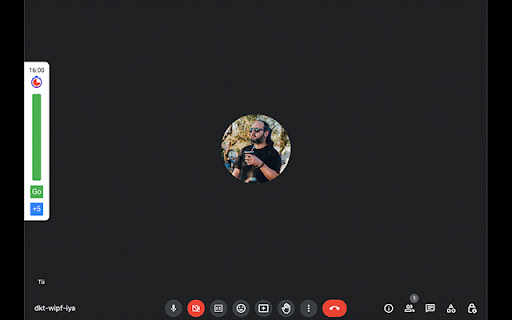
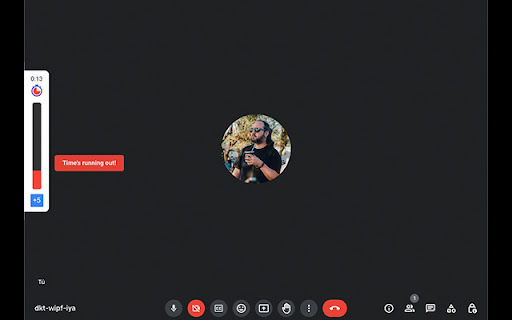
Small countdown extension to measure meets durations A small extension that creates a countdown for your meeting with the posibility of adding 5 minutes intervals

Hybrid Google Meet
Join Google Meet meetings with the sound and microphone muted so you can use chat and hand raising in-person. Create a more equitable experience for those joining virtually. Hybrid meetings are when some participants are together in person, and others have joined virtually. They're challenging for several reasons, but a key one is that the circumstances inevitably favour the people who are together in person: they can hear one another better, conversation flows more naturally, side conversations can happen, and interjecting can feel more natural without the audio delay. Participants who have joined virtually can sometimes find themselves forgotten about, with their raised hand going unnoticed, or their chat messages only viewable by other virtual participants (since in-person participants share a TV screen). One to make a more equitable experience for all participants in a hybrid meeting is to ask all participants — whether virtual or in person — to use the hand raise feature, and have access to the chat. This requires the in-person participants to have their laptop with them and to join the meeting, even though they've already joined via a shared TV screen. The challenge with this approach — which this extension aims to address — is that unless those in-person participants remember to mute their sound and their microphone before joining, it will create a screeching feedback sound. And through force of habit, participants will inevitably accidentally unmute themselves in a meeting, even though they're in person and speaking through a shared microphone. *** What this extension does *** This browser extension adds a 'Join hybrid' button to Google Meet. When you click it, it keeps your sound and microphone muted and joins the meeting, so you can still use the hand raise and chat feature without risk of creating a screeching feedback sound. You can go back to normal by refreshing the page and clicking the regular 'Join' button.

BETA Shared Music
Add shared music to your video calls. This Chrome™ extension improves Google Meet™ adding the capability to listen to the same music in real time with the other call's participants. You can listen together to music directly from YouTube™, from a link to an mp3 file, or directly uploading from your local disk! PREMIUM FEATURE You can share the audio stream from any tab or window, even from other applications (Spotify, Discord, etc.)! Please note that EVERYBODY in the meeting must have the extension installed for it to work! HOW TO USE After installation, a new button will be added in your Google Meet™️ button bar. Clicking on that, the sidebar will open; in the "shared music" section you'll see an input box, where you can paste a YouTube™️ URL (also the video will be shown as per YouTube™️ policy), or a URL to an mp3 file, or upload the audio file from your PC. The music will be played simultaneously for the other participants, who can also regulate the volume or pause the music. Please check the "status" tab to see who's connected (this should happen automatically), only the connected users will be able to hear the music. If someone's missing from the list (and doesn't hear the music), everybody should refresh, this helps in the majority of cases. Bad connections or slow PCs can heavily affect the performance of the addon.

Attendance Tracker
Attendance Tracker, a Chrome extension, is your essential companion for fostering inclusive discussions in Google Meet sessions.… Attendance Tracker, a Chrome extension, is your essential companion for fostering inclusive discussions in Google Meet sessions. This intuitive tool injects a popup into the upper left-hand corner of the web page, featuring a comprehensive list of participants' names alongside a clickable thumbs up button. Simply mark a participant as having spoken by clicking the thumbs up, filling it with distinctive color for clear tracking. Real-time Participation Tracking: The popup displays a list of participants for quick and easy tracking. Click the thumbs up button to mark participants who have actively contributed to the discussion. Effortless Tracking Interface: An unobtrusive and easily accessible popup ensures seamless integration with your Google Meet experience. The intuitive design allows for quick participation marking without disrupting the flow of your meetings. Visual Confirmation: The distinctive color-filled thumbs up provides a visual confirmation of active participation. Ensure everyone gets an opportunity to speak and be heard in your virtual meetings. Ongoing Improvements: We are actively working on addressing the client-sided nature of the tracker. Soon, you'll be able to pick up where you left off even if you experience a connection loss or refresh the page. Look forward to upcoming features, including the ability to resize the popup and many more enhancements to streamline your tracking experience. Client-Sided Tracking: Please be aware that the Attendance Tracker relies on client-sided data. If the page is refreshed or the connection is lost, all attendance records will be reset. Stay tuned for upcoming updates aimed at mitigating this issue for a more robust and reliable tracking experience. Empower your Google Meet sessions with Attendance Tracker, ensuring that every voice is acknowledged. Download the extension today and stay tuned for exciting updates!

Google Meet Assistant
Beaver, which helps you collect information about a Google Meet conference Google Meet Assistance is a Google Meet extension designed to make your Google Meet meeting easier and better. It is a reliable assistant for anyone who uses Google Meet for meetings, conferences or remote classes. Main functions: • Automate routine tasks: Google Meet Assistance automates routine tasks when using Google Meet, such as creating a list of attendees, tracking time, monitoring attendance, and more. • Saving meeting data: The plugin saves meeting data such as start time, duration and participant list, allowing you to conveniently track your meeting history. • Personalization and customization: Google Meet Assistance provides customization and customization options so that you can use it according to your needs and requirements. • Easy to use and integrate: The plugin has a convenient user interface and easy integration with Google Meet, which allows you to use it quickly and easily without special skills or excessive effort. Google Meet Assistance is your trusted assistant to streamline and improve your Google Meet experience!
