
apfhghblgifegckccakakdlbjcdnbjmb
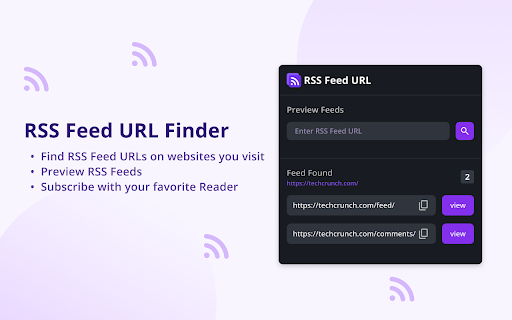
RSS Feed URL Finder is a Chrome extension that simplifies finding and accessing RSS feeds across various websites. With one click, you can see all available RSS feeds and effortlessly copy their URLs for use in your favorite RSS reader. Our extension offers automated feed detection, previews at a glance, easy URL copying, and broad compatibility across different websites and content formats. Moreover, its user-friendly interface ensures a seamless, intuitive browsing experience. RSS Feed URL Finder is a must-have tool to streamline your content discovery process. Skip the tedious task of manual searching and copying. Install today to enhance your content exploration journey!

RSS Reader
You can easily subscribe to updates from multiple websites and view the summary and title of all updates in one application. You can easily subscribe to updates from multiple websites and view the summary and title of all updates in one application. 1. Data is stored locally. 2. You can read the content directly and pull the original web page. 3. Support RSS feed/ATOM feed/JSON feed format 4. AI Summary If you encounter problems during use, please don't worry. Bad comments can't solve the problem. You can provide feedback at the link below, and I will follow up in time. 👉 https://logspot.hocgin.top/addone-rss-reader?active=feedback 👈 If it helps you, can you give me a good comment 🌹

FeedPal: Turn Your Browser Into an RSS Reader
View recent content from your bookmarked blogs and get notified when they update. If you've ever bookmarked articles from a blog, you'll likely want to stay updated with its new posts. FeedPal works out of the box with zero configuration, effortlessly turning bookmarks into subscriptions—ensuring you never miss valuable content that matters to you. Since high-quality content often updates less frequently, FeedPal intelligently adjusts notifications based on update frequency, minimizing distractions and only alerting you when it truly matters. • How often are RSS feeds fetched? FeedPal automatically adjusts the fetching frequency based on the characteristics of the RSS feed (such as update frequency, etc.), ranging from 1 hour to 45 days. • How to add a specific RSS feed? Create a new folder in your bookmarks with a name containing [sources] (note that the square brackets are included), then add the RSS feed (URL of the XML) to this folder. FeedPal will automatically fetch the RSS feeds within this folder. • What should I do if the website indicates no RSS feed was found? FeedPal will attempt to parse the RSS feed from the website's homepage. If it fails to parse, you can also try manually adding it by following the steps above. • Is my data safe? FeedPal uses the browser's local storage feature, so all data is saved on your computer and will not be uploaded to any server. This includes the fetching process, which is also performed solely on your computer. FeedPal is in its early iteration phase. We’ll continue to enhance features and optimize the user experience. Any questions or suggestions are welcome—feel free to submit feedback.

FeedBundle - Online RSS News Reader
Make your own collection of feeds, organize and read it with FeedBundle.

RSS Finder
Lists RSS and Atom feeds available on the current web page. An extension that scrapes each page that you visit in turn for any active RSS or Atom urls and presents them as a list for you to copy for use with news readers and aggregators. Current behaviours: - Standard page scraping for meta tags pointing to application/rss+xml or application/atom+xml - Scraping of YouTube pages to obtain the link to the lesser known feeds behind each channel For any issues or assistance, contact support@andyls.co.uk
