
aojnkbieledkkkhhecdedjmhncmngjbb
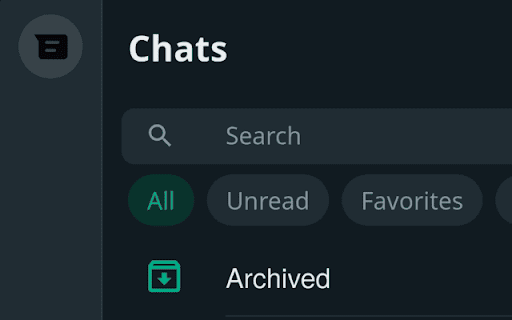


A simple browser extension to hide WhatsApp Web's Status, Channels, and Communities buttons - UNOFFICIAL 👋 Disclaimer: This extension is not affiliated with or endorsed by WhatsApp or Meta. Hide WhatsApp Web Buttons Extension – UNOFFICIAL 🛠️ A simple browser extension to hide WhatsApp Web's Status, Channels, and Communities buttons. 💡 Why use this extension? Designed with neurodivergent users in mind (like those managing ADHD 🧠🦋), this extension helps reduce distractions caused by those persistent notification icons on WhatsApp Web that you can’t mute. If you’ve ever felt interrupted by statuses or unnecessary tabs, this tool is here to help. With this extension, you can: ✅ Hide the Status, Channels, and Communities buttons. ✅ Focus better without being lured by distracting icons. 🌐 Download the Extension: Get started by downloading the extension from the following stores: - 🌐 Chrome Web Store: https://chromewebstore.google.com/detail/hide-wpp-web-buttons/aojnkbieledkkkhhecdedjmhncmngjbb - 🦊 Firefox Add-ons Store: https://addons.mozilla.org/en-US/firefox/addon/hide-wpp-web-buttons/ 🛠️ How to Use: 1. Install the extension. 2. Reload the WhatsApp Web page for it to take effect. 3. Click on the extension icon if you want to customize which buttons to show/hide. 🔒 Privacy Matters: - This extension collects NO data. - It’s completely ad-free! 🌟 Open Source: Want to see how it works? Check out the source code here: https://github.com/nijamaDev/Hide-WhatsApp-Web-Buttons 🙏 Enjoying the extension? If you find it helpful, consider supporting its development by donating. 💖 https://buymeacoffee.com/nijamadev 🐦 Also you can follow me on X | Bluesky | Mastodon https://x.com/nijamaDev https://bsky.app/profile/nijamadev.bsky.social https://mastodon.social/@nijamaDev

Avatier Universal UI
Modernize your digital workforce with Avatier for Chrome. Discover a breakthrough seamless collaborative self-service IT experience and automation for the entire enterprise without compromising privacy and security using Chrome. Get more done with the Chrome and Avatier Now more simple, secure, and faster than ever - with Google’s smarts built-in. Utilizing the Avatier for Chrome extension allows users to customize their browser experience. Introducing Avatier for Chrome which integrates with the leading MFA solutions in the industry to provide a true-passwordless secure Identity Management experience. Leverage Avatier OTP SMS/Email or phoneless MFA, Duo Security, Google Authenticator, Okta Verify, Ping Identity, Radius, RSA SecureID, Symantec VIP, and many other FIDO2 WebAuthn compliant solutions. Discover all you can do with Avatier for Chrome: * Single Sign-on for Chrome. Modern SSO solutions need to support a diverse workforce with a choice of how and where they would like to securely consume cloud access. Avatier for Chrome Extension enables access when your workforce needs it the most while surfing the web. With Just-in-Time (JIT) cloud app user provisioning/deprovisioning it has never been easier to onboard your workforce across your cloud applications. * Self-Service Group Management for Chrome. Microsoft/Azure group membership is paramount as it controls your role in the company, access to files, and even cloud application access via leading SSO solutions like Avatier. Avatier for Chrome allows self-service group membership requests with push notification for workflow approval. Now you can request creation, deletion, renaming and even group ownership conveniently using Chrome. * Certification Campaigns for Chrome. Verifying workforce granular access has never been this easy. Avatier for Chrome ensures access governance is continuously being met by empowering managers to approve, deny, allow an exception, or re-assign certifications to a co-worker. * Universal Workflow Approval for Chrome. Push notification instantly alerts you to urgent matters that require your attention. Using Chrome with Avatier don't ever miss an important workforce request for roles, access, assets, or even generic change control. Approve/Deny ServiceNow and Workdays using Avatier's Universal Workflow Platform(TM). * User Management for Chrome. Never panic when its time to disable or delete user access. Avatier for Chrome you can request disabling user access now and schedule deleting the user later. * Self-Service Password Management for Chrome. Your workforce needs self-service password reset and synchronization without requiring an expensive call the help desk. Your service desk needs a secure friendly assisted password reset form anywhere. Avatier for Chrome gives your workforce the seamless ability to perform these actions wherever they are by securely authenticating with a variety of flexible authentication MFA options. Avatier's Password Policy Manager will also ensure that your password meets the enterprise password policy and maintain strong passwords across all systems. Achieve more together with Avatier for Chrome. If you are ready to see Avatier for Chrome in action we are offering an exclusive FREE trial to qualified organizations. Schedule yours today: https://calendly.com/avatier-cloudtrial/avatier-for-chrome-kickoff-meeting?month=2020-06

Buy Local Sunshine Coast
Boost your LinkedIn outreach with this tool. Initiate quality connections, track chats, and expand your network seamlessly. With an overwhelming number of LinkedIn connections and the rise of spam, bots, and fake profiles, business professionals on the Sunshine Coast struggle to cultivate authentic relationships. The time and effort spent sifting through superficial interactions is exhausting and unproductive. As the digital realm becomes increasingly impersonal, professionals miss out on genuine business opportunities. The core essence of networking—trust, reliability, and human connection—becomes lost amidst the noise. Without genuine connections, your business loses potential collaborations, client opportunities, and essential growth avenues. The B2B Sunshine Coast Chrome extension, in collaboration with My Most Trusted Network, is the answer. It’s tailor-made to filter out the noise and focus on what truly matters: authentic connections. Designed to bring together your trusted business community, it allows you to tap into each other’s networks, request referrals, and foster genuine collaborations. Say goodbye to spam and bots and welcome meaningful, human-centred business relationships.

BBR Helper
This provides some advanced stats (game score, simple player rating and game box plus-minus) on multiple pages for NBA, WNBA, G-League, international leagues and college basketball. Including: - average stats by season on the player page - average stats by playoff series on the player page - average stats by player on the team_season page - average stats by player on the team_player page - average stats by player on the season_player page - single game/half/quarter stats by player on the game_boxscore page - single game and average stats on the gamelog and split pages - top 5 and top 20 average stats players on the season page - top 20 average stats players on the team_season page - top 20 average stats seasons rankings on the player page - top 50 career stats rankings on the player page - multiple stats rankings on the leader page - player awards column on team season page gBPM = (-0.55 * fga + 1.04 * fg3 + 1.39 * fg - 0.25 * fta + 0.79 *ft + 0.17 * orb + 0.27 * drb + 0.24 * (trb - orb - drb) + 1.34 * stl + 0.43 * ast + 0.64 * blk - 0.34 * pf - 0.95 * tov) / g """ , where orb is treated as 0.3 * trb and drb is treated as 0.7 * trb approximately when stats are not complete in early years.

Auto Bookmark
Keeps a pinned bookmarks page open to prevent the browser window from closing when the last tab is closed. [Overview] A simple extension designed to prevent browser windows from accidentally closing when you close your tabs. ・Automatic Pinning: Automatically opens and pins the bookmarks page (or favorites page) at the far left of every normal window. ・Prevent Window Closure: Even if you close the last active tab, the pinned bookmarks page remains open, preventing the entire window from closing. ・Duplicate Cleanup: If multiple bookmarks pages accidentally open, it automatically cleans them up and keeps just one. The extension monitors tab states in the background to ensure that at least one pinned bookmarks page is always safely maintained.
