
anefcldgailbdienbkcalplbcmkkmeci

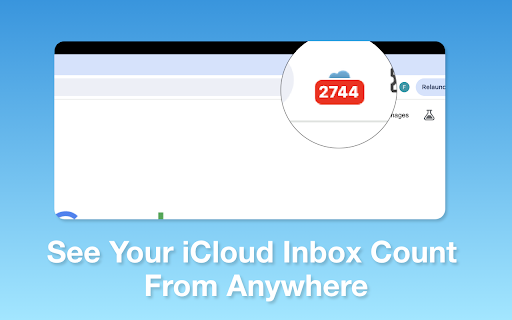


Keep Tabs on your iCloud Emails Introducing "iCloud Mail Notifier - Email Alerts," the ultimate Chrome extension for busy professionals, students, and anyone who relies on email communication. Designed with simplicity and efficiency in mind, this extension is a must-have tool for managing your iCloud emails directly from your browser. Regular Email Updates: Stay informed with your iCloud Mail without constant manual checking. Our extension displays a badge icon on your browser, showing the unread email count, updated every 5 minutes for timely awareness of your inbox. Automatic Refresh Mechanism: The extension automatically refreshes your iCloud Mail inbox at 5-minute intervals, ensuring you're regularly updated on your latest emails. Subtle Notification Chime: A gentle chime alerts you of new emails, striking the perfect balance between being noticeable and not disruptive. This feature allows you to be alert to new messages without interrupting your workflow. Manual Refresh Option: For those moments when you need immediate updates, the extension offers a manual refresh option. A simple click on the popup allows you to check for new emails instantly. Privacy-Focused: Your privacy is our top priority. The extension operates seamlessly in the background without storing any login information. Enjoy a secure experience knowing your credentials are safe. User-Friendly Interface: Experience a clean, intuitive interface that integrates seamlessly with your Chrome browser. No complicated settings or configurations - just a straightforward solution to email notifications. Benefits: Enhanced Productivity: By staying informed about your emails in real-time, you can manage your time more effectively and respond to important messages promptly. Convenience: Access your email notifications directly from your browser, eliminating the need to constantly log in to your iCloud account. Peace of Mind: With automatic and manual refresh options, you have complete control over how and when you receive email alerts. Secure and Private: Enjoy a worry-free experience with an extension that respects your privacy and security. Who is it for? Whether you're a software engineer managing multiple projects, a student coordinating assignments, or a professional juggling various tasks, "iCloud Mail Notifier - Email Alerts" is your perfect companion for staying on top of your emails without hassle. Download Now: Get "iCloud Mail Notifier - Email Alerts" today and transform the way you manage your iCloud emails. It's fast, efficient, and free! Add it to your Chrome browser and experience the convenience of smarter email alerts. Note: iCloud is a trademark of Apple Inc., not affiliated with this extension. This extension is an independent project designed to enhance your email experience.

Mail Checker for Outlook™ | Save email to PDF, TXT or HTML
Mail Checker for Outlook™ lets you receive emails, save as PDF, TXT, or HTML, reply, and get notifications. Manage Microsoft™ Email with the Ultimate Outlook™ Browser Extension Simplify email management and boost productivity with the Microsoft Outlook™ browser extension. Effortlessly receive, export, convert and save Microsoft™ emails as PDF, TXT or HTML, reply to emails and get new email notifications, within the user interface. Features You'll Love: ✅ Access your Outlook.com, Hotmail.com, or work/school accounts in one place ✅ Switch between multiple accounts with a $2/month or $19/year subscription ✅ Receive instant notifications and manage emails with ease ✅ Save individual emails as PDF, TXT, or HTML. With our subscription, merge multiple emails into one file and remove our icon from PDFs. ✅ Stay focused with "Do Not Disturb" and toggle between "Light" and "Dark" modes ✅ Streamline your inbox: bulk delete, archive, or mark emails as read ✅ Navigate mail folders and perform actions straight from pop-up notifications ✅ Instantly redirect to OWA by clicking the icon ✅ Send attachments seamlessly – include files effortlessly in your emails ✅ HTML email templates – customize emails with professionally defined templates With our new new download Microsoft™ email feature you can: ✅ Create a hard copy backup of messages for your own records ✅ Merge multiple emails into one PDF ✅ Great to upload your correspondence and: - Upload them into your CRM - Send it to your lawyer for legal proceedings - Send your bills, receipts, or invoices to your accountant This this extension is great for: ✅ Lawyers & Legal Professionals Save, organize, and consolidate all Microsoft™ messages into a single document for court submissions. Convert entire online conversations—including sent and received documents—into one easily manageable file for Clio or your chosen CRM. ✅ Real Estate Agents Effortlessly bundle all your Microsoft™ messages related to sales transactions and upload them to your preferred CRM. ✅ Project Managers & Team Leads Archive all project-related communication in a single document for better organization. ✅ Contractors Maintain a well-structured archive of all client communication for easy access. Why Mail Checker for Outlook™? Get everything done without switching tabs or apps. With quick access, seamless navigation, and dedicated support via the SUPPORT HUB, managing email has never been easier. Kindly report bugs and share your improvement suggestions at the SUPPORT HUB below. MailChecker for Outlook™ changelog: June v. 1.4.3 - Add “Send New Email” View May v. 1.4.2 - Add multilingual support May v. 1.4 - Improve multi-account functionality and add save email as PDF, TXT or HTML May v. 1.3.4 - Enhance multi-account functionality Apr v. 1.3.2 - Enable automatic closure of notifications after 20 seconds and design a placeholder for the options page Apr v. 1.3.1 - Enhanced search interface Apr v. 1.3 - Support multiple accounts with a subscription priced at $1 per month or $10 per year Feb v. 1.2.4 - Improve search funcionality Feb v. 1.2.2 - Search funcionality added Dec v. 1.1.10 - Improved error handling Dec v. 1.1.9 - Implement infinite scroll

Ghost Traffic
Ghost Traffic is a browser extension that allows you to view the traffic of any website. The extension is a great tool for web developers, SEO experts, and anyone who wants to see how a website is performing based on the country you live in. Understand how your website is performing and how it compares to your competitors based on organic monthly traffic, visibility, paid traffic cost and organic keywords. Get a overview of the traffic of any website and see how it has changed over time. Learn how many keywords a website ranks for, and which place it has in the search results. **New**. Join the Discord for exclusive sneak peeks and to voice your opinions on potential future features to be implemented: https://discord.gg/FvSZ5GrF

iCloud Dashboard
You can easy go to icloud Fast Access to your iCloud Access all of your favorite apps while you're surfing the Internet. This dashboard is simple in design and grants you access to iCloud no matter where you are. Try installing our extension today and access your iCloud dashboard with one click. Disclaimer: iCloud is trademark of Apple Inc. The browser extension iCloud Dashboard, is in no way shape or form related to iCloud or Apple Inc. It is an unofficial Extension which is developed and maintained independently.

Bookmark It — Personal & Team Bookmarks
Save, share, and find bookmarks in one click. Personal collections and shared team workspaces, with fast import and instant search. Bookmarks are a necessary evil. Lost in folders. Buried in browsers. Impossible to share. Almost no one bookmarks the way they actually want to — and almost no one can collaborate on bookmarks with their team, family, or friends. It's the only bookmarking app that combines real ease of use, real organization power, and real collaboration in a single place — for yourself, your team, and everyone in between. 🚀 Get started in seconds ● One-click import from your existing Chrome bookmarks bar ● One-click import from your browser history ● No spreadsheets, no copy-paste, no re-saving ● Free plan with no credit card. Ever. 👤 Personal + 👥 Team workspaces ● Keep a private collection just for you ● Spin up a shared workspace for your team, family, or side project ● Invite anyone in seconds — everyone sees the latest version, every time ● No more "send me that link again" in Slack, Messages, or email 🔍 Find anything in one click ● Recently Viewed history puts the page you're looking for one click away ● Instant search across every bookmark in every workspace ● Collections, tags, and notes that scale from 10 bookmarks to 10,000 📌 Bookmark from anywhere ● Browser extension — save the active tab with one click ● Menubar app — save and search without leaving what you're doing ● Web app — organize and manage from any device ● Title, URL, and page details pre-filled so saving really is one click 💬 Built for collaboration ● Share entire collections, not just single links ● Add notes and context so teammates understand why a bookmark matters ● Organize together — for work projects, family hubs, reading lists, travel planning, recipe collections, anything 🪄 More than a bookmark manager ● Boosted productivity — spend less time searching, more time doing ● Onboarding made easy — new teammates get the full knowledge hub on day one ● Cross-platform — your bookmarks follow you across browsers and devices ● Upstream from the browser into a dedicated app you'll actually open Stop losing links in chat threads. Stop emailing yourself URLs. Stop maintaining bookmarks five different places. Bookmark It is the home for every link that matters — personal, professional, and everything in between. 🔒 Privacy first ● We will never sell or share your data ● Imports are optional and read-only — we never modify your native browser bookmarks ● Page content is never sent to our servers
