
anbfhidldjknonaihbalghlebaijealk


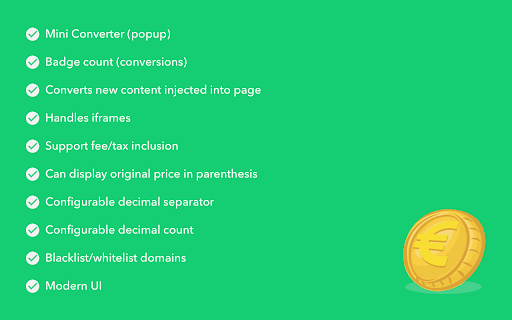
This extension will automatically (or not) convert prices (from major currencies) on any page to the selected currency. Features: - Whitelist or blacklist domains - Select among dozen of currencies to convert to - Detects prices in various formats - Supports 160+ currencies - Easily toggle between converted and original prices - Optionally set fee or tax % to be added extra to conversion - Quick converter (in popup) - Rates page - Handles ambiguous currencies - Many options - "100% CLEAN" AWARD from Softpedia: http://bit.ly/6cXrpR

Exchange Rate
Let Exchange Rate instantly convert amounts to your local currency! A live exchange rate extension to see conversions as you hover. Upgrade Your Browsing with Exchange Rate – the essential Chrome extension for real-time conversion. Convert any foreign price instantly by hovering over the amount. Perfect for travelers, online buyers, and anyone managing international transactions, global finance, or just web-shopping. Experience seamless conversions right within your browser, saving you time on every calculation. 🌍 Instant currency calculator conversion for Ultimate Convenience 🌍 Hover to Convert: Instantly see prices in your local money by hovering. 🌍 Live Update: Stay updated with real-time exchange rate today. 🌍 No Switching Tabs: Direct conversions on the page for uninterrupted browsing. Main Features of the Extension: 🌐 Seamless Popup Display: The sleek popup window appears naturally as you hover, our money converter calculator providing conversions that blend right into your browsing experience. 🌐 Real-Time Updates: Perfect for professionals, our live exchange hover extension keeps conversions updated, letting business users track expenses and international rates effortlessly. 🌐 Accurate Data: Our extension pulls information from a trusted currency exchange rates table, ensuring you know the actual costs in foreign money. 🌐 Effortless Price Matching: Instantly view foreign prices in your local value, no need to switch tabs or search for another converter. Who Will Find This Tool Useful? 👤 Online Shoppers: Perfect for euro to dollar conversion, or comparing prices across currencies. 👤 Travelers: Use the international currency conversion rates feature to manage money prices while web-surfing in foreign country. 👤 Business Professionals: Access up-to-date pricing information for global transactions, keeping track of current values across markets. 👤 Anyone Needing Fast Conversions: Whether it’s currency exchange rate usd to krw or currency rate jpy to usd, all conversions are at your fingertips. Top Advantages of This Extension: 💸 Money Exchange Rate: Access multiple currencies, from USD and EUR to KRW and JPY. 💸 Conversion Rate Calculator: Calculate prices with reliable accuracy. 💸 Value Converter: Compare money exchange rates today and see the true cost of items in your home currency. 💸 Effortless Management: Built-in currency exchange rate calculator makes currency management easy. 🔗 Key Features and Customization Options The extension streamlines online currency exchange needs with essential tools: ➤ Automatic Detection: Hover over prices to see the current conversion rate. ➤ Customizable Display: Choose your local value for a personalized browsing experience. ➤ Seamless Integration: Works within any Chrome webpage to create a smooth working or shopping experience. 💹 Advanced Tool for Global Conversions 🧩 Quick Calculation Tool: Access immediate conversion forex across multiple international units. 🧩 Real-Time Price Updates: Always dependable, with refreshes to maintain current rates as you browse. 🧩The useful converter: Essential for accurate price comparisons, offering flexibility for international shopping and budgeting. 🧩 Ideal for Frequent Shoppers: Perfect for comparing prices worldwide, ensuring accurate currency conversion foreign amounts before purchase. Why Choose our Foreign Exchange Rates Currency Converter? ✔️ Ease of Use: Simple hover-to-convert design—no clicks or searches needed. ✔️ Fast & Secure: Built with privacy in mind, perfect for business or personal use. ✔️ Flexibility: Ideal for quick money comparisons and conversion fx on the webpages. ✔️ All-in-One Solution: Our chrome google currency converter extension perfectly integrates seamless conversions into your browsing experience. Getting Started: 1️⃣ Download the ER extension from the Chrome Web Store. 2️⃣ Choose your preferred local value in the side menu. 3️⃣ Hover over any price to view instant money exchange price results. More Reasons to Have This Tool This extension offers unmatched convenience for real-time amounts comparisons: ⭐ Hover-Based Conversions: Convert any price by hovering over it—no need to leave the page. ⭐ Global Money Support: Access major foreign exchange rate updates including USD, EUR, JPY, and more. ⭐ Real-Time Updates: With the extension, you’re always seeing the current exchange rate. ⭐ Customizable Preferences: Pick your local value from the side menu for a tailored exchange rate currency converter calculator experience. 💼 Unlock Maximum Value For anyone handling international purchases, comparing costs across countries, or managing multiple currencies, this money exchange rate converter offers a convenient solution. Easily check prices while shopping online, convert forex totals for accurate budgeting, convert money just for fun or keep track of fluctuating rates on foreign items—all without leaving the page. With its intuitive design, our foreign currency converter is perfect for everyday users as well as business travelers and professionals working with global clients, ensuring you have precise, up-to-date price insights at your fingertips. 🌟 Make Your Browser Work for You No need to search for where to convert currency. Whether you convert BRL to USD, check foreign price comparisons, or simply need an efficient tool to save time, our extension is here to support your browsing. Install Exchange Rate now for instant currency calculation in your local money currency, directly in your browser—perfect for all global conversion needs.

Direct Currency Converter
DCC finds and converts prices on any web page with currency quotes from external sources (ECB or Currencylayer). If you hover the mouse over a converted price, the conversion quote and original value is shown as a tooltip in the upper left corner of the window. The tooltip can be switched off in the settings. DCC does not collect any information about you. The communication is directly between you, the page you are viewing, and the currency data providers. There are no ads or spyware. The currencies to be converted are shown in a list in priority order. The currencies can be reordered using drag and drop. For instance, if AUD is before USD and both are selected, "$100" will be converted from AUD. Select All will select all currencies. Select None will turn off all selections. Convert to is the currency all other currencies will be converted to. Any combination will work. You can select how conversions are done and shown. You can also force conversion of all numbers from one currency. It's convenient when you use a page without currency units. ECB is the default currency source, but rather limited. You can use Currencylayer for free (or paid) if you sign up with them and get an API key. DCC reloads quotes on demand only, so the query limitation of Currencylayer may not be a problem. You can exclude any URL from being converted. Regular Expressions are valid. Reset quotes will reload the currency quotes. DCC was originally created in 2014 as a remake of the Firefox add-on Simple Currency Converter (which was very different from the extension of the same name currently in addons.mozilla.org). Later it was ported to work in SeaMonkey, Chrome, Opera, Safari and Edge browsers. Since Mozilla abandoned its own API to use the Chrome API instead, the Chrome version became the master branch. Since Microsoft decided to change Edge into a Chromium based application, DCC for Edge has been discontinued. Originally the currency quotes were fetched from Yahoo!. They closed their API, that was never meant to be used by outsiders, so DCC switched to the limited ECB quotes, and Currencylayer to cover most currencies. ### 3.4.0, 2025-07-12 The Settings page now opens in its own tab. New internal test page (instead of the old external page). New context menu to open test page and curreny list page. Updated currencies list: SLE, VED, XCG, ZWG added. Improved handling of spaces and other features in found prices. In particular, improved handling of USD prices. Internal changes: Added webpack build configuration. Added check so content scripts will be sent when needed only. Improved messaging between background and content scripts. Updated external dependencies Using ESM modules where possible Fixed failing unit tests Removed old geolocation services. Now conversion of prices is only done on a newly opened tab when you press the $€ icon. It also means that there is no general On/Off state any more. Every tab has its own state. Removed the menu from the icon. Fix for identifiers that have already been declared. Added setting for HTML elements that should be ignored. Even if an element is ignored, its children will still be checked. Also converts head elements, such as page title. The options/settings screen now has all sections minimised when opened. Internal changes: Using HTML drag and drop instead of jQuery. Removed external libraries jQuery, jQuery UI, jQuery UI Touch-Punch. Updated the external library DOM Purify. Internal rewrite to improve the functionality. No changes in the settings storage. Bug: wrong currency was shown in the popup. Bug: prices in the same element were converted repeatedly. Bug: drag and drop on touchscreen did not work. ISO 4217 amendments 166 to 169 included. Notably the latest Venezolan currency, VES, is added. Updated the external libraries jQuery, jQuery UI, jQuery UI Touch-Punch, DOM Purify. Download and install Node.js v22 (or any compatible version) with npm from https://nodejs.org Run build-mozilla.sh (or execute the commands therein)

Currency Converter
The minimalistic currency converter The minimalistic on fly currency converter. The rate of Privatbank.

Click Currency
Highlight. Right-Click. Convert. Instant currency conversions right from the page you’re on. Click Currency lets you highlight any amount, right-click, and instantly view the converted value, right there in your browser menu. No switching tabs. No copy-pasting. Just fast, on-page currency conversion in one click. Perfect for online shopping, comparing software pricing, booking travel, or anytime you want to know what something costs in your currency, without the hassle. Why Click Currency? ✔️ Lightning-fast conversions ✔️ Stays on-page—no new tabs or tools ✔️ Saves time with every use Free Plan Features: • 3 customizable currency pairs • Set your default home currency • Toggle between pairs with ease • Simple setup and no ads Go Premium for More Power: • Unlimited currency pairs • Access to all international currencies
