
amompibekeoilojklkcchfklkjoclhig
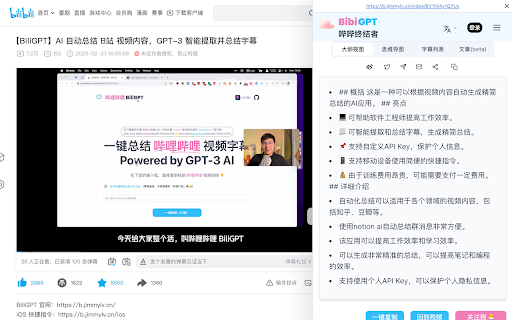
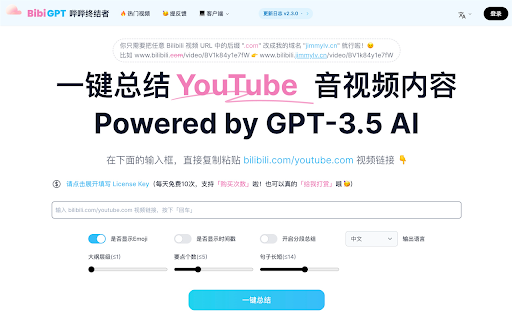
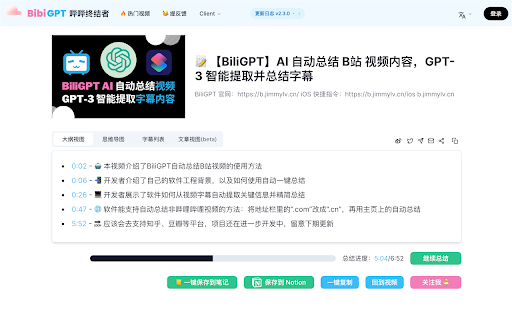
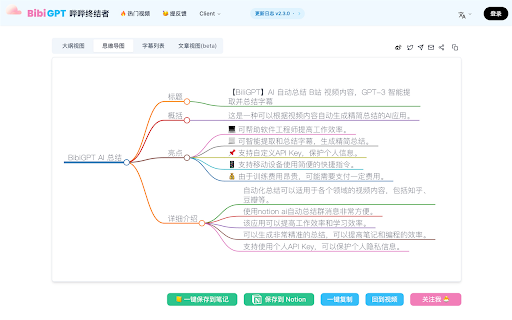
Save videos to watch later with AI summaries Summarize and transcribe any video with AI. Get an instant summary, full transcript, and mind map — right beside the video, without leaving the page. Made for people who save more videos than they can watch: summarize first, then decide what's worth your time. What you can do • One-click AI video summary with key points and timestamps • Full transcript / video-to-text, with translation and SRT export • Ask the video follow-up questions in an in-page sidebar • Auto mind map, or turn a video into a shareable article • Save to a watch-later list, synced across devices Works wherever you watch YouTube and podcasts — plus Bilibili, TikTok, Douyin, and Xiaohongshu, and even local or cloud files. Understand foreign-language videos in your own language. Perfect for lectures, meetings, research, and clearing your watch-later backlog. BibiGPT · your AI companion for video, not just one-click summaries. https://bibigpt.co

Eightify: AI YouTube Summarizer
Summarize YouTube videos with AI. Save time on long videos — get instant, high-quality summaries and key insights. Top Features: ✅ Instant Video Summary: Get a concise YouTube video overview in just 5 seconds. ✅ Key Insights Extraction: Understand main points without watching the entire video. ✅ Timestamped Navigation: Skip unnecessary content and jump to important parts. ✅ Multilingual Support: Summarization and translations in 40+ languages. ✅ Top Comments Overview: See what others think at a glance. ✅ Improved Transcript Generator: Access transcriptions that outperform YouTube subtitles. ✅ One account, unlimited devices: Use on Chrome, iOS, and Android. Eightify is your ultimate YouTube summary tool, powered by Claude and ChatGPT. This Chrome Extension creates concise video summaries and extracts key insights from any YouTube video. Save hours and grasp main ideas instantly while researching, learning, or enjoying your free time. Perfect for: • Podcasts and interviews • AI, Science and Tech videos • Business, Investing, and Trading • News, Politics, and Trends • Health, Wellness, and Personal Growth How to Use: 1. Install Eightify Chrome Extension. 2. Go to any YouTube video. 3. Click the Eightify button. 4. Get your summary and insights instantly. FAQs: Q: Can I try Eightify Summarizer for free? A: Yes! We offer a 7-day free trial of our Chrome Extension. Experience unlimited YouTube video summaries, key insights extraction, and transcript generation powered by ChatGPT and Claude. No charge until trial ends. Q: How do I cancel my subscription? A: Visit our app or website, log in to your account, and navigate to the subscription section. You can cancel anytime, even during the trial period. Q: Can I customize key insights? A: Yes! Customize focus (insightful, actionable, controversial, funny), format (list or Q&A), length, and grouping. Enable/disable emojis, and titles for insight clusters. For more information, visit our website: https://eightify.app/youtube-summary-chatgpt Summarize news, tutorials and podcasts right in the YouTube tab! Install Eightify now and save time on long videos.

Sumrify : AI YouTube Video Summarizer
Summarize YouTube videos with AI. Save time on long videos — instantly get high-quality summaries ✴️ Sumrify – Summarize YouTube videos with AI Transform the way you watch and learn on YouTube. Sumrify is an AI-powered Chrome extension that generates quick, accurate video summaries, highlights key points, and lets you explore ideas more efficiently — all within seconds. 🚀 Key Features ✅ AI Video Summaries – Get a concise overview of any YouTube video in seconds. ✅ Key Point Extraction – Identify the main ideas without watching the full video. ✅ Timestamp Navigation – Jump directly to the most relevant parts. ✅ Multilingual Support – Read summaries in more than 10 languages. ✅ Comments Overview – View top community insights instantly. ✅ Accurate Transcripts – Enjoy clean, readable text generated by advanced AI. 💡 Why Use Sumrify Designed for students, professionals, and lifelong learners who want to save time and understand content faster. Ideal for research, productivity, and continuous learning. 🧠 Perfect For • Students, researchers, and educators saving time on lectures & tutorials. • Professionals and entrepreneurs summarizing long business, tech, or finance videos. • Podcast and interview fans looking for key takeaways. • Lifelong learners exploring AI, science, or personal growth content. ⚙️ How to Use 1️⃣ Install the Sumrify Chrome Extension. 2️⃣ Open any YouTube video. 3️⃣ Click “Summarize” to get your AI-generated summary. That’s it — no more endless watching, no more wasted time. 📋 FAQ Q: Can I try Sumrify for free? Yes! Enjoy a 7-day free trial with unlimited summaries, transcript generation, and key point extraction — all powered by AI. Q: Can I cancel anytime? Absolutely. Manage your subscription easily from your account settings — no hidden fees, no commitment. Q: Can I customize the output? Yes! Choose the tone (insightful, actionable, fun), format (list or Q&A), and summary length to fit your style. 🌍 Learn smarter, faster, and better. Join thousands of users transforming their YouTube experience with AI-powered video summarization : ⏩ Save time. 🧠 Learn deeper. ⚡ Focus on what truly matters. Free Trial Available – Access full features for 7 days before choosing a plan. Manage your subscription easily in your account settings. Learn smarter and stay focused on what matters most — with Sumrify.

Watch Later List - YouTube Summarizer & Save Videos To Playlists
Save, organise, and instantly summarise YouTube videos with AI. Watch Later List is a YT video summarizer that creates instant AI summaries, transcripts, and playlists for any YouTube video. Save YT videos to your private list, organize them into playlists, and get AI-powered summaries—all with one click. WatchLaterList makes it easy to save and manage YT videos. Add a save button directly on YT videos, organize them into playlists, and generate AI summaries. ✨ Key Features 🎯 One-Click Saving Save button appears on every YT video thumbnail and watch page Quick access without leaving YT Works on home, search, and watch pages 📚 Smart Organization Create custom playlists Categorize videos Set a default playlist for quick saves Manage your collection from the dashboard 🤖 AI-Powered Summaries Generate summaries for any saved video Copy summaries to clipboard Download summaries as text files Save time by reviewing summaries before watching 📝 Personal Notes Add notes to any saved video Edit notes anytime Keep context and reminders 🔒 Private & Secure Your videos are stored privately Secure authentication with Google or email Your data stays yours 🚀 How It Works Install the extension and sign in Browse YT —save buttons appear automatically Click the save button on any video Organize videos into playlists from the dashboard Summarize videos with AI when needed 💡 Perfect For Students saving educational content Professionals building knowledge libraries Content creators organizing inspiration Anyone who wants a better way to save YT videos 🎨 Features Seamless Integration: Save buttons appear naturally on YT Beautiful Dashboard: Manage videos with a clean interface Search & Filter: Find videos quickly Category Tags: Organize by topic or playlist Export Summaries: Copy or download summaries Start building your YT video library today. Install WatchLaterList and never lose track of videos you want to watch later.

YouTube Summary & Transcript AI | Summarize Long Videos with AI
Summarize Long YouTube videos with AI, generate Transcripts, Summaries & Chat with Transcripts Generate YouTube video summary, Transcript and main points powered by ChatGPT, AI Assistant in one click. Summaries any Podcast or Long Video No need to watch the whole video, one click to get a summary, transcript, and main points we are using AI to generate the summary, Transcript & main points In just opening the extension you will get: - A YouTube video summary in a single paragraph. - Digest the main points with bullet-point summaries. - Download the YouTube video transcript - Copy the YouTube video summary to the clipboard to re-use it - added the option that embeds the extension into YouTube, so no need to click on the extension to open it - Chat with Video & Ask any questions. - Bookmark the notes, or add notes to the video. FAQ: What is the extension about : It Generate Transcript, Main points using AI ChatGPT, is a Chrome extension that generates a summary, main points, and a transcription for a YouTube video, any video can work Do I need a ChatGPT or Open AI account to run this extension? Yes, Bring your own Key, either open AI, Gemini or Claude Does it only work for YouTube? That is correct, but we can extend that. If you have any requests, please add it in the support tab. How can I request adding a new language? Please request the new language from the support tab and we will try to prioritize it. We have one time payment, pay once and use forever, using your own API keys, think Like you bought a car but you need to fuel (your Own API, you take control of what you are using) instead of subscriptions Please if you have any questions feel free, to contact us support@summarizemyvideo.com
