
amfnhdjloapemifjogmojliicplomedl
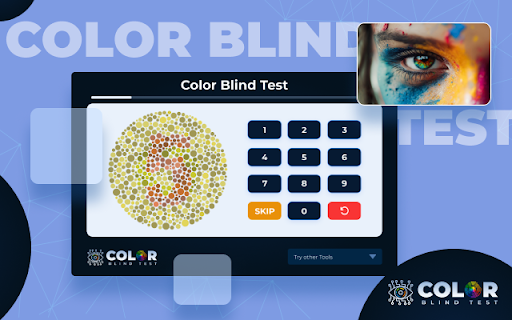


Our free online color blindness test can help you identify if you have color vision deficiency. Learn about types, treatment and more. Once you install the addon, you can easily access it from the browser's toolbar and complete the tests in just a few minutes. The results are displayed immediately, giving you information about the condition and identifying the type of color blindness, if present. The best part about using a color blind test Chrome addon is that it provides a private and comfortable environment for testing. You don't have to worry about any judgment or pressure while taking the test. It can also help you understand how color blindness might impact your daily life and make necessary adjustments, especially if you work in fields where color is crucial, such as graphic design or web development. Another great thing about these addons is that they offer educational resources and information on the science behind color vision. You can also find practical tips for accommodating color blindness in your everyday life. Overall, if you're curious about your color vision and want to check if you have color blindness, installing a color blind test Chrome addon can be a helpful tool. It's easy, accessible, and can provide valuable insights into how color affects your life. So, give it a try and see what you discover!

Color Blind Test - Fast & Accurate by BlindnessTest
Quick and accurate color blindness test using Ishihara plates. Identifies deficiencies, works offline, and collects no data. Did you know that 1 in 12 men (8%) and 1 in 200 women (0.5%) have color blindness? Many people go through life without realizing it. Color blindness, also known as color vision deficiency, makes it difficult to distinguish certain colors, which can impact daily life, work, and safety. Whether you struggle with differentiating red and green or confusing blue and yellow, understanding your vision is essential. The Color Blind Test extension provides a quick and accurate way to check your color vision using scientifically validated Ishihara plates, the gold standard for detecting color blindness. With a few clicks, you can determine if you have normal vision, mild color blindness, or a more significant color vision deficiency. This easy-to-use tool is designed for anyone looking for a fast screening test—all within the convenience of their browser. The Color Blind Test extension uses Ishihara plates, a widely accepted method for detecting color vision deficiencies. The test presents a series of color plates, each containing a number or pattern hidden among colored dots. Users are asked to identify the number or shape they see on the screen. Based on their responses, the extension evaluates color perception and classifies vision into different categories. Results are processed instantly without requiring an internet connection. The extension determines whether the user has normal vision, mild color blindness, or a more significant deficiency. The test is optimized for accuracy and convenience, allowing users to assess their vision in just a minute. The test categorizes users into four groups based on their accuracy in identifying numbers on Ishihara plates. 🔴 Strong Color Blind (0-35% accuracy): Users in this category struggle with many colors and may find it difficult to distinguish key color differences. This suggests a severe color vision deficiency, such as Protanopia, Deuteranopia, or strong Tritanopia. 🟥 Red-Green Color Blind (36-45% accuracy): Users in this range have difficulty differentiating red and green shades, the most common form of color blindness. This result suggests Protanopia or Deuteranopia. 🟡 Minor Color Blind (46-75% accuracy): Users in this category experience mild difficulties with some colors, but these challenges do not significantly impact daily life. This result suggests Mild Protanomaly, Deuteranomaly, or Tritanomaly. 🟢 Normal Color Vision (76-100% accuracy): Users with this score can distinguish all colors normally and do not show signs of color blindness. Your score is calculated based on correct answers, incorrect answers, and unsure responses. The final result helps you understand your level of color vision accuracy. 🚀 Key Features – Why Use This Extension? The extension provides an accurate and reliable screening method based on the Ishihara Color Blind Test, a widely used clinical standard. It screens for red-green and blue-yellow color blindness using scientifically validated images. Unlike online tests, this extension works completely offline, so you can take the test anytime, anywhere without needing an internet connection. The simple and intuitive interface makes it easy to use, whether for personal curiosity or as a preliminary screening. This tool is designed for accessibility, making it useful for colorblind individuals, artists, designers, professionals, students, and teachers who rely on accurate color perception. No special equipment is needed. Unlike professional vision tests that require clinical tools, this extension allows users to test their vision directly in their browser with scientifically designed Ishihara plates. This test is helpful for anyone curious about their vision. If you have ever wondered whether you might be colorblind, this quick screening test provides an initial answer. Artists and designers benefit from color vision tests, as working with colors requires accurate perception. Ensuring you can differentiate between subtle color variations is essential for professional work in visual fields. Drivers and pilots need excellent color vision, as traffic signals, dashboard indicators, and navigation instruments often rely on color coding. This test serves as a useful pre-screening tool before official medical vision tests. Parents and teachers can use this tool to identify color vision deficiencies in children early on, ensuring they do not struggle with color-coded learning materials. Medical and science professionals often rely on accurate color perception for analyzing samples, reading test results, and diagnosing conditions. Employers and HR professionals who require color vision screening can also use this extension for quick pre-screening. 🔗 Visit Our Website for a More Accurate Test While this Chrome Extension provides a quick screening test, a more advanced and detailed color vision analysis is available on our website. Visit Blindnesstest.com for access to additional vision tests, expert analysis, and more ways to understand your color perception. If you want the most detailed and accurate results, take the next step and explore more tests on our site. 💡 How accurate is this test? ✅ This extension is based on the Ishihara method, one of the most accurate ways to screen for red-green color blindness. It provides a strong indication of potential vision issues, but it is not a medical diagnosis. For an official evaluation, consult an optometrist or ophthalmologist. 💡 Can this test replace a professional diagnosis? ✅ No, this is a screening tool only. If the test indicates color blindness or if you have concerns, visit a professional for a full examination. 💡 Does this extension test for all types of color blindness? ✅ This test primarily detects red-green color blindness (Protanopia and Deuteranopia), which is the most common type. It can also indicate signs of blue-yellow color blindness (Tritanopia), but for a full diagnosis, a professional eye test is recommended. 💡 Can I use this test on different screens or monitors? ✅ Yes, but keep in mind that monitor settings, brightness, and color accuracy may affect results. For the best experience, use a well-calibrated screen with normal brightness and color settings. 💡 Why do I see different results on different attempts? ✅ Variations in lighting, display settings, and how well you focus on the plates can affect results. If your scores vary significantly, try taking the test under consistent lighting conditions for more reliable results. 💡 Is this extension suitable for young children? ✅ Yes, but younger children may struggle to recognize and input numbers accurately. If testing a child, parental guidance is recommended to ensure they understand the task. 💡 Does this extension store or save my test results? ✅ No, the extension does not store or save any test data. Your results are displayed immediately after the test and are not recorded. 💡 Can color blindness develop over time? ✅ Yes, while most color blindness is genetic, certain medical conditions, medications, or eye injuries can lead to acquired color vision deficiencies. If you notice changes in your color perception, consult an eye specialist. 💡 Will this test work on mobile devices? ✅ This extension is designed for desktop use in the Chrome browser. If you’re looking for a mobile test, visit our website Blindnesstest.com for mobile-friendly testing options.

Color Blind Assistant
Adjust website color schemes for people with color blindness Color Blind Assistant helps people with color vision deficiency see web content more clearly by applying real-time color correction filters. ✨ KEY FEATURES: • Multiple filter types for different color blindness conditions • Adjustable filter intensity (0-100%) • Contrast enhancement control • Real-time color correction • Per-tab activation • Easy on/off toggle • Simple and intuitive interface 🚀 HOW TO USE: 1. Click the extension icon 2. Toggle "Enable Filter" to ON 3. Select your type of color blindness 4. Adjust intensity slider (default: 100%) 5. Adjust contrast slider if needed (default: 100%) 6. Click "Apply Filter" button 7. The current tab's colors will be adjusted ⚙️ CUSTOMIZATION: Fine-tune the filter intensity and contrast to find what works best for you. Settings are saved automatically and applied per tab. 🔒 PRIVACY: All processing happens locally in your browser. No data is collected or sent to external servers. Your browsing history and personal information remain completely private. 💡 ABOUT: Approximately 8% of men and 0.5% of women have some form of color blindness. This extension makes the web more accessible by adjusting colors in real-time, helping color blind users distinguish between colors that would otherwise look similar. Perfect for: ✓ People with color vision deficiency ✓ Web designers testing accessibility ✓ Anyone who wants to see how websites look with different color filters Simple, effective, and privacy-focused.

Colorblind Help
The ColorBlind Help Chrome Extension is an assistant for ColorBlind people. Against Daltonism, this chrome extension is designed by colorblind developers to help all colorblind people to distinguish colors. It's very simple to use, just point an object and click to get the NAME of the color, not the color code but the color name. ColorBlind Help allows users to capture the color of a pixel, takes the color code and, using an algorithm. selects the most similar color by comparing it with those in the database and after it shows the color name result indicating the percentage of similarity. ColorBlind Help is available also as APP for smartphone Android.

Vision Aid: Accessibility for Color Blindness & Low Vision
Professional accessibility extension for users with color blindness, daltonism, or low vision. Vision Aid is a comprehensive accessibility extension that makes the web more accessible for users with color vision deficiencies (color blindness, daltonism) and low vision conditions. Unlike basic color filters, Vision Aid uses clinically-researched color correction matrices and intelligent enhancement algorithms to provide accurate, comfortable color adjustments that work seamlessly across any website. 🎨 Precise Color Correction for Color Blindness Vision Aid supports scientifically-validated correction profiles for all major types of color blindness: - Protanopia (red-blind): Corrects red-green color confusion with optimized red compensation - Deuteranopia (green-blind): Enhances green perception for clearer color distinction - Tritanopia (blue-blind): Adjusts blue-yellow color ranges for better differentiation Each profile uses clinically-researched color transformation matrices that have been proven effective in accessibility studies. Colors are adjusted intelligently to maximize contrast and clarity while maintaining natural appearance. Beyond color correction, Vision Aid provides essential tools for users with low vision: - High Contrast Mode: Dramatically increases contrast ratios to meet WCAG AAA standards, making text and UI elements easier to read - Adjustable Font Scaling: Enlarge text from 75% to 175% to find your perfect reading size - Line Height Contro*: Reduce eye strain with customizable line spacing (1.0x to 2.0x) - Auxiliary Visual Cues: Automatically adds icons and patterns to color-only indicators (like status badges, warnings, and alerts) so you never miss important information Every website is different, and Vision Aid understands that. Configure unique settings for each site you visit: - Different color profiles for different sites (gaming sites vs. news sites vs. work tools) - Save your preferences automatically—they're remembered when you return - Quickly toggle the extension on/off per site without losing your settings - Create and manage custom presets for different activities (reading, work, entertainment) Vision Aid doesn't just correct colors—it helps you identify accessibility problems: - Automatic Issue Detection: Scan any webpage for common accessibility barriers - Identifies low-contrast text that's hard to read - Detects images missing alt text descriptions - Finds unlabeled form fields and buttons - Highlights color-only indicators that need auxiliary cues Your privacy matters. Vision Aid: - No data collection: We never track, store, or transmit your browsing data - Works entirely offline: All processing happens locally in your browser - No accounts required: Start using immediately, no sign-up needed - Open source: Full transparency—review our code anytime 💾 Backup & Restore Your Settings - Export your configuration to save your perfect setup - Import settings to sync across devices or share with others - Never lose your carefully-tuned preferences Vision Aid is perfect for: - Individuals with protanopia, deuteranopia, or tritanopia (color blindness) - People with color vision deficiency or daltonism - Users with low vision who need contrast and font enhancements - Web developers testing accessibility compliance - Designers previewing how color-blind users see their work - Anyone who struggles to read small text or low-contrast content - Clinically-researched: Uses proven color correction matrices from accessibility research - Non-invasive: Works seamlessly without breaking website layouts - Lightweight: Fast performance with minimal resource usage - Free forever: No premium tiers, no hidden costs - Regular updates: Actively maintained with new features and improvements - Comprehensive: Combines color correction, contrast enhancement, and readability tools in one extension 1. Install Vision Aid 2. Click the extension icon 3. Choose your color profile 4. Adjust settings to your comfort 5. Browse the web with confidence! Install Vision Aid today and experience the internet the way it was meant to be seen—clear, accessible, and comfortable for everyone.
