
amdfepljcddfmbgdnkkkfgkflgakbgjm
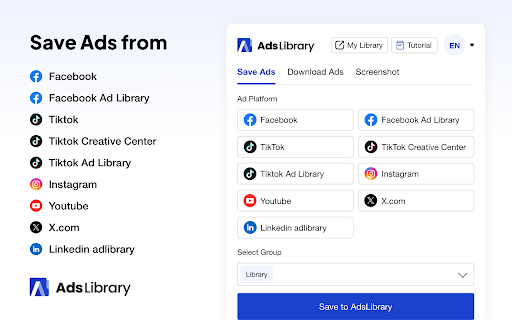
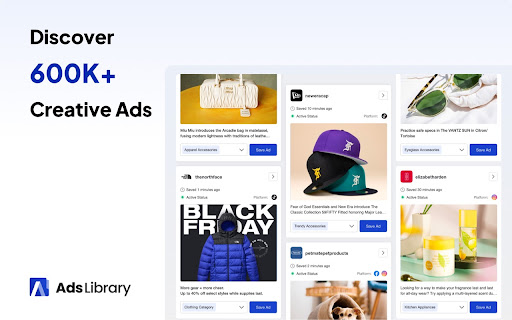
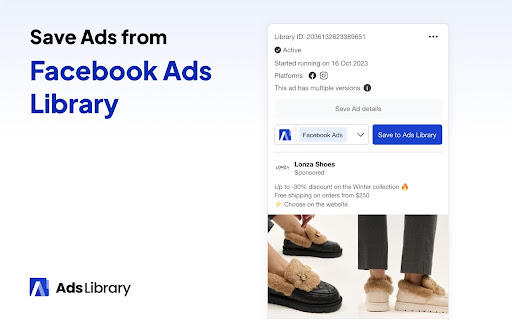
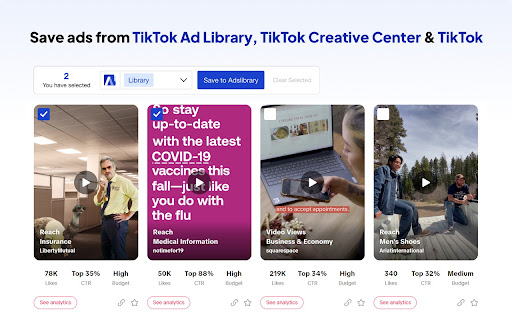
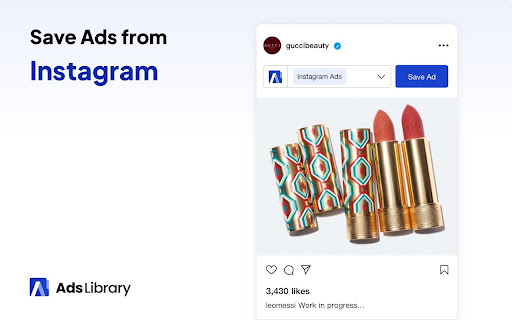
The most powerful tool to save ads from Facebook, TikTok, YouTube, Twitter, Instagram, and more platforms. The AdsLibrary extension is a multi-platform ad-saving tool developed by AdsLibrary.ai. It is easy to use and highly flexible, allowing you to save ads from Facebook, TikTok, Instagram, Twitter, YouTube and more with just one click. Additionally, ad data is retrieved to enhance your efficiency in ad creation. ✨What is AdsLibrary.ai? AdsLibrary.ai is your personal library for ad creativity, offering comprehensive ad management features. Here, you can not only organize and view saved ads but also download ad materials and metadata, as well as share them with your team and clients to optimize your next marketing campaign. ⚙️ Update Log: -V1.1.64 Fixed the issue where Facebook Ad Library ads could not be saved. -V1.1.56 Fix the issue where Facebook ads fail to save Fix the missing "Start Tracking" button 💡 Main Features: ✅ One-click ad saving, never expires ✅ Unlimited downloading of ads and metadata ✅ Organize saved ads into groups ✅ Comprehensive and powerful ad search and filtering functions ✅ Access to a library of over 1 million ads ✅ Daily updates with over 80K new ads ✅ Share ads with team members and clients ✅ Add tags and comments to ads ✅ Easily copy ad embed codes ✅ More efficient ad tools... ❓ How It Works: 1. Add the extension: Install the extension in Chrome and pin it to the toolbar for quick access. 2. Browse ads: Visit the ad platform, search for, and find the ads you want to save. 3. Save with one click: A save button has been added in a prominent position on each ad—just click to save. 4. View saved ads: Open AdsLibrary in the toolbar and click on "My Library" to view and manage your saved ads. ❗Note: We are an independent third-party company and have no affiliation with Meta Platforms, Inc., Facebook, or their subsidiaries. You may see promotional offers or discount coupons within the extension interface. These offers are optional and are provided to help users access premium features at discounted rates. No automatic charges will occur without user consent.

Ad Blocker: Stands AdBlocker
Stands AdBlocker – it's a free ad blocker for YouTube, Twitch, Pop-Ups, Video Ads, and websites. Block ads everywhere with Stands! Stands is the best free adblocker for Chrome that eliminates ads on YouTube, Twitch, pop-ups, video ads, and banners. Download the top-rated adblock Chrome extension and enjoy faster, interruption-free browsing today! 🚀 Why Choose Stands adblocker for Chrome? ✅ Block ads – pop-ups, video ads, banners, and auto-playing videos disappear from every site you visit. ✅ Watch YouTube and Twitch without interruption – no pre-roll, mid-roll, or live stream ads ever again. Skip ads automatically with our built-in ad skipper. ✅ Faster page loading – blocking ads reduces data usage and makes sites load up to 50% faster. ✅ Protection from malicious ads – Stands blocks dangerous ads carrying viruses, malware, and phishing attempts that could harm your device. ✅ Auto-hide cookie banners – say goodbye to annoying pop-ups asking you to accept cookies on every site. ✅ Customize your blocking preferences – you decide which sites can show ads to support your favorites, and which can't. 🎯 What does Stands AdBlocker block? 🎥 YouTube ads – removes all video ads instantly 🎮 Twitch ads – watch streams without interruptions 🍪 Cookie banners – automatic blocking of cookie notification pop-ups 📱 Social media ads – block ads on Facebook, Instagram, Twitter, and LinkedIn 🌍 Pop-ups – a true website blocker for pop-ups across every site 📥 How to remove ads? Install in 3 steps: 1. Download Stands from the Chrome Web Store 2. Install with one click 3. Done! Your Google Chrome ad blocker activates automatically – block ads for free from the very first second Also available for Microsoft Edge, and Opera. ⭐ Why is Stands the best adblocker for Chrome? Stands starts blocking the moment it's installed, letting you browse free from annoying interruptions. As a trusted adblock Chrome extension, it stands out for stability, effectiveness, and fast performance: 🔹 Lightweight – won't slow down your browser 🔹 Regular updates – always up-to-date protection against new ad formats 🔹 All-in-one protection – one extension instead of multiple add-ons 🔹 No hidden costs – completely free, forever Stands delivers superior performance compared to alternatives like Adblock Plus, AdGuard, and uBlock Origin. ❓ Frequently Asked Questions What is the best adblocker for Chrome? Stands AdBlocker is the superior choice when considering top add blockers like Adblock Plus, AdGuard, AdBlocker Ultimate, uBlock Origin, and the Pie Adblock extension. Stands effectively blocks ads and speeds up page loading times. How to enable ad blocking? To enable Stands, simply install it from your browser’s extension store. Once installed, access the settings through your browser’s menu to customize your preferences. Can I choose which ads to block? Absolutely! You can customize your settings and add exceptions for specific sites you want to support. 🔐 Your Privacy What personal information do we collect on our users, and how do we collect it? We will collect information about the websites visited by our users, search engine results pages, click stream data, and information about the content that you viewed in order to ensure the ad-blocking, and anti-malware protection are all working properly. We also provide Browsing Data to third parties for their own use, such as for market analytics purposes. All Browsing Data is filtered to remove any personal data before it is processed and provided to third parties. For detailed policies on privacy and user terms, please refer to the Privacy Policy and End User License Agreement available on the website. PRIVACY POLICY: https://www.standsapp.org/privacy-policy/ END USER LICENSE AGREEMENT: https://www.standsapp.org/end-user-license-agreement/ These documents ensure transparency and trust by choosing Stands, demonstrating our commitment to efficiency and protecting your online privacy. 📧 Support For additional support or feedback, users are encouraged to visit the Support Center or contact via email at support@standsapp.org. Get started with Stands and join millions of users worldwide!

Ad Library - Save Facebook TikTok - Foreplay
Save ads from TikTok and Facebook Ad Library with one click. Foreplay.co is the #1 way to Save ads from TikTok Creative Center, Facebook AdLibrary, LinkedIn Ad Library and more. Organize them into boards and then share them with you team or agency. We built Foreplay for Google Chrome to help you save ads and video content with one click. Key Features • Save ads from Facebook AdLibrary • Save ads from TikTok • Save Videos, Images, & Reels from Instagram • Save ads from LinkedIn Ad Library • Save Content from YouTube Shorts • Organize ad inspiration into boards • No Expired Links: Saved ads get stored in the cloud and you have access forever. • All Ad Types Supported including DCO / Carousel • Save Ad Copy, Landing Page Screenshot and More! • Tag your Ads • Filter By Niche • Filter By Format • Share Links: Create a link to share a board with anyone • Download ads that you save as .mp4 • Embed into Notion: Easily embed a board into any Notion page. Additional Features: • Discovery Library with +5M curated ads • AI Ad Brief Builder • Spyder - 24/7 Competitor Tracker

Ads Library Downloader & Ad Finder & Adspy Tool - Save Facebook,TikTok Ads
Ads Library Downloader, Ad Finder & AdSpy – Discover, Save & Analyze Facebook and TikTok Ads | Admaker.ai 🎯 Discover Ads – One-Click Ad Finder & Ad Saver & Adspy Tool Easily save, organize, and analyze ads from top social media platforms. Discover Ads is the ultimate Chrome extension to instantly capture ads from TikTok Creative Center, Facebook Ad Library, LinkedIn Ad Library, and more. Transform ad inspiration into actionable insights with smart organization and team collaboration features. ✨ Why Discover Ads? ● 🚀 One-Click Saving – Instantly save and download ads ● 📱 Multi-Platform Support – Works across all major ad networks ● 🔒 Cloud Storage – Never lose your saved ads ● 👥 Team Collaboration – Share boards with colleagues or agencies ● 🏷️ Smart Organization – Tag, filter, and categorize ads easily 🎨 Core Features 📊 Ad Collection & Ad Finder ● Facebook Ad Library – Access the world’s largest ad database ● TikTok Creative Center – Capture trending TikTok ad formats ● LinkedIn Ad Library – Save professional B2B ads ● Instagram & YouTube Shorts – Save videos, images, and Reels 🗂️ Organization & Ad Management ● Custom boards & smart tagging for ads library content ● Filter by market, format, audience, or ad performance ● Advanced search functionality for fast ad discovery ● AI-powered ad categorization and organization ● Organize ads library downloads by campaign type or industry 📋 Content Capture & Ad Saver Features ● Save full ad copy, landing pages, and creative assets with one click ● Support for carousel, DCO, and dynamic ads library formats ● Export videos in MP4 & auto-capture landing page screenshots ● Complete ad saver for preserving ads library historical data ● Download entire ads library campaigns for offline analysis ● Bulk ad downloader for managing multiple ads library exports 🚀 Advanced Ad Spy & Intelligence Tools ● AI Ad Brief Generator – Automatically create ad briefs from ads library ● Smart Ad Spy Recommendations – Get actionable ad insights ● Competitive Ad Spy Intelligence – Real-time competitor ad tracking via ads library ● Market Trend Analysis – Identify winning ad formats and seasonal campaigns ● Ad Performance Analytics – Benchmark against ads library industry standards ● Adspy Competitor Monitoring – Track competitor ads across all ad networks 🔗 Integration & Sharing ● Embed ads library boards into Notion ● Share public or private ad collections ● Download boards in multiple formats ● Export ads library data for further analysis 📚 Discovery Library ● Access 5M+ ads from global top brands ● Browse by trending formats, seasonal campaigns & award-winning examples ● Use our adspy tool to identify market leaders ● Filter ads library by industry, product type, or campaign objective ● Benchmark your ads against ads library winners

RecentReborn - Find Recent Posts on Instagram, TikTok, and YouTube
Find the most recent Instagram Posts, Reels, TikToks, and YouTube Videos. When Instagram™ removed the recent hashtag tab, they made it nearly impossible to find new creators, small businesses, and real-time updates. RecentReborn is the ultimate solution to browse Instagram™, TikTok™, and YouTube™ searches the way they were meant to be seen: chronologically. ★ Why use RecentReborn? Most search results today are dominated by "elite" accounts with millions of followers. RecentReborn bypasses the algorithm to show you the most recent Posts, Reels, TikToks™, and YouTube™ videos from everyday creators. ★ Key Features: ✓ Search Chronologically: See the latest Instagram™ Posts, Reels, TikToks in the exact order they were uploaded. ✓ Search YouTube™ videos filtered by "last hour" and sorted by up upload date. ✓ Right-click on any term or hashtag and access RecentReborn's search instantly. ✓ Type "rr" followed by your search term in your url bar to start an instant search with RecentReborn. ★ Get started Sign up for free: To use the extension, we'd like to ask you to sign up with your Google or Facebook account to www.recentreborn.com. RecentReborn offers free daily search quotas so everyone can enjoy a better hashtag search experience. ★ Disclaimer RecentReborn is an independent, unofficial tool and is not affiliated with, authorized, or endorsed by Instagram™, TikTok™, or YouTube™. It provides search and discovery features not available on the original platforms. The service is not certified by any third party. All third-party logos and trademarks belong to their respective owners. RecentReborn is provided “AS IS.” For full terms, visit https://www.recentreborn.com/terms-of-service v1.3.0: - Added support for searching recent YouTube videos by "last hour". v1.2.0: - Adds a RecentReborn button to Instagram’s recent hashtag searches so you can open that hashtag directly in RecentReborn with one click. v1.1.0: - When selecting text on Instagram, a button appears to search for this text on RecentReborn. - Added a shortcut Alt+Shift+R (Mac: Option+Shift+R) to open the popup window.
