
almjcicgoiapgkgjioobdkbgbhkhfmje

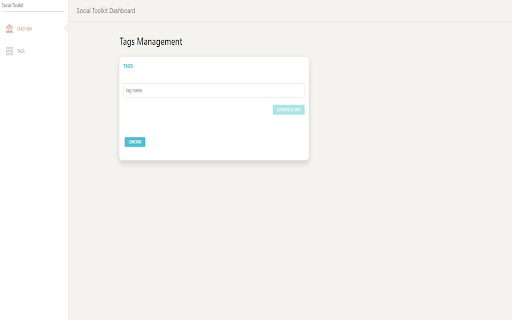
A chrome extension to help generating leads from social media This extension helps people to save leads from Facebook, they can save any lead profile in their CRM to reach them later. The other benefit is that, users can assign them different tags based on strength of lead. It's helpful for any person using social media. It has Login form that allows user to get login and then access their leads CRM. CRM always helpful for generating leads organically so this is the right tool for any marketer.

Friend Maker | Toolkit for Facebook
Friend Maker | Toolkit for Facebook is a suite of Multiple Tools for Facebook. that will help you to automate the process of adding friends on facebook based on condition. If you don't have an account buy from here https://www.offerlevels.com/friend-maker You can add Friends from 1. Facebook Group, 2. Members with things in common 3. all Friends in group Section. 4. collecting profiles data and download as CSV We are working on adding the function to Add Friends from Disclaimer: This software is not associated with facebook or Facebook INC. We will not be responsible on how you use this software. This software only automates the click and we do not collect any data. All Data is stored on your browser and when you delete the extension everything is erased.

Leads Extractor - Social Media
A Growth Hacker Extractor extension to extract Facebook for the sole purpose of generating leads. Leads Extractor is a powerful tool to boost your company or product. The tool finds first name, last name, company name, company position and profile url from Facebook groups, Facebook page likes or followers. You can use the TRIAL version to see how Leads Extractor works. Ready to get unlimited leads? Purchase the unlimited plan and you may cancel anytime. PS: Looking for the Leads Extractor - Google Maps Scraper? Check it out at https://www.leads-extractor.com/google-maps-edition-guide/ HOW THIS EXTENSION WORKS: 1. Visit a proper group or page on Facebook (or type business type in the top search bar). 2. Open the extension and press the START EXTRACTING button that appears in the new window. 3. Wait for it to finish and download the result into a spreadsheet. Convert the data into leads with Anyleads, FindThatLead or Dux-Soup and send them a personal email. Also don't forget to checkout the free guide we wrote (at the right-bottom corner inside the extension) - Currently supports only english, spanish, dutch and german. Set language of your social media platform accordingly to one of the previous mentioned supported language(s). - You will be prompted to login with your gmail account for verification purposes. - You might have less results than shown members due privacy settings of those people. ======= Leads Extractor is a powerful tool to boost your company or product for a fair monthly price and unlimited access without hidden fees forever. Extract data and convert them into leads with Anyleads, FindThatLead or Dux-Soup and send them a personal email. If you are having troubles with either Grouply or even Scrapely then this might be an alternative for you. DISCLAIMER: All data collected by the extractor will not be stored locally on the computer where you install the extractor extension. The extractor will NOT attempt to offload, distribute, broadcast, sell or in any way share collected data. We designed Leads Extractor with the privacy of the user's data in mind.

Delete Facebook™ Posts, Photos, etc.
Now, you can also delete TikTok™ videos. Simply open your TikTok profile page, launch the extension, and select bulk delete to quickly remove all or selected videos from your account. With this extension you can mass delete Facebook(TM) posts, photos, and other activity. You can also delete page posts - fan page delete post/delete post from facebook page. This extension will now delete twitter(TM) tweets. You must set your Twitter language to English and go to your profile page. From there, open the extension and click the button to delete twitter activity! *** You must set your facebook language to English(US) for this extension to work *** *** This extension will not work on classic layout! *** *** This app is not endorsed by, directly affiliated with, maintained, authorized, or sponsored by Facebook(TM) or Twitter(TM). The use of the Facebook(TM) or Twitter(TM) trade name or trademark is for identification, reference or descriptive purposes only and does not imply any association with Facebook(TM) or Twitter(TM) or their product brand.*** Bulk deleting posts on Facebook(TM) or Twitter(TM) has never been easier! With this extension you can mass delete all of your Facebook(TM) history or select a specific year or year and month to delete. Navigate to Activity Log by clicking the down arrow next to the question mark icon in the top right of. Click Activity Log. You can start deleting directly from the Activity Log, or you can click a filter in the left menu to delete specific post types. To delete messages, browse to the Messages page, click the extension icon, the select the Messages toggle button. v8.0.4 - Added option to slip admin posts when deleting from page/group v8.0.3 - Fix for new update to activity log v7.0.3 - Fixed bug deleting messages -- Thank you Ryan for finding this! v6.9 - Fixed issue with extension not capturing the correct date when error occurs. v6.8 - Fixed Facebook Delete from page v6.2.6 - Added Year and Month selections to Activity Log Delete v6.2.5 - Fix delete from page v6.2.4 - Handle facebook message "Nothing to show" - Handle page hanging with no activity to delete v6.2 - Fixed delete from page v6.1.5 - Fixed delete from page bug v6.1 - Extension can now delete from the photos section and photo albums of facebook v6 - Interface is more user friendly - Go to Facebook button now takes you to activity log v5.0.5 - Fixed Delete From Page v5 - now works with twitter v4.15 - Update to work with new activity log layout v4.14 - News and announcements. v4.13 - Fixed endless scrolling. Facebook recently released an update that caused the extension to not recognize certain activity. v4.9 - Fixed bug in Delete From Page v4.6.1 - Bugfix: Delete from page failed to start when most recent post within last hour v4.6 - Delete from page now available v4.5 - Added Stop button to main screen - Restored fast throttle options - now with warning v4.3 - Now works with Brave and other browsers. v4.1 - Added Language check. If your language is not set to English (US) you will see a red alert box at the top of the popup. v3.0.10 - Checks facebook language and displays message if you language is not set to English (US) v3.0.8 - Added throttling - Refresh page on facebook error v3.0 - works with new facebook layout v2.1.7 - Free for the month of January 2020! v2.0.2 - prevent page refresh if unable to delete post or reaction v2.0 - Extension is now language agnostic. If you have issues with the extension not working, please email software@sysar.ch and we will investigate the issue. - Remove tags - Activity Delete processes have be rewritten from the ground up. - Removed logging to speed up the extension - Changed the way additional activity is loaded to speed up extension v1.7.13 - Updated extension to circumvent changes to delete procedure v1.7.9 - added refresh interval. Users reported that the page was refreshing before older posts could be deleted. The refresh interval allows for more time for the extension to scroll to older posts before refreshing v1.7.6 - Update to fix only displaying first 5 posts for a given day v1.7.5 - Mass Delete Photos and Videos now available v1.7.1 - Full version unlocked for the month of September 2018

Mass Friends Remover for Facebook | mobile
Quickly manage your friends list with Mass Friends Remover PRO. 🚀 Features ⭐️ Select or Deselect a friend ⭐️ Select all friends ⭐️ One click and all selected friends start deleting ⭐️ Clean and intuitive design ⭐️ Account switching support If you ask: How to remove inactive friends How to bulk remove all friends from Facebook? How to delete all friends on Facebook? How to remove inactive friends on Facebook? How to mass unfriend people on Facebook? How to Smart Unfriend people on Facebook? 🚀 Then you should choose Mass Friends Remover ❗️❗️❗️ The Chrome extension is in no way associated with Facebook and its partners.
