
alipjbeolhembeklphfcehbkgncdlnom
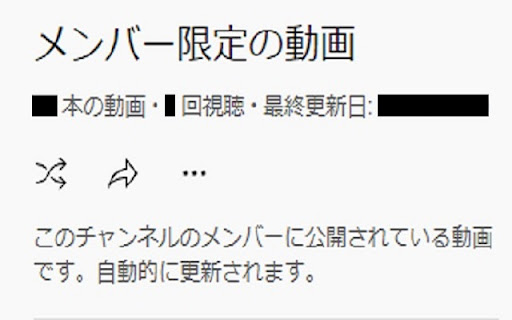
- How to use the extension Click the extension on the Youtube channel page where you want to view the playlist (it is convenient to pin the extension) - Caution Note: You need to subscribe to the appropriate membership to view the membership-only videos.

Viewstats - YouTube video & channel analytics
View video and channel analytics while browsing YouTube Viewstats: Data insights on YouTube videos and channels Discover performance insights into your favorite creators’ videos with a new and exciting way to explore YouTube! The Viewstats Chrome Extension provides video and channel analysis while browsing YouTube. Deep Video Insights: Gain unique insights, all without leaving the YouTube platform! Views Over Time: Explore views over time with the interactive graph. Thumbnail and Title Changes: Uncover changes that remain hidden to others. Ranking System: Evaluate how the video you are watching compares to the creator’s previous nine uploads within the same time frame. Was the video a hit or a miss? Compare Videos: Analyze the performance of multiple videos over various time intervals with just a click. One-Click Channel Analytics: Examine your favorite channels total views, subscribers, video breakdown, and so much more with a single click! Trending Channels: Easily view “Trending channels today” and navigate to their Viewstats page. It Gets Even Better with Viewstats.com! The Viewstats Extension will be the ultimate YouTube companion you never knew you needed. But we didn’t stop there. Visit viewstats.com for the most advanced YouTube analytics, backed by one of the largest databases ever. For more information, please visit: Note: Not every video and channel may be available on the extension. If you find one that we don’t have in our database, you can go ahead and enable tracking for it!

Hide YouTube Members-Only
✅ The Add-On is ready-to-go, just install & enjoy. 💡 Looking for more features like setting default quality, subtitles, speed, volume, or audio normalization? 👉 You might want to try my other Add-On instead: https://chromewebstore.google.com/detail/youtube-custom-settings/dgbmcgmjlphkgepbmjlhohabmhlhhchn 🙏 💌 This Add-On is free to use so it can remain accessible to everyone but if you find it valuable, and if you can afford it, you can support its development with a pay-what-you-want contribution on KO-FI : https://ko-fi.com/yougo 🛠️ You can find the source code here : https://github.com/YouG-o/Hide_YouTube_Members-Only You want to report an issue or ask for a specific feature? You can do it here: https://github.com/YouG-o/Hide_YouTube_Members-Only/issues

YouTube Subscriptions Only
Shows YouTube videos only from your subscriptions. Hides the home page and shorts on YouTube. Opens your subscriptions by default.

Floating Video Player for Youtube™ Videos
Floating Video Player for Youtube™ Videos allows you to watch videos while browsing the web with Picture-in-Picture mode. Watch videos in a floating window while browsing other sites and applications with our software extension. Features: - Resume watching from the last stopped position - Videos are always on top - Supports Youtube playlist How to use the extension: Open the video on the video site and start playing the video Click the extension icon and activate floating mode. A miniplayer appears and you can continue watching the video. Please note that the original tab with the video stream should remain open while you browse the Internet. We are not affiliated with YouTube or an official extension. This extension is independently developed for use with Youtube YouTube is a trademark of Google Inc. Use of this trademark is subject to Google Permissions.
