
akjdppkeopiokcdhngfldmakfpjlkmgj
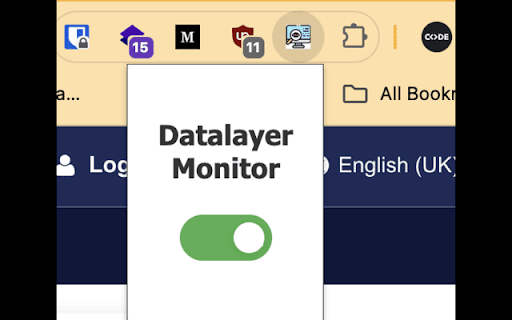

Monitor changes to the GTM dataLayer Easily monitor and log changes to the Google Tag Manager dataLayer in real-time. This extension helps developers and marketers track events and debug dataLayer updates effortlessly. Real-time logging of dataLayer changes. Toggle logging on or off via a simple popup interface. Automatically injects into all web pages to monitor dataLayer from the start. When you are using it, you might wanna enable Preserve log on "Console" tab.

dataLayer Digger Plus
Help analysing the dataLayer for Google Tag Manager in real-time with filters, export and other functionalities. It will help data… Help analysing the dataLayer for Google Tag Manager in real-time with filters, export and other functionalities. It will help data analysts, web analysts and web developers on their work for GTM.

DataLayer Inspector
Monitor and debug data layer implementations in real-time.Track Adobe, GTM, and custom data layer events with an interactive viewer. DataLayer Inspector is a powerful developer tool that helps you monitor, inspect, and debug data layer implementations in real-time. Whether you're working with Adobe Analytics, Google Tag Manager (GTM), or custom data layers, this extension provides a seamless way to track and validate your data layer events. 🔍 Real-Time Monitoring - Watch data layer events as they happen - See instant updates when data changes - Track user interactions and page events 🎯 Universal Compatibility - Works with Adobe Data Layer - Supports Google Tag Manager - Compatible with custom data layer implementations - Monitor any data layer object in your website ⚡ Developer-Friendly Features - Interactive floating viewer - Expandable/collapsible JSON tree view - Copy event data with one click - Search and filter capabilities - Dark/light theme support ⚙️ Flexible Configuration - Customize data layer path - Position viewer anywhere on screen - Resize to your preferred dimensions - Minimize when not in use - Optional permissions for specific sites 🔒 Privacy-Focused - Works entirely in your browser - No data collection or transmission - No external dependencies Perfect For: - Web Developers - Analytics Engineers - Marketing Technologists - QA Engineers - Digital Analysts How to Use: 1. Install the extension 2. Click the extension icon to activate 3. Watch data layer events in real-time 4. Click events to expand and inspect details 5. Use the settings to customize the path for custom data layers The DataLayer Inspector makes it easy to ensure your analytics and marketing tags are firing correctly with the right data. Save time debugging and gain confidence in your implementations. ### Support: For questions, feature requests, or bug reports, please email at hi@srikanthr.dev

TAGLAB - Analytics & Datalayer Console Viewer
Inspect & QA analytics tags, marketing tags, conversion pixels, and data layer variables for data auditing and tag monitoring. Validate your website's analytics and audit your marketing tags with TAGLAB's powerful Chrome extension. TAGLAB empowers digital marketers and developers to effortlessly inspect and QA analytics tags, marketing tags, conversion pixels, and data layer variables for comprehensive data auditing and tag monitoring. Seamlessly detect firing tags and data layer JS objects updates, with precision and efficiency. - View firing marketing tags of more than 35 tag types - Verify tag parameters and marketing taxonomies - View data layer variables - Preserve page navigation history - Distinct Events view for each click How to Use TAGLAB Extension: 1) After installation, simply right-click on your browser and select "Inspect". 2) Navigate to the TAGLAB tab within the developer console. 3) Start browsing your website to capture firing tags and data layer values. This chrome extension seamlessly supports a wide array of main vendors and custom technologies, which can be defined manually by users for comprehensive tag monitoring. Experience enhanced efficiency and assurance in data integrity with TAGLAB – your ultimate solution for analytics and marketing tag auditing on Google Chrome. For additional supported technologies, feedback, or inquiries, please don't hesitate to contact us.

Datalayer Checker
The easiest way to debug and check the dataLayer implementations without having to use the browser console! We are happy is happy to release Datalayer Checker 3 with several new features and a revamped design! NEW VERSION AVAILABLE! 🔹 Redesigned interface and intuitive user experience 🔹 Integrated event search engine 🔹 Flexible variable visualization: table format or JSON object 🔹 Google Tag Manager container injection removed (to respect manifest v3 rules) EXCLUSIVE FEATURES: 🔹 Capture what matters! Save up to 100 dataLayers with our revolutionary "Snapshot" function 🔹 Deep analysis! Verify your dataLayers in batches by methodically inspecting your captures 🔹 Organize efficiently! Structure your workspace with intelligent filters by domain, dataLayer name, or specific search (e.g.: event_name) to automatically classify your snapshots 🔹 Stay up-to-date! Reopen all your snapshot URLs to capture new data and compare them instantly Transform your analytics experience with Datalayer Checker! Because we're passionate about analytics...
