
akfpheepndpgecgiglbnglglnnjfppec
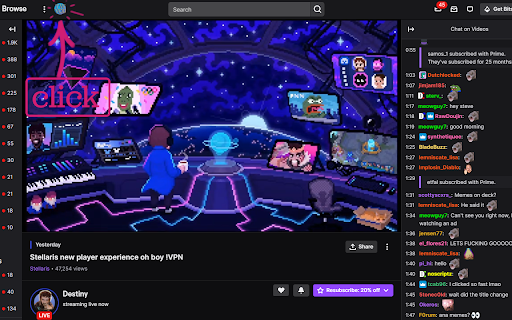
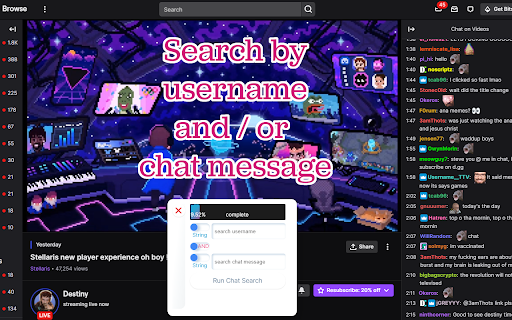

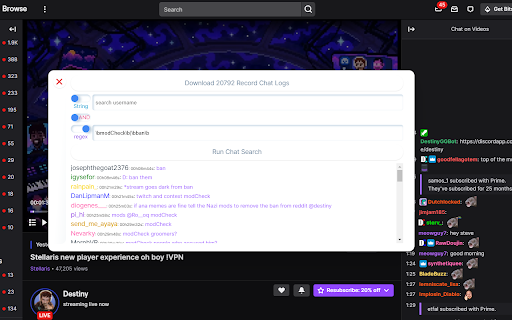
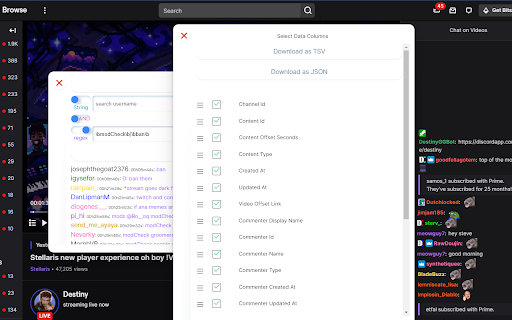
This extension assists with identifying timestamps on Twitch VODs by providing a tool for searching chat comments within a VOD. The idea is that if we are looking for some topic in a VOD, chat will be talking about it -- so we can find the comments and grab the timestamp off of the comment in the VOD. This tool supports standard search operators and regular expressions. Version 2.12 (8 Apr 2023) Updates: 1) bug fixes Known issues: 1) user images are no longer loading due to availability. There may be no solution to this, UI will be updated accordingly in the next major release. Version 2.11 (9 Dec 2022) Updates: 1) Migrated to Manifest Version 3 2) Fixed issues with background process changes at Twitch which broke the code 3) Increased the speed of download Known issues: 1) user images are no longer loading due to availability. Version 1.4.1 Updates (13 Feb 2022) 1) added a new view which allows a user to see the chat saturation over time a) clicking in the timeline will open the VOD at that timestamp. Version 1.3.1 Updates (17 Dec 2021) 1) added the ability to pull and search the current stream chat. 2) added the ability to download the filtered logs Version 1.21 Updates (9 Dec 2021) 1) Fixed a change in the website which was causing the application to fail.

Twitch VOD Downloader - Dwitch
Easy to use Twitch Clips and VOD Downloader. Dwitch is an online tool to download VODs and clips from Twitch. The Dwitch extension makes it extremely easy to download videos from Twitch. A Download button will appear on every video. Clicking on the Download button will take you straight to the download page where you can download any video from that particular post.

TTV LOL PRO
TTV LOL PRO is a fork of TTV LOL that: - uses an improved ad blocking method, - uses standard HTTP proxies (thus improving proxy compatibility and your privacy), - adds a stream status widget to the popup, - lets you whitelist channels, - lets you use your own proxies. TTV LOL PRO does not remove banner ads, nor does it remove ads from VODs. For the best experience, we recommend using uBlock Origin alongside TTV LOL PRO. Any questions? Please read the wiki first: https://wiki.ttvlolpro.com/ Credits: - Extension maintained by Younes Aassila (https://github.com/younesaassila) - Proxies maintained by Marc Gómez (https://github.com/zGato)

Purple Ads Blocker
An adblocker for the Twitch.tv using server side signature and local m3u8 manipulation Purple AdBlock is a video ad-blocker for Twitch.tv. The extension uses an external proxy in an ad-free country, only video requests are sent through this proxy to retrieve an ad-free, full quality stream. The extension does not collect or store your personal information and is opensource. If you would like to contribute your own proxy or help us with the extension upkeep, please visit my Github https://github.com/arthurbolsoni it might not work in some countries ATTENTION: Does not work with Alternate Player for Twitch. ATTENTION: The author of this extension accepts no responsibility for the use of the extension. The use of the extension is the total responsibility of the user.

TTV Looking Glass
Generates links to other VODs allowing you to easily sync clips and vods. This extension works on Twitch.tv and Kick.com Looking Glass helps you sync a clip or a vod with another streamer's perspective, across both Twitch and Kick. The input box underneath clips/vods makes it easy to watch the same clip from multiple perspectives. Use shift+tab hotkey to switch between Twitch and Kick from inside the input box. Submit /options into the inputbox for Looking Glass options. Submit -name to remove name from auto-complete. example: -spaceshipcaptain Submit a name with ctrl+enter and it will instantly open a found link in a new tab. Looking Glass embeds into Twitch and Kick pages so if either changes certain tags on it's website the extension can fail to load. If you notice this, you can open a new issue on Github or email me directly and I will get it back up and running as soon as I can.
